What is the Joe Biden AI Voice Generator?
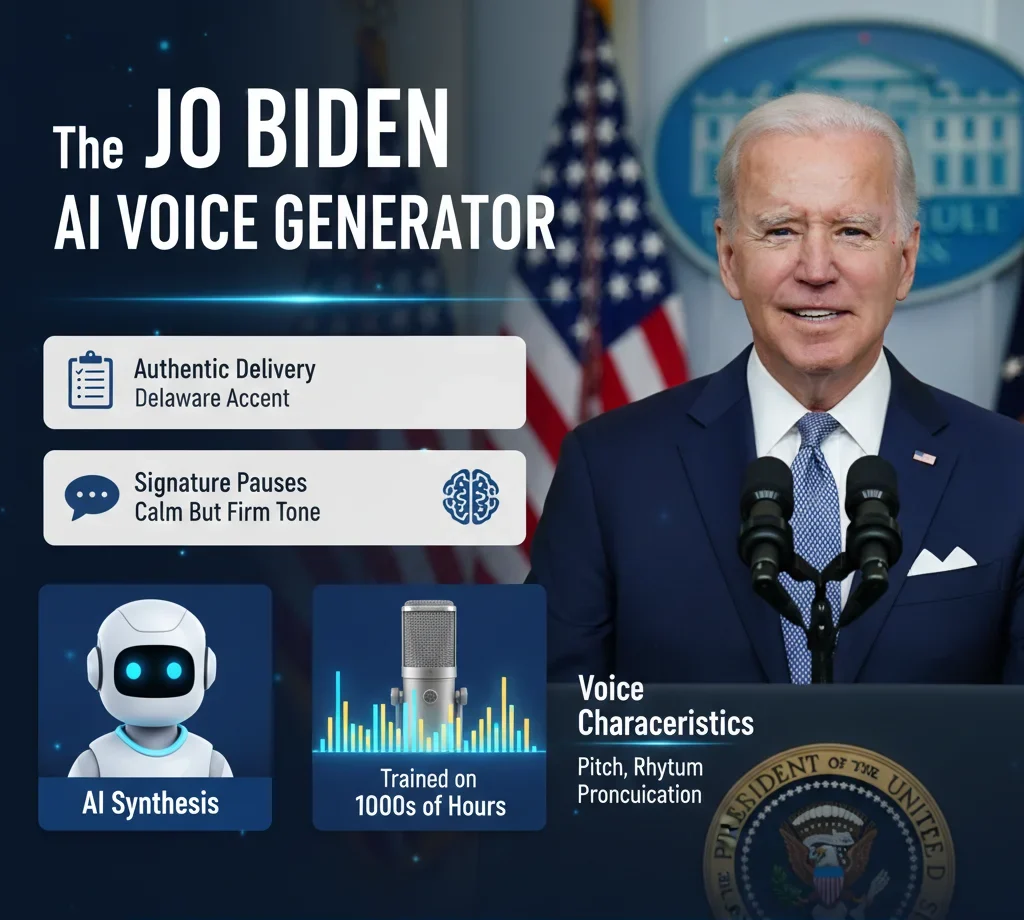
The Joe Biden AI voice generator is a software tool that uses artificial intelligence to recreate Joe Biden’s speaking style. It studies patterns in his public speeches, interviews, and debates to copy his tone, rhythm, and delivery style. Instead of using a human impersonator, this technology builds a digital model that produces speech that sounds like the real person. The result is a synthetic voice that mimics his real-life speaking style.
At its core, the system relies on advanced deep learning models trained on hours of audio recordings. Tools like Retrieval-Based Voice Conversion (RVC) and ElevenLabs analyze speech elements such as pronunciation, pitch, breathing patterns, and pacing. These models learn to reproduce his well-known Delaware accent, signature pauses, and calm but firm tone. This process makes the realistic Biden voice clone sound more natural and believable rather than robotic.
The technology behind a Joe Biden AI voice works by breaking speech into tiny sound units and then rebuilding them in a new format. Neural networks detect patterns in how he stresses certain words, how long he pauses between sentences, and how his voice rises or falls during emotional points. By combining these elements, the system can generate custom audio from any written script while maintaining a consistent presidential style.
Why People Use It
One of the main reasons creators explore a realistic voice cloning solution is for entertainment and educational content. Many YouTube channels use AI-generated presidential voices for satire, parody, or commentary. Because the voice sounds authentic, it adds humor and engagement to scripted content without requiring professional voice actors.
Another common use is for educational narration. Content creators sometimes build a presidential speech AI experience to simulate historical-style addresses or explain political events in a more engaging format. When used responsibly, it can make lessons more interactive and easier for students to understand.
Personalized memes and short social media clips are also popular. With AI voice tools, users can generate short, custom messages in a familiar political tone. However, it is important to use this technology ethically and clearly label AI-generated content to avoid confusion or misinformation.
In short, the Joe Biden AI voice generator combines machine learning and speech synthesis to replicate a recognizable speaking style. From entertainment to educational storytelling, it demonstrates how far AI voice technology has evolved while also reminding users to apply it responsibly.
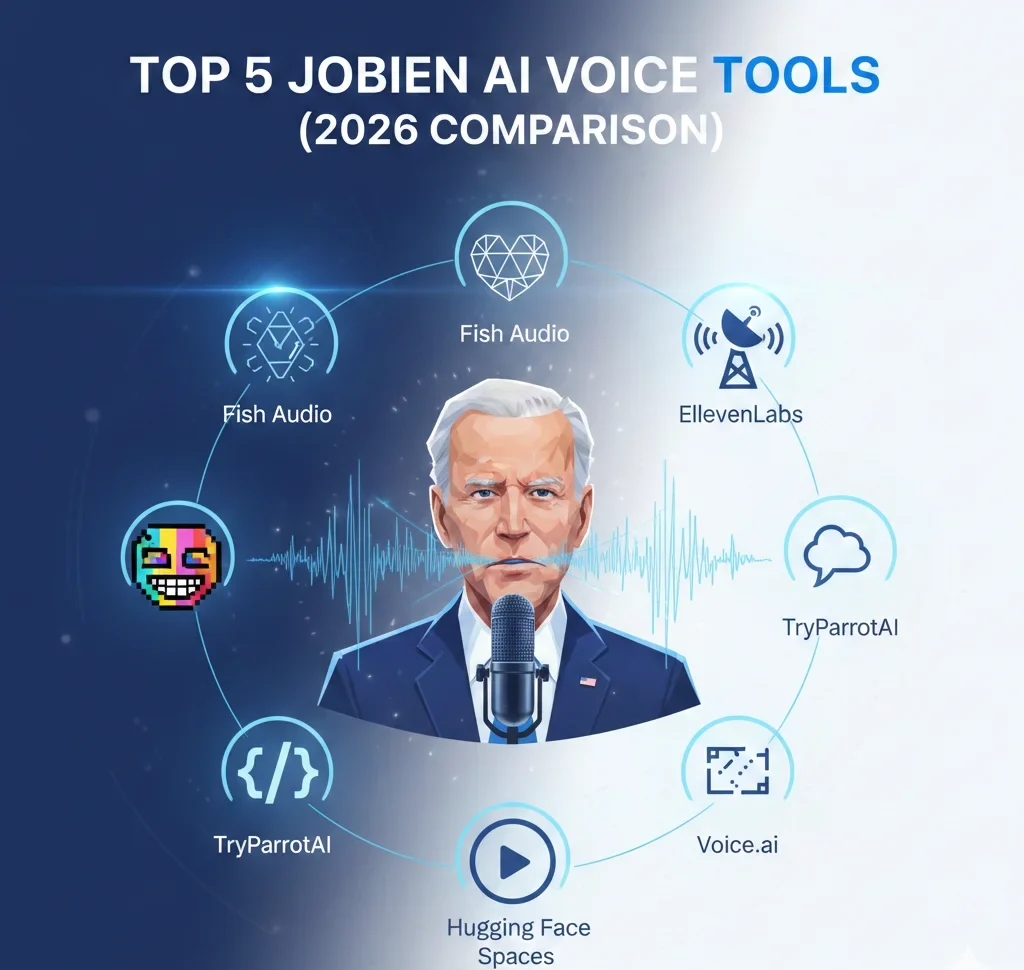
Top 5 Joe Biden AI Voice Tools (2026 Comparison)
If you’re searching for a powerful Joe Biden AI voice generator, choosing the right platform matters. Some tools focus on emotional depth, while others prioritize real-time streaming or developer customization. Below is a detailed 2026 comparison to help you pick the best solution for content creation, satire, education, or experimental AI projects.
Quick Comparison Table
| Tool | Best For | Key Strength | Ease of Use | Ideal User |
|---|---|---|---|---|
| Fish Audio | Emotional storytelling | Natural pauses & raspy tone | Medium | YouTubers & narrators |
| ElevenLabs | Studio-quality audio | Stability & realistic cadence | Easy | Professionals & agencies |
| TryParrotAI | Fast meme content | Mobile-friendly generation | Very Easy | Social media creators |
| Voice.ai | Live streaming | Real-time voice changing | Easy | Streamers & gamers |
| Hugging Face Spaces | Custom AI models | Open-source flexibility | Advanced | Developers |
1. Fish Audio – Best for Emotional Range
Fish Audio stands out when you need expressive delivery. It captures subtle vocal textures, including light raspiness and thoughtful pauses that resemble a realistic Biden voice clone. This makes it ideal for storytelling videos, documentary-style narration, and dramatic reenactments.
Its emotional layering system allows users to adjust tone intensity, helping creators simulate serious speeches or lighter conversational moments. While it may require some fine-tuning, the output feels more human than robotic.
2. ElevenLabs – Best for Professional Stability
ElevenLabs is widely known for producing highly stable, broadcast-quality results. If your goal is a polished Joe Biden AI voice for podcasts, explainer videos, or formal presentations, this tool performs exceptionally well.
It maintains consistent cadence, pronunciation, and pacing across long scripts. The platform’s neural models reduce glitches and unnatural breaks, making it suitable for business or educational environments that require reliable audio output.
3. TryParrotAI – Best for Quick Meme Creation
TryParrotAI focuses on speed and simplicity. Designed with mobile users in mind, it allows quick script input and instant voice output. This makes it popular among creators who produce parody clips and trending social media content.
For casual users who want realistic voice cloning without advanced settings, this platform offers a straightforward interface. It’s especially useful for short-form content like TikTok, Instagram Reels, or meme-based satire.
4. Voice.ai – Best for Live Streams
Voice.ai specializes in real-time transformation. Instead of generating pre-recorded clips, it modifies your voice in real time during live sessions. Streamers and gamers use it to create humorous or dramatic moments while interacting with audiences.
If you’re building interactive content with presidential speech AI elements during a live broadcast, this tool delivers instant results. The latency is minimal, making conversations feel natural rather than delayed.
5. Hugging Face Spaces – Best for Developers
Hugging Face Spaces is perfect for developers who want customization and open-source experimentation. Rather than offering a simple plug-and-play interface, it allows users to build or modify models directly.
This option is ideal if you want full control over datasets, tuning parameters, and experimental speech synthesis pipelines. Developers interested in refining a custom model inspired by Joe Biden can explore advanced frameworks within this ecosystem.
Which One is the Right Option
The right platform depends on your purpose. If you want emotional storytelling, Fish Audio leads the way. For studio-quality production, ElevenLabs remains a strong choice. Meme creators may prefer TryParrotAI, while live streamers benefit most from Voice.ai. Developers and AI enthusiasts will find unmatched flexibility in Hugging Face Spaces.
No matter which tool you choose, always use AI-generated political voices responsibly. Clear labeling and ethical use help prevent misinformation while allowing creators to explore innovative voice technology safely.
Step-by-Step: How to Generate a Realistic Biden Voiceover
Creating authentic political-style audio requires more than just typing text into a Joe Biden AI voice generator. To achieve natural flow and credibility, you need the right wording, technical tuning, and smart post-production. Below is a practical step-by-step guide to help you produce high-quality AI voice content inspired by Joe Biden.
1. Text Preparation: Write as He Speaks
The foundation of a convincing Joe Biden AI voice starts with scriptwriting. His speaking style is conversational and direct, often including familiar phrases such as “folks,” “here’s the deal,” or “malarkey.” These expressions create a relatable and informal tone.
Keep sentences slightly paced rather than overly complex. Use natural pauses between ideas and short emphasis points. Avoid robotic, overly formal language. Instead, structure your script like a speech delivered to a live audience, with subtle emotional transitions and steady rhythm.
This preparation stage significantly improves the output of any realistic Biden voice clone, as AI models perform better when the text already matches the target speaker’s personality and cadence.
2. Technical Tuning: Adjust Voice Settings Carefully
Once your script is ready, move to the technical stage. High-quality tools designed for realistic voice cloning usually offer adjustable controls such as pitch, stability, clarity, and style exaggeration.
Lower the pitch slightly if the output sounds too sharp. Increase stability to ensure smoother delivery in longer paragraphs. Style exaggeration can help emphasize pauses and expressive patterns, but keep it balanced to avoid unnatural results.
Pay close attention to pacing. His delivery often includes thoughtful pauses before key points. Slowing the speed slightly can help mimic that deliberate tone. Small adjustments here can transform a basic AI output into something that feels closer to a presidential speech AI production.
3. Post-Production: Add Realistic Atmosphere
Even the best-generated voice can sound flat without proper finishing touches. After generating your audio, use basic editing software to enhance realism.
You can add light ambient background noise to simulate a press conference, a speech hall, or a public event. A subtle crowd murmur, room echo, or microphone texture makes the audio feel less studio-generated and more situational.
Avoid overdoing sound effects. The goal is subtle realism, not distraction. With careful mixing, your final output from a Joe Biden AI voice generator will sound more immersive and believable.
Final Tip
A convincing AI voiceover is a mix of strong writing, smart technical tuning, and thoughtful editing. By focusing on script authenticity, precise adjustments, and subtle post-production effects, you can produce engaging and responsible AI-generated content that sounds polished and natural.
Ethics & Legality: Staying Safe with AI Clones
Using a Joe Biden AI voice generator can be creative and entertaining, but it also brings serious legal and ethical responsibilities. Many websites promote AI tools without explaining the real-world risks. However, misuse of political deepfakes has already resulted in lawsuits, heavy financial penalties, and even criminal investigations. In some reported cases, fines have reached millions of dollars, especially when AI-generated political audio was used deceptively during elections.
Legal Risks of Misusing AI Voice Technology
Improper use of realistic voice cloning can lead to civil lawsuits, platform bans, and regulatory action. Laws related to digital impersonation, election interference, and fraud are becoming stricter worldwide. If AI-generated audio is presented as authentic and causes harm, creators may face severe consequences.
Some competitors ignore these risks, but responsible creators should understand that misuse can result in fines reportedly exceeding $6 million in serious cases. Criminal charges may apply if the content intentionally misleads voters, spreads false emergency information, or impersonates official communications.
Parody vs. Misinformation: Understanding the Legal Line
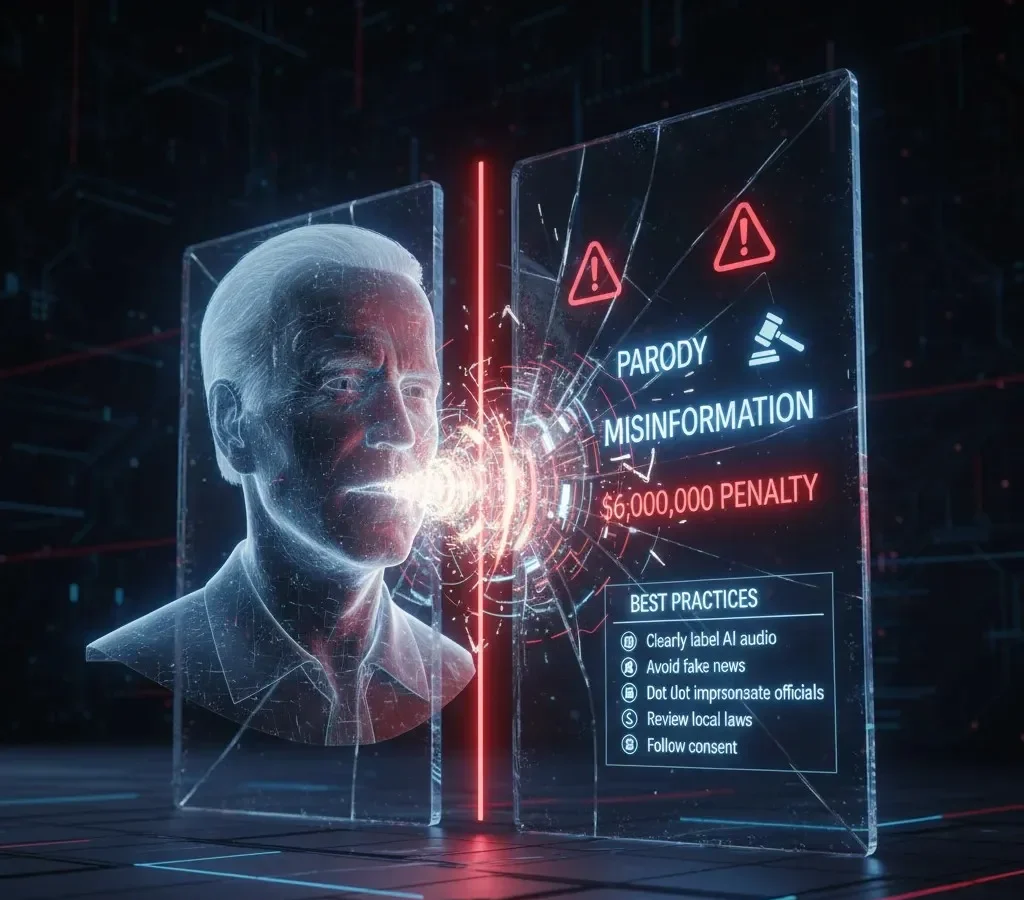
There is a major legal difference between parody and deception. Creating satire using a Joe Biden AI voice for comedy or commentary is generally protected under free speech laws in many countries—provided it is clearly labeled and not misleading.
However, using a realistic Biden voice clone to publish fake policy announcements, fabricated endorsements, or false election messages crosses into misinformation. Unlike parody, deceptive content can violate election laws and identity protection regulations. Transparency is what separates lawful satire from illegal manipulation.
Ethical Standards and Consent
Beyond legality, ethics play a major role in responsible AI use. Companies like Speechify promote strong ethical guidelines that focus on consent, transparency, and personal use. Their framework encourages users to clearly disclose AI-generated content and avoid harmful impersonation.
Following similar principles protects both creators and audiences. Whether you are experimenting with entertainment or building a presidential speech AI system for education, ethical boundaries should always guide your decisions.
Best Practices for Safe AI Voice Usage
To stay compliant and responsible:
Clearly label all AI-generated political audio.
Avoid creating fake news or fabricated government statements.
Do not impersonate emergency broadcasts or official announcements.
Review local laws on digital impersonation and elections.
Follow consent-based and transparency-focused standards.
Advanced Workflows: Creating Biden AI Videos
Creating engaging AI-powered political content goes beyond simple audio generation. Once you’ve produced voice output using a Joe Biden AI voice generator, the next step is transforming that audio into professional video content optimized for modern platforms like YouTube Shorts, TikTok, and Instagram Reels. Below is a structured workflow to help you build high-quality short-form videos efficiently and responsibly.
Generate High-Quality Voice Audio
Start by preparing a well-written script that reflects natural speech patterns inspired by Joe Biden. Once your script is ready, use your preferred tool to create a Joe Biden AI voice recording.
Focus on clarity and pacing. Clean, well-structured input text improves the accuracy of realistic voice cloning models. Export the final audio in high resolution (WAV format is recommended) to preserve sound quality during editing.
Polish the Audio for Professional Use
Before moving to video production, refine the sound. Light noise reduction, subtle EQ adjustments, and balanced compression can make your realistic Biden voice clone sound more natural and broadcast-ready.
If you’re simulating a formal address, keep the audio clean and direct. For commentary or parody, you can slightly enhance tone variation to make it more expressive. The goal is clarity without over-processing.
Convert Audio into Short-Form Video with Opus.pro
After finalizing the voice file, upload it into Opus.pro. This AI-powered platform automatically converts long-form audio or video into short, engaging social media clips.
Opus.pro analyzes speech patterns, detects highlight moments, and generates captions automatically. When paired with presidential speech AI content, it can create visually dynamic clips with subtitles, animated text, and optimized vertical aspect ratios. This integration significantly reduces editing time while maintaining a polished look.
Add Visual Context and Branding
To increase engagement, include supporting visuals such as:
Subtle background footage
News-style lower-thirds
Contextual captions
Custom thumbnails
Even simple animated backgrounds can make AI-generated political commentary feel more professional. Clear labeling that the voice is AI-generated helps maintain transparency and credibility.
Optimize for Platform Algorithms
Short-form platforms prioritize retention and engagement. Keep clips between 30 and 60 seconds when possible. Start with a strong hook in the first 3 seconds to grab attention.
Add captions for accessibility and improved watch time. Since many users watch videos without sound, subtitles help maximize reach and engagement.
The Joe Biden AI Prompt Library
When using a Joe Biden AI voice generator, the script you enter is just as important as the model itself. Strong prompts shape tone, pacing, and authenticity. Even the most advanced realistic voice cloning system will sound unnatural if the wording feels robotic.
Below are ready-to-test prompts designed to improve output quality when generating a Joe Biden AI voice inspired by Joe Biden.
The Town Hall Tone
This style works well for policy explanations and community-style speeches. It focuses on clarity, steady pacing, and emotional emphasis:
“Now look, folks, here’s the deal. We’re building an economy from the middle out and the bottom up, not the top down. It’s about dignity. It’s about a fair shot.”
It works because it includes short pauses after phrases like “folks” and “here’s the deal,” which create a natural and conversational tone. It also uses clear contrast phrases, such as “not the top-down,” to make distinctions more impactful and easy to understand. Additionally, it emphasizes important values like dignity and fairness, helping the message connect more strongly with the audience.
The Folksy Anecdote
Perfect for storytelling moments in presidential speech AI projects that aim to sound personal and reflective:
“My father used to have an expression, for real. He’d say, ‘Joey, a job is about a lot more than a paycheck. It’s about your respect.’”
It works because it follows a personal narrative structure, making the message feel authentic and relatable. The warm, conversational phrasing helps build a natural connection with the audience, making the content easier to engage with. Additionally, the emotional pause before quoted speech adds depth and emphasis, allowing the words that follow to carry more meaning and impact.
The No Malarkey Satire
Ideal for parody or commentary when using a realistic Biden voice clone responsibly and with clear labeling:
“I’m not joking here. We’ve got to stop the malarkey. We’re the United States of America, there’s nothing—nothing!—we can’t do if we do it together.”
It works because it uses repetition for emphasis, as seen in phrases like “nothing—nothing!”, which reinforces the key point. The strong declarative rhythm gives the message a clear, confident flow, while the punchy, high-energy delivery captures attention and keeps the audience engaged throughout.
Listen to the Difference (Interactive Authority Section)
Adding an audio comparison section builds credibility and increases trust. Instead of simply offering tools, you demonstrate expertise by explaining quality differences.
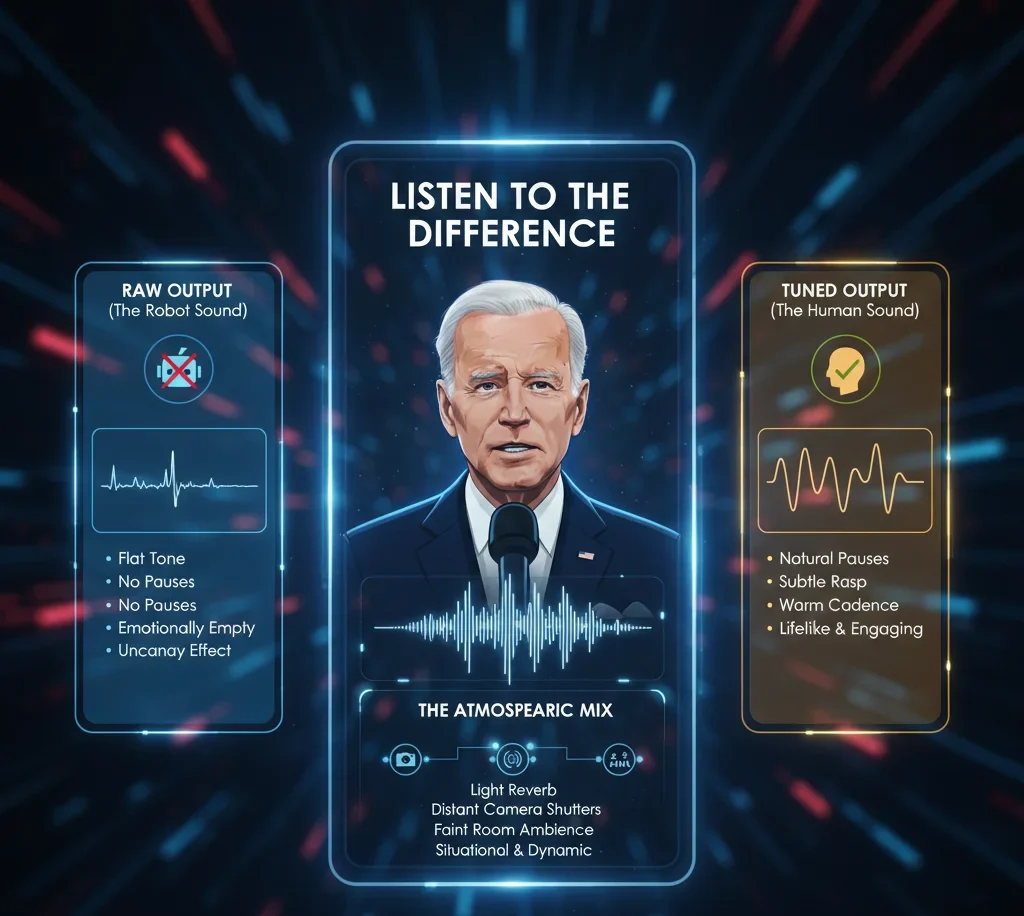
Raw Output (The Robot Sound)
This version uses the default settings of a Joe Biden AI voice generator, with no adjustments. This approach is characterized by a flat tone and the absence of natural breathing pauses, making it extremely clean but emotionally empty. It can create a slight uncanny effect, as the delivery feels unnatural. While it technically works, it ultimately lacks realism and fails to engage the audience emotionally.
Tuned Output (The Human Sound)
This is where refinement happens. Adjust punctuation in your script to force breathing pauses. Slightly reduce stability (e.g., around 80% in advanced TTS tools) to capture natural rasp and imperfections. This approach features a subtle vocal texture and natural pacing, creating a balanced blend of clarity and warmth. The more authentic cadence makes the delivery feel genuine and engaging. Overall, this stage dramatically enhances realism, making the voice or speech sound much more lifelike.
The Atmospheric Mix
Boosting Time on Page (Dwell Time Strategy)
To outperform competitors who average 45-second sessions, structure your page for interaction and deeper learning.
Embed a 2-Minute Video Tutorial
Add a short walkthrough demonstrating how you mix and refine a generated voice in real time. A practical demo builds trust and encourages viewers to stay longer.
Add a Cadence Slider Visual
Create a simple on-page graphic showing the balance between:
Stability (for smoothness)
Clarity (for sharp pronunciation)
Visually explaining where to position these settings helps users fine-tune tone without guesswork.
Conclusion
The Joe Biden AI voice has evolved from a niche meme tool into a powerful medium for digital satire, historical recreations, and creative content. While tools like ElevenLabs and Voice.ai make it easier than ever to achieve a presidential sound, the secret to a truly convincing clone lies in the nuance of the script and ethical execution. As AI regulations continue to tighten, focusing on high-quality, responsible parody will ensure your content stays online and ranks high.
Frequently Asked Questions (FAQs)
What is the best Joe Biden AI voice generator?
ElevenLabs is currently the gold standard for realism and emotional range, while Fish.audio is an excellent open-source alternative for those seeking a specific raspy texture.
Can I use Joe Biden’s AI voice for free?
Yes, platforms like Hugging Face and TryParrotAI offer free tiers or community spaces, though they often come with longer wait times or lower audio resolution.
Is it legal to make Joe Biden say anything with AI?
Under U.S. law, AI-generated voices are generally protected for parody and satire. However, using them for commercial gain, fraud, or spreading misinformation can lead to legal action and platform bans.
How do I make the AI voice sound more like Biden?
Use “crutch words” like “Folks,” “Look,” and “Here’s the deal.” Set your AI’s “Stability” lower to accommodate the natural vocal fluctuations common to his speaking style.
Are there AI video generators that work with Biden’s voice?
Yes, tools like HeyGen or Opus.pro allows you to sync a Joe Biden AI audio file with an avatar or existing video clip for a full “deepfake” effect.