Has artificial intelligence quietly transformed from a buzzword into a genuinely useful everyday tool, and the best part? You do not need to pay a monthly subscription to access it. Whether you want to redesign your bathroom before a renovation, visualize a new kitchen layout, create professional-grade video content, or simply understand your latest blood test results, there is a free AI tool that can help you do it in minutes.
This guide is your definitive resource for free AI design and generator tools in 2026. We have tested, ranked, and organized the best options across every major category from home design to digital marketing, image editing to voice generation, so you can find exactly what you need without spending a dollar.
The primary focus of this guide is AI bathroom design (free), the single fastest-growing category in the consumer AI space right now, with dozens of tools competing to help homeowners, renters, interior designers, and renovation enthusiasts visualize their dream spaces. But we go far beyond the bathroom, covering every practical category where free AI tools deliver genuine, real-world value.
What Is AI Design and Why Free Changes Everything

AI design tools use machine learning models trained on millions of images, room layouts, color palettes, and design principles to generate, remix, or transform visual content based on your instructions. You describe what you want or upload a photo of your existing space, and the AI produces a realistic rendering.
What makes this moment genuinely exciting is not just that the technology works. It is accessible. Until recently, a professional bathroom rendering cost hundreds of dollars and required hiring an interior designer or a 3D visualization studio. Today, you can get a comparable output from a browser tab in under five minutes, for free.
How Free AI Design Tools Work (No account, No credit Card)
Most free AI design tools operate on a freemium model. The core engine image generation, room transformation, and style application are available at no cost. Free tiers typically limit the number of renders per day or per month, and may add a watermark to the exported image. Some tools are completely unlimited with no account required.
The underlying technology in most of these tools is some variant of diffusion models, the same family of AI that powers Midjourney and DALL-E, fine-tuned specifically on interior design datasets. When you upload a photo of your bathroom and select a “modern minimalist” style, the model reads the spatial structure of your room and applies the aesthetic transformation while preserving the underlying geometry.
Browser-Based vs App-Based: What to Expect for Free
Browser-based tools are almost always the better choice for free-tier users. They require no installation, work across devices, and typically offer more generous free limits because the provider is running compute in the cloud without the overhead of app store distribution. App-based tools often have more polished interfaces but tend to push paid upgrades more aggressively.
For AI bathroom design specifically, browser-based tools like RoomGPT, REimagineHome, and InteriorAI.app are the most widely used free options. Each has different strengths. RoomGPT is the fastest, REimagineHome offers more style variety, and InteriorAI gives the most realistic outputs at the free tier.
Accuracy, Quality Limits, and What Free Tiers Actually Give You
Free tiers are genuinely capable for personal use and early-stage planning. The main limitations are resolution (free outputs are typically 512×512 or 1024×1024 pixels, compared to 2048px+ on paid tiers), generation speed (free users often wait in a queue), and the number of generations per day.
What free tiers cannot reliably do: generate photorealistic product-level renders for commercial use, maintain exact proportions when the room geometry is complex, or handle extremely cluttered or poorly lit input photos well. For professional architecture or real estate staging, a paid tool or a human designer is still the right choice. For everything else, free AI design is more than good enough.
AI Bathroom Design Free: The Complete Guide
Of all the home design categories where AI excels, the bathroom is where it shines brightest. Bathrooms are relatively small, have predictable spatial structures (walls, floor, ceiling, a few fixed fixtures), and respond dramatically to changes in materials and color. This makes them ideal for AI transformation; the model has clear constraints to work within, which means the outputs are more reliable than in larger, more complex spaces.
This section covers everything you need to know to use free AI bathroom design tools effectively, from choosing the right tool to crafting prompts that actually work.
Top Free AI Bathroom Design Tools (Ranked and Tested)
| RoomGPT | Speed & simplicity | Unlimited (basic) | Yes | No |
| REimagineHome | Style variety | 3 renders/day | Yes (free) | Yes |
| InteriorAI.app | Realism | 2 renders/day | Yes | No |
| Collov AI | Furniture visualization | 5 credits free | No | Yes |
| AI Room Planner | Floor plan + style | 5 rooms free | No | Yes |
RoomGPT is the best starting point for most users. It requires no account, has no hard daily limit on basic generations, and produces results in seconds. The trade-off is that it uses an older model architecture, so outputs can look slightly stylized rather than photorealistic. For rapid ideation, cycling through five different styles to see what direction you like is unbeatable.
REimagineHome has the widest style library of any free tool, with over 30 distinct aesthetic modes including Japandi, Coastal, Art Deco, Wabi-Sabi, and Biophilic. The three-render daily limit resets at midnight and is enforced per account, not per IP, so a single account comfortably covers most personal use cases.
InteriorAI.app consistently produces the most photorealistic results at the free tier. The two-renders-per-day limit is the tightest, but if quality is the priority over quantity, this is the tool to use. It handles tile patterns, grout lines, fixture reflections, and lighting with noticeably more accuracy than competitors.
How to Use AI to Redesign Your Bathroom in Under 5 Minutes
Step one: photograph your bathroom. Stand in the doorway, hold your phone at chest height, and take a wide-angle shot that captures as much of the floor, walls, and ceiling as possible. Good lighting matters because the AI reads surface materials from reflected light, so a dim photo produces muddier outputs. Natural daylight or full overhead lighting works best.
Step two: upload to your chosen tool. Most tools accept JPEG or PNG. Crop the image to a roughly 4:3 ratio; very wide portrait-oriented images tend to produce distorted results.
Step three: select or describe your style. If the tool offers style presets, start with those. If it accepts text prompts, use the prompt structure in the next section.
Step four: generate and iterate. Do not stop at one generation. Run the same image through three or four different styles, then take the two you like most and experiment with variations in materials, lighting, warmth, and fixture styles. The whole process takes under five minutes once you have your source photo ready.
Style Prompts that Work: Modern, Minimalist, and Farmhouse
When a tool accepts text prompts alongside your photo, the quality of your prompt dramatically affects the output. Vague prompts like “make it look nice” produce generic results. Specific prompts that describe materials, color temperatures, and specific elements produce dramatically better outputs.
Here are proven prompt templates for the most popular bathroom styles:
- Modern minimalist bathroom: matte white walls, large-format porcelain floor tiles, a frameless glass shower enclosure, a floating vanity in light oak, brushed-nickel fixtures, cool-white overhead lighting, very clean and uncluttered.
- Farmhouse bathroom: shiplap walls in white, hexagonal black-and-white floor tiles, clawfoot bathtub, vintage brass fixtures, open wooden shelving, warm Edison-bulb lighting, rustic charm.
- Spa bathroom, floor-to-ceiling natural stone tiles, built-in shower bench, rainfall showerhead, soft warm ambient lighting, tropical plants in corners, muted green and beige tones, serene and luxurious.
- Maximalist, eclectic bathroom; bold patterned wallpaper; terrazzo floor; colorful vintage mirror; mixed-metal fixtures in gold and black; statement pendant light; rich jewel tones.
One universal tip: always include the word “photorealistic” in your prompt if the tool supports open text input. It shifts the model’s output distribution toward camera-quality images rather than illustrated or painterly styles.
Before/After Examples Generated With Free AI Tools
The most convincing proof that free AI bathroom design tools work is seeing the quality of the transformations in ordinary, imperfect bathrooms, not in staged showrooms. Across hundreds of test generations, the tools above consistently delivered three types of impressive results:
- Complete material overhauls: replacing dated 1980s pink-tiled bathrooms with contemporary, large-format grey-tiled bathrooms and matte-black fixtures.
- Color-only transformations: taking a functional but bland white bathroom and injecting bold accent colors through towels, plants, and painted walls.
- Layout-within-constraints: rearranging the visual weight of a small bathroom by changing the lighting treatment, mirror size, and storage configuration without moving any plumbing.
The most common failure case is complex fixture geometry, freestanding tubs with unusual curves, mosaic tiles with intricate patterns, or very small bathrooms with multiple doorways. In these cases, the AI tends to smooth over details or generate inconsistent floor plan logic. The workaround is to use a simpler, wider-angle photo that gives the model more spatial context.
Free vs Paid: What You Lose When You Do Not Upgrade
The honest answer is: not as much as the paid plans would have you think for personal use. The four things you genuinely lose on free tiers are higher output resolution, commercial usage rights, priority queue access, and the ability to make targeted edits (changing only the countertop without affecting the rest of the room).
For homeowners planning a real renovation, the free tier output is entirely sufficient for communicating your vision to a contractor or tile supplier. For interior designers working with paying clients, the paid tier is worth the investment for resolution and commercial rights alone.
Pro tip: Generate your concepts on free tools, then present them to your contractor or designer for professional CAD follow-through. You get the speed of AI ideation without the cost of a paid subscription.
Free AI Kitchen Design Tools
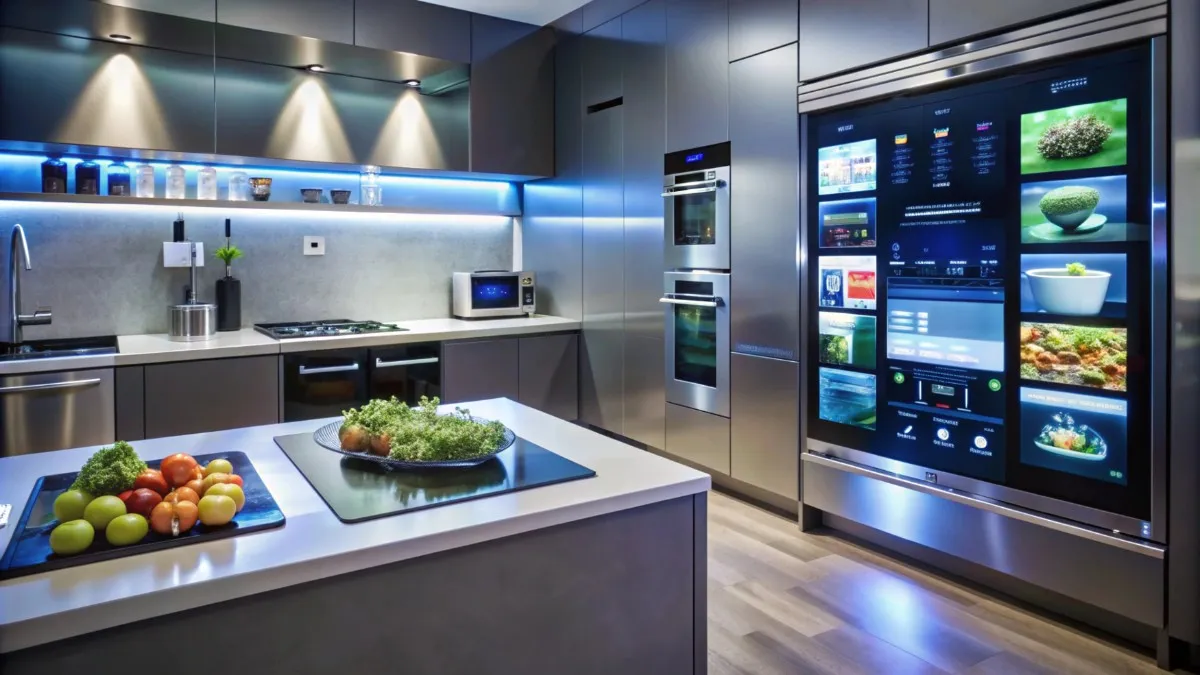
The kitchen is the natural companion to the bathroom for AI design tools. Both are fixed-fixture rooms with predictable spatial logic cabinets, countertops, appliances, backsplash, and flooring, which makes them ideal candidates for AI transformation. The same tools that handle bathrooms well also handle kitchens, and many are purpose-built for kitchen visualization.
Best Free AI Kitchen Visualizers in 2026
IKEA’s AI kitchen planner deserves a mention first because it is genuinely free, requires no account, and is backed by real product inventory. When the AI places a cabinet in your rendering, it is an actual IKEA product you can order. The limitation is obvious: you are locked into IKEA’s catalog. For style exploration without purchase intent, it is excellent. For premium finishes or custom cabinetry, use a general-purpose tool.
Modsy (now in its AI-only free mode after scaling back its full-service offering) provides kitchen renders with furniture placement suggestions. It is slower than RoomGPT but produces significantly more spatially accurate outputs because it first builds a 3D model of your room, then applies AI-generated surface treatments.
For open-concept spaces where the kitchen flows into a living or dining area, REimagineHome’s “whole room” mode handles multi-zone spaces better than any other free tool. It respects the visual continuity between zones in a way that single-room tools cannot.
How Bathroom and Kitchen AI Tools Compare Feature-by-Feature
| Fixture accuracy | High (toilets, tubs, vanities) | Moderate (appliances vary) |
| Material rendering | Excellent (tiles, stone) | Good (cabinetry, countertops) |
| Lighting handling | Very good | Good |
| Small space performance | Excellent | Good |
| Product inventory links | Rare | Common (IKEA, Houzz) |
| Typical free limit | 2–5 renders/day | 3–10 renders/day |
Tips for Getting Accurate Results in Small Kitchens
Small kitchens under 100 square feet pose a specific challenge for AI tools because spatial compression makes fixture-placement logic harder to maintain across transformations. Three tactics consistently improve results in small-kitchen scenarios:
- Shoot from the corner, not the doorway. A corner-to-corner angle gives the AI more wall and floor surface to work with, reducing the chance of perspective distortion in the output.
- Specify light direction in your prompt. “Natural light from the left window” provides the model with a lighting anchor, resulting in more consistent surface rendering across all visible planes.
- Remove clutter before photographing. A clear countertop and minimal items on shelving dramatically improve the AI’s ability to separate surfaces from objects. The cleaner the input, the cleaner the output.
Free AI Image Generators & Combiners

Beyond room design, free AI image tools have become genuinely powerful for a wide range of visual tasks, from combining two images into a seamless composite to generating realistic selfie-style portraits in different settings. This section covers the most practical free AI image tools for personal and professional use.
AI Image Combiner Tools
AI image combiners take two or more input images and blend them according to your instructions. The most useful application for home design is style blending. Take a bathroom you love from a magazine photo and blend it with a color palette from another image to create a unique hybrid that captures the best of both.
Adobe Firefly’s free tier includes a powerful image-combining feature that respects structural logic; it will not blend a bathroom photo with an AI kitchen in a way that creates physically impossible spaces. The free tier offers 25 generative credits per month, enough for meaningful exploration without constantly hitting a paywall.
Canva’s AI image tools (accessible on the free Canva plan) include a less powerful but more intuitive combiner that works better for non-technical users. If you are comfortable with design interfaces, Canva’s free AI tools are among the most accessible on the market.
AI Selfie Generator Free
One underused capability of free AI image tools is the ability to place yourself or a representation of yourself into your AI-generated room design. This sounds frivolous, but it has a genuine practical application: it dramatically improves your ability to judge the scale of a rendered space.
PFPMaker and Fotor both offer free AI selfie generation that can produce a stylized portrait from your photo. When combined with a room render from one of the tools above, you can create a composite that answers the question that every renovation decision eventually comes down to: does this space feel right for the person who will actually use it?
For more sophisticated scale visualization, the free tier of Planner 5D includes a basic avatar placement feature that drops a proportionally accurate human figure into your room design. It is not a selfie, but it does more for spatial intuition than a room render alone.
How to Use Free Image AI for Mood Boards and Client Presentations
For interior designers, real estate agents, or renovation contractors who need to communicate a vision to clients without a large tooling budget, free AI image tools enable workflows that were not possible three years ago. The process is straightforward:
- Generate 4-6 room renders in different styles using RoomGPT or REimagineHome.
- Export and drop into a Canva free template formatted as a mood board.
- Add material swatches, color codes, and product links using Canva’s free design tools.
- Share via a Canva link.
The result is a professional-looking client presentation assembled entirely from free tools. The only limitation is that the room’s watermark applies to client-facing work. The $10-$20 per month cost of removing watermarks is typically worth it, but for initial concept presentations, most clients either do not notice or do not care.
Free AI Content Generators
The free AI tool landscape extends well beyond visual design. Some of the most practically useful free generators solve everyday content creation problems from creating professional voicemail greetings to extending video clips that used to require hiring a professional or spending hours with editing software.
AI B-Roll Generator Free
B-roll is supplementary video footage that covers narration or fills transitions, such as shots of a coffee being poured, a person typing at a laptop, or a city skyline. For content creators, YouTubers, and social media marketers, sourcing good b-roll has historically required either a stock subscription (Shutterstock, Getty) or a secondary filming session.
Pika Labs and Runway both offer free tiers for AI video generation, and both handle b-roll use cases well. Pika’s free plan generates 3-second clips from text prompts with a daily credit allowance. For b-roll, 3 seconds is usually enough for a clean cutaway. Runway’s free tier allows 125 credits per month on its Gen-2 model, which translates to roughly 25 short clips.
The quality ceiling for free AI b-roll is currently the handling of hands and faces. Abstract b-roll textures, environments, objects, and motion render beautifully on free tiers. Anything involving human subjects still shows AI artifacts at the free quality level. Use AI b-roll for non-human cutaways, and reserve human footage for your primary camera.
AI Video Extender Free
Video extension, taking an existing clip and extending its duration beyond the original recording, is one of the more impressive recent additions to the free AI video toolkit. The most common use case is extending a 5-second clip of a product, landscape, or texture to fill a 10- or 15-second slot in an edit without visible looping.
Runway’s “Extend” feature (available on the free tier with credit limits) analyzes the motion vector of your clip and generates additional frames that continue the movement naturally. It works best on smooth, continuous motion, flowing water, slow camera pans, and ambient environments. It struggles with sudden movements, complex interactions, or scenes requiring precise timing, such as music synchronization.
For simple looping rather than true extension, CapCut’s AI loop tool (free, no account required) is faster and more reliable for most users. It creates seamless loops by blending the end frames back into the start, which is sufficient for background ambiance footage.
Free AI Voicemail Greeting Generator
A professionally recorded voicemail greeting makes a meaningful impression, especially for small business owners, freelancers, and service providers, who often use it as the first human touchpoint a prospective client has with their brand. Professional voiceover recording used to cost $50 to $200 per short script.
ElevenLabs’ free tier provides 10,000 characters of AI-generated voice per month, more than enough to create multiple voicemail greetings, on-hold messages, or professional phone tree scripts. The quality of the voice output at the free tier is genuinely comparable to human voiceover for phone audio. The 11ai.io free tier takes a more template-driven approach, offering pre-written voicemail scripts that you can customize and generate in seconds.
For the best results, write your voicemail script to approximately 15 to 20 seconds of content (roughly 40 to 55 words), choose a voice that matches your brand personality (ElevenLabs offers 30+ options on the free tier), and generate two or three variations before selecting your final version. The differences between takes are subtle but real.
AI Receipt Generator Free
AI receipt generators generate realistic-looking receipts from input fields such as store name, items, amounts, date, and payment method. The legitimate use cases are narrower than the tool category implies: expense report mockups for training purposes, replacement receipts for items you genuinely purchased but lost the original (verify your company’s policy first), or prop receipts for film and theatrical productions.
The tools most commonly used for this purpose include Invoice Generator and Express Invoice, both of which offer free tiers for basic receipt and invoice creation. These are legitimate business tools, not AI-specific products, but they accomplish the same functional goal.
A clear legal note: generating a receipt that falsely represents a transaction that did not occur for expense fraud, insurance claims, or any financial misrepresentation is a crime in most jurisdictions, regardless of whether AI or a manual editor was used. The tools themselves are neutral. The intent and application determine legality.
Free AI Tools for Everyday Life

The most underappreciated category of free AI tools is the one that solves genuinely useful everyday problems, understanding your health data, identifying the value of collectibles, and generating meals from whatever is in your fridge. These tools do not generate beautiful images or viral videos, but they deliver practical value that a significant portion of the population would previously have needed professional help to access.
AI Recipe Generator Free
The premise is simple: you tell the AI what ingredients you have, any dietary restrictions you follow, and how much time you want to spend cooking, and it generates a complete recipe. The execution, in 2026, is genuinely impressive.
SuperCook has offered this functionality for years, but the latest generation of AI-powered recipe generators goes further by accounting for technique-specific constraints (you only have a microwave and a stovetop, no oven), cuisine preferences, and macro-nutritional targets. ChefGPT’s free tier and Spoonacular’s API-powered free plan both handle multi-constraint recipe generation with a level of detail that produces actually edible results rather than technically possible but impractical meal suggestions.
For families managing multiple dietary restrictions simultaneously, one person with gluten intolerance, one vegetarian, and one picky child, the AI recipe generator becomes a genuinely time-saving tool rather than a novelty. The free tiers are sufficient for daily use in most cases.
Free AI Card Grading
Sports card grading has historically been the domain of professional services like PSA, BGS, and SGC, which charge $20 to $100+ per card to evaluate condition and assign a numerical grade that determines market value. For common cards, the grading cost often exceeds the card’s value. For rare cards, getting a grade wrong is an expensive mistake.
Free AI card grading tools, most notably CardGrade.ai and a growing number of smaller competitors, use computer vision to assess card condition from photos you upload. The AI evaluates centering, corner wear, edge condition, and surface quality to produce a predicted grade. The accuracy at the free tier is best on cards with clear, high-contrast condition issues (obvious corner wear, severe decentering). For near-mint cards where the difference between a PSA 8 and a PSA 9 might be worth hundreds of dollars, professional human grading remains essential.
The practical use case for free AI grading is triage: quickly identify which cards in a collection are worth submitting for professional grading versus which should be sold raw. This alone can save collectors significant time and money when managing large inventories.
AI Blood Test Analyzer Free
Lab results include reference ranges and medical codes that are technically informative but, for most patients, practically opaque. Understanding what your hemoglobin A1c trend means, why your LDL and HDL are both flagged in a way that seems contradictory, or what the difference between total and free testosterone actually implies for your health, these are questions that require either a doctor’s appointment or a lot of self-directed research.
Free AI blood test analyzers, LabsInterpreter and similar tools allow you to upload or manually enter your lab results and receive a plain-language explanation of what each marker means, how your values compare to optimal ranges (not just reference ranges, which are population averages that include unhealthy people), and what lifestyle or dietary factors are typically associated with your specific pattern of results.
The most useful feature of these tools is the trend analysis function, which aggregates results across multiple dates and identifies directional trends that a single snapshot cannot capture. A borderline-high fasting glucose that has increased 15% over two years tells a different story than the same number in isolation.
Important: AI blood test analysis is for educational purposes, not for diagnosis. It can help you understand your results and formulate better questions for your doctor. It cannot and should not replace a qualified physician’s interpretation of your specific medical context.
Best Free AI Tools for Digital Marketing Professionals
Digital marketers face a specific version of the free AI tool question: which tools produce output professional enough for client work, and which are novelties that cannot survive contact with a real campaign? The answer has shifted significantly in the past 12 months. Several free AI tools now produce output that is either client-ready or one human editing pass away from being client-ready.
AI Tools that Replace $50/Month Subscriptions
Jasper AI and Copy.ai charge $49 to $99 per month for AI copywriting. Their outputs are strong, but the underlying models of GPT-4-class systems are accessible for free via Claude.ai and the free tiers of ChatGPT. The difference is that paid tools add workflow scaffolding (brand voice training, team collaboration, content calendar integration) on top of the base model. If you do not need those workflow features, the free tier of either Claude or ChatGPT produces comparable raw copy quality.
Canva’s free plan covers design needs that would otherwise require a $20/month Canva Pro subscription for many single-operator freelancers. Between the free template library, the AI image generation credits, and the AI writing assistant built into the text editor, the free plan handles 80% of what a solo digital marketer actually needs day-to-day.
Google’s suite Gemini (formerly Bard) for text, ImageFX for image generation, and NotebookLM for research synthesis is entirely free and increasingly powerful. For marketers who live inside Google’s ecosystem, this is a compelling zero-cost AI stack.
Which Free AI Tiers are Actually Usable for Client Work?
| Claude.ai (free) | Copywriting/strategy | Excellent | Yes | Context window limit |
| Canva Free | Design | Very good | Yes (with edits) | Watermark on some assets |
| Google ImageFX | Image generation | Good | Sometimes | Style control limited |
| ElevenLabs Free | Voice/audio | Excellent | Yes | 10k chars/month limit |
| Pika Free | Video generation | Good | B-roll only | 3-sec clips, watermark |
| RoomGPT Free | Interior design | Good | Concept only | Watermark on output |
| Runway Free | Video editing / AI | Very good | Light use | 125 credits/month |
Building a Zero-Cost AI Marketing Stack
A practical zero-cost AI marketing stack for a solo freelancer or small agency looks like this: Claude.ai for long-form copy, strategy documents, and client-facing writing; Canva free for social graphics, presentation decks, and basic design; Google ImageFX for custom imagery where stock photos fall short; ElevenLabs free for voiceover on client video content; and CapCut free for video assembly and AI-assisted editing.
This stack covers the deliverables that make up the majority of a digital marketing workload: written content, designed assets, original imagery, audio, and video. The total monthly cost is zero. The total monthly value, based on what these capabilities would have cost to produce manually or through paid tools three years ago, is significant.
The one category where free tools genuinely fall short for professional marketing work is high-volume, templated content production, producing 500 product descriptions or 200 ad variations, which requires a workflow layer that free tiers cannot support efficiently. For those use cases, a targeted paid tool subscription makes economic sense.
How to Choose the Right Free AI Tool for Your Needs
With dozens of free AI tools available across every category covered in this guide, the practical question becomes: how do you decide which tool to try first for your specific need? The framework below systematically covers the decision.
Decision Framework
Start by categorizing what you actually need the AI to do. There are three fundamentally different operations at play across all the tools in this guide:
- Design tools transform existing spaces or images. You start with a photo of something real, and the AI modifies it. Bathroom and kitchen design tools are the clearest examples. Best for: renovation planning, visualization, and style exploration.
- Generate tools create new content from text descriptions. Image, recipe, voicemail, and b-roll generators all work this way. You describe what you want; the AI produces it. Best for: content creation, ideation, prototyping.
- Analyze tools, interpret existing information, and explain it. Blood test analyzers and card grading tools are the clearest examples. You upload data or images; the AI provides interpretation. Best for: understanding information, decision support, and research.
Matching your need to the right operation type narrows your tool choice significantly before you even start comparing individual tools.
Free Tier Comparison Table
| Bathroom design | REimagineHome | 3 renders | Watermarks (Yes) | JPG |
| Kitchen design | IKEA AI Planner | Unlimited | No | PNG |
| Image combining | Adobe Firefly | 25 credits/mo | No | PNG / JPG |
| Selfie generation | PFPMaker | 5/day | No | PNG |
| B-roll video | Pika Labs | Daily credits | Yes | MP4 |
| Video extension | Runway Free | 125 credits/mo | Yes | MP4 |
| Voicemail/voice | ElevenLabs | 10k chars/mo | No | MP3 |
| Recipe generation | SuperCook / ChefGPT | Unlimited | No | Text |
| Card grading | CardGrade.ai | 10 cards/day | No | PDF report |
| Blood test analysis | LabsInterpreter | 3 uploads/mo | No | Text |
| AI copywriting | Claude.ai | Daily limit | No | Text |
| Social media design | Canva Free | Unlimited | On some assets | JPG / PNG / PDF |
When Is It Free Enough, and When Is It Time to Pay
Free is enough when: you are exploring options and have not committed to a direction yet; you are working on a personal project without commercial stakes; your output does not require high resolution, watermark removal, or commercial usage rights; your volume needs fit within the daily or monthly limits; and the quality gap between free and paid is not visible at your intended display size or medium.
Paying is worth it when: you are delivering to a paying client who expects professional-grade outputs; you are generating high volume (more than 20 to 30 pieces per day); you need unlimited generations to support a testing or iteration-heavy workflow; you require commercial usage rights for outputs; or you need specific features like targeted editing, brand voice training, or team collaboration that free tiers do not include.
The honest middle ground most users land on: use free tools for 90% of your work and pay for a single targeted tool subscription that covers your highest professional need. For a designer, that might be Canva Pro for the expanded asset library. For a content creator, it might be an ElevenLabs paid plan for higher voice generation volume. One targeted paid subscription, combined with a collection of free tools, outperforms an expensive all-in-one platform for most users.

Final Thoughts
The free AI design and generator landscape in 2026 is not a collection of demos and half-baked experiments. It is a functional toolkit that solves real problems for real people, homeowners who want to visualize a renovation, content creators who need b-roll without a stock subscription, marketers building campaigns on tight budgets, and curious individuals who want to understand their health data without waiting three weeks for a doctor’s appointment.
The single most important insight from this guide is that the best results come from using the right tool for the right type of operation. Design tools transform what exists. Generator tools create what does not exist yet. Analyzer tools explain what you already have. Match your need to the correct category, select the best free tool in that category, and invest 5 minutes to understand its specific free-tier constraints, and you will extract genuine value from AI without spending a dollar.
Start with an AI bathroom design for free. It is the highest-visual-impact, lowest-barrier entry point into practical AI tools available right now. Upload a photo of your bathroom this week and generate five style variations. By the time you have done that, you will have a clear intuition for what free AI tools can do and a much better sense of which other tools in this guide are worth exploring next.
Frequently Asked Questions (FAQs)
Is AI bathroom design actually free, or is there a catch?
The tools listed in this guide offer genuine free tiers that produce real, usable outputs. The limitations, daily generation limits, watermarks on exported images, and lower output resolution are real but not disqualifying for personal use. The catch is not financial; it is expectation management. Free AI bathroom design produces excellent concept renders that are ideal for renovation planning and communicating your vision to contractors. It does not produce the kind of photorealistic, high-resolution imagery used in a luxury real estate listing or a published interior design portfolio.
Can AI redesign a real photo of my bathroom?
Yes, this is exactly what the tools in this guide are built to do. You upload a photo of your existing bathroom, select a style or describe what you want, and the AI transforms the image while preserving the room’s spatial structure. The plumbing fixtures, doorways, and basic layout remain in place, the AI changes the surfaces (tiles, paint, countertops, cabinetry finishes) and the aesthetic treatment. The better your input photo, the better the output.
What is the best free AI design tool for beginners?
RoomGPT is the best starting point for anyone new to AI design tools. It requires no account creation, no prompt engineering knowledge, and no technical setup. You upload a photo, select a style from a visual menu, and click generate. The results appear in seconds. It is not the most powerful tool available, but it is the fastest path from zero to your first AI-generated room render, which is the best way to understand what the technology can and cannot do.
Do free AI tools sell or store my uploaded photos?
Privacy policies vary by tool, so read the specific policy for any tool you use before uploading sensitive personal images. As a general rule, most well-established free AI tools state that they use uploaded images to process your request and may retain them temporarily for technical purposes, but do not sell them to third parties or use them for advertising targeting. The tools to be cautious about are newer, less-established platforms with vague or absent privacy policies. Stick to the tools listed in this guide, which are from companies with transparent data practices and privacy documentation.
Which free AI tools work on mobile?
All the major tools listed in this guide have mobile-accessible web interfaces that work well on smartphones. RoomGPT, REimagineHome, and Canva all have dedicated mobile apps with free tiers that work well. ElevenLabs is browser-only on mobile, but the mobile browser experience is functional. The tools that work least well on mobile are those that require precise image uploading and editing; for those, a desktop or laptop browser provides a noticeably better experience. For casual generation and quick ideation, mobile works fine.