If you have ever wished for a laptop that combines the premium build quality of a MacBook Pro with the openness, repairability, and freedom of Linux, Framework just made that wish come true.
On April 21, 2026, at its Next Gen launch event in San Francisco, Framework Computer officially unveiled the Framework Laptop 13 Pro, a ground-up redesign of its beloved modular laptop. And the company wasn’t shy about its ambitions. According to reports from the event, Framework’s internal goal when designing this machine was simple: build the MacBook Pro for Linux users.
Six years in the making. Five hardware generations have been iterated. One completely reimagined machine. Here is everything you need to know.
Read More: NVIDIA Stock Price Prediction
What Is the Framework Laptop 13 Pro?
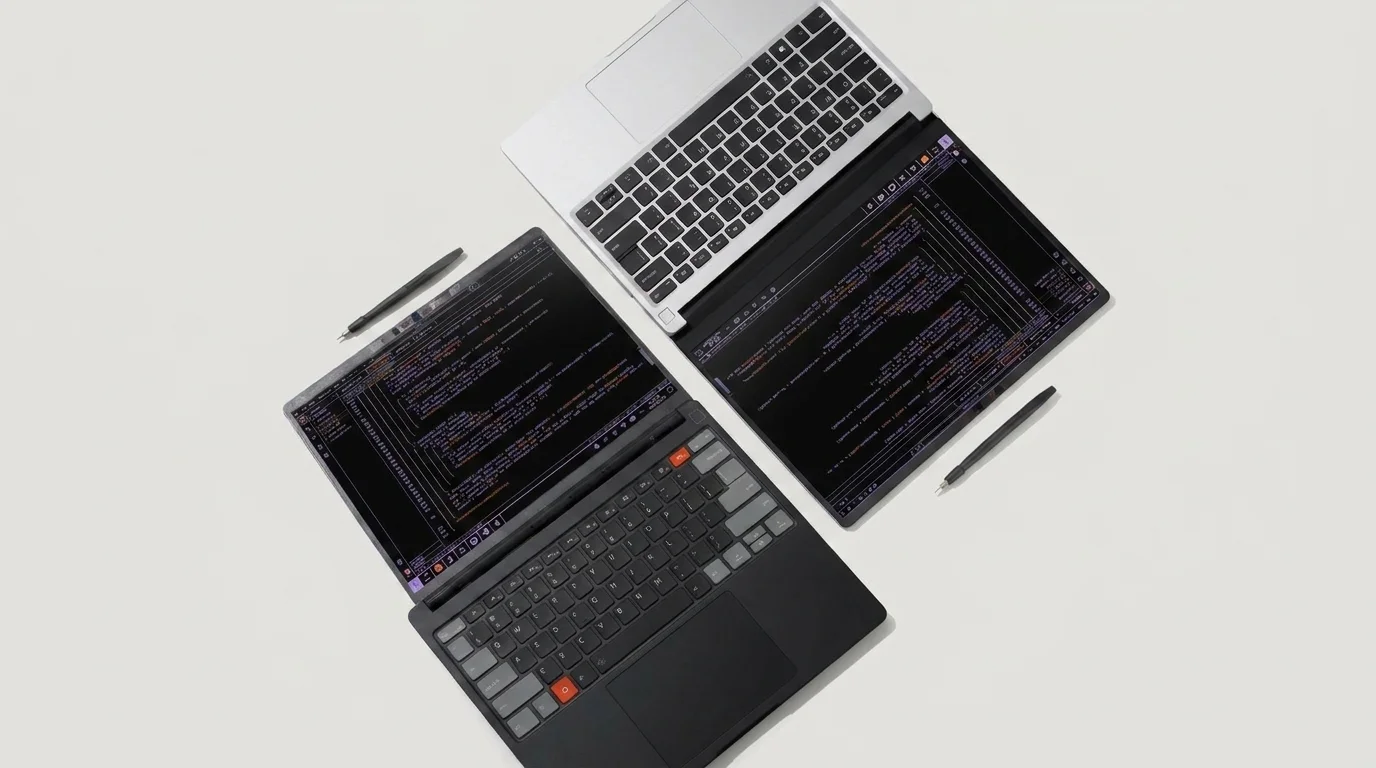
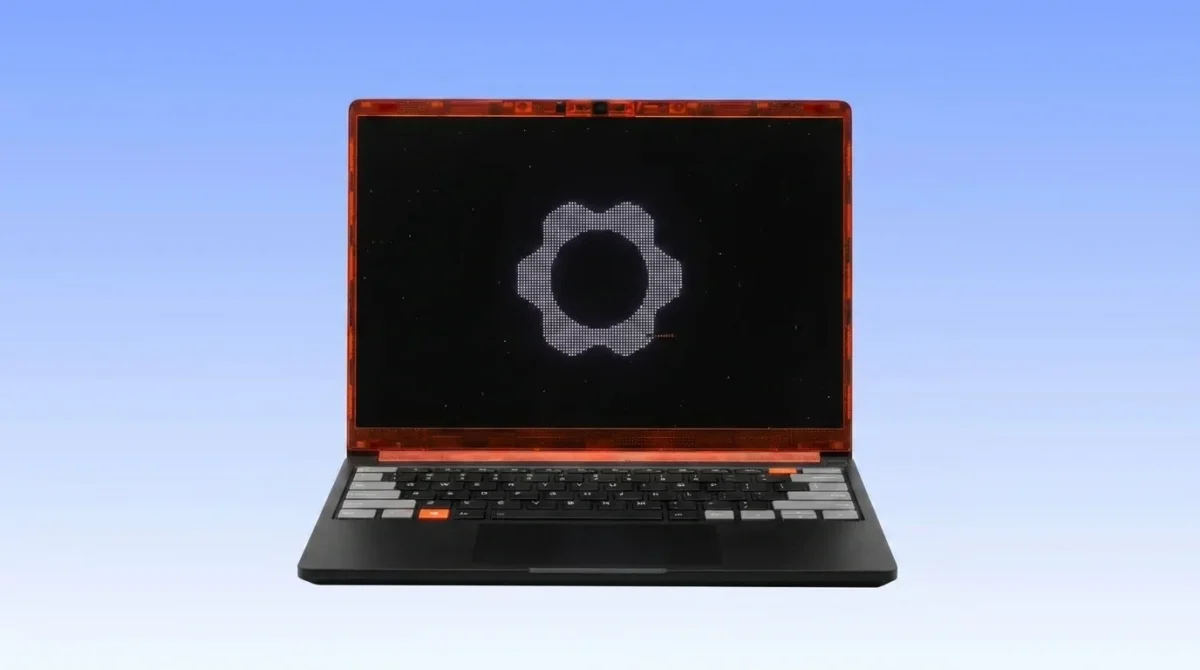
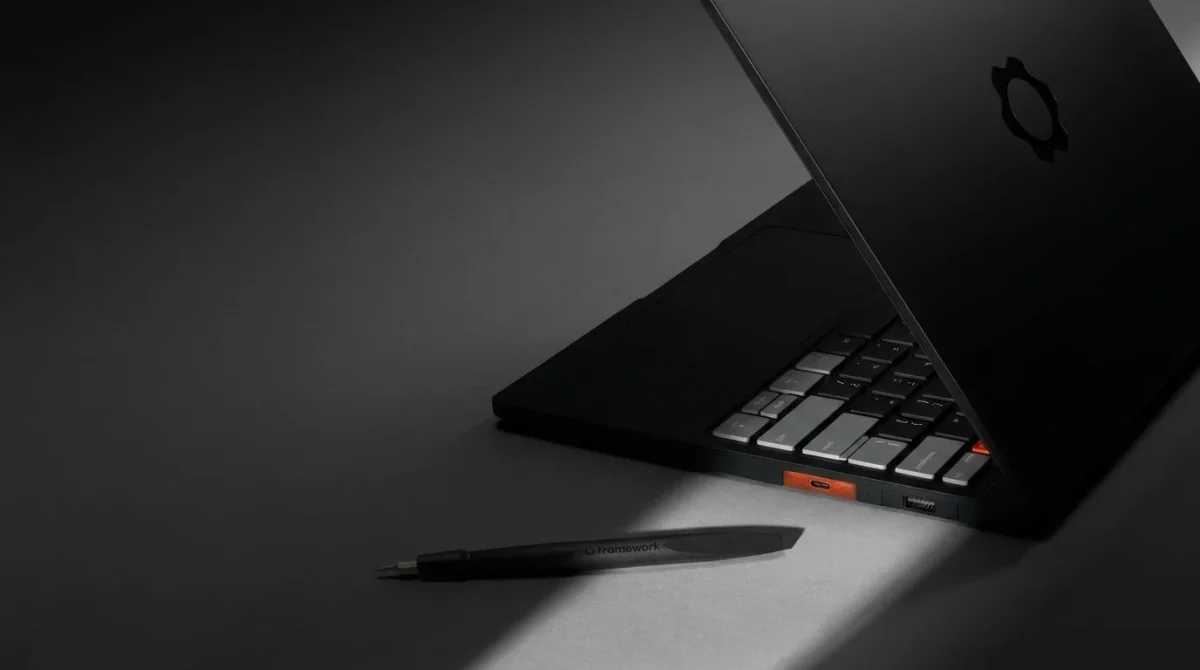
The Framework Laptop 13 Pro is not just an incremental update to the existing Framework 13. It is a complete redesign of the Framework Laptop 13, featuring a much larger 74Wh battery, LPCAMM2 memory support, a new full CNC aluminum chassis, a power-optimized display with touch support, a haptic touchpad, and initial targeting of the new Intel Core Ultra Series 3 Panther Lake designs.
After seven generations of refinements to the same core design, Framework has finally torn up the blueprint and started fresh while keeping the one thing that made it special in the first place: full modularity and repairability.
The newly introduced Laptop 13 Pro is billed as a ground-up redesign, with a custom 2,880×1,920 matte-finish display as its centerpiece. That alone is a massive deal for Framework fans who have been asking for a touchscreen for years.
Key Specifications at a Glance
| Specification | Details |
| Display | 13.5-inch, 2880×1920, 700 nits, 30–120Hz VRR, Touch |
| Processor (Intel) | Core Ultra 5 325 / Core Ultra X7 358H / Core Ultra X9 388H |
| Processor (AMD) | Ryzen AI 7 350 (Ryzen AI 300 series) |
| Memory | LPCAMM2 (LPDDR5X), upgradeable |
| Storage | PCIe Gen 5 SSD support |
| Battery | 74Wh |
| Battery Life | 20+ hours (4K Netflix streaming) |
| Chassis | Full CNC aluminum |
| Touchpad | Haptic (4 piezo elements) |
| Audio | Dolby Atmos speakers |
| OS Support | Windows 11, Ubuntu (preloaded), Fedora, Debian, Arch, NixOS, Linux Mint, and more |
| Starting Price | $1,199 (DIY, Intel) / $1,399 (DIY, AMD) |
| Pre-built Price | $1,499 (16GB RAM, 512GB SSD) / $2,099 (32GB RAM, 1TB SSD) |
| Shipping | June 2026 |
A Display Worth Talking About
The display has always been one of the most requested upgrades from the Framework community. The Laptop 13 Pro delivers comprehensively on that front.
The resolution is now 2880 by 1920 pixels, the brightness has increased to 700 nits, and the contrast has risen to 1800:1. They have also incorporated variable refresh rates, so the screen will automatically shift from 30Hz to 120Hz based on the content.
It also finally has touch input and, critically, the 13.5-inch panel offers dynamic refresh rates between 30Hz and 120Hz, 700-nit brightness, and a 1,800:1 contrast ratio, without requiring any additional thickness. There is also an anti-glare coating to reduce reflections outdoors, and each screen is individually calibrated before leaving the factory.
This is Framework’s first fully custom display and the first touchscreen ever on a 13-inch Framework laptop. It is a meaningful leap forward.
Read More: Garret Anderson Dies at 53
 Battery Life: Doubling Down on Longevity
Battery life has historically been one of the most cited criticisms of Framework laptops. The Laptop 13 Pro tackles this head-on.
The biggest change has been to boost the battery to 74Wh to address gripes about longevity. It is the second time Framework has boosted the cell size, which started at 55Wh and is now 61Wh.
The result is staggering. A full aluminum chassis with room for a larger 74Wh battery, new LPCAMM2 memory modules, and the use of Intel’s more efficient Core Ultra Series 3 has more than doubled battery life from 12 to 20-plus hours.
Framework’s own testing confirms 20 hours of 4K Netflix streaming, putting it in direct competition with Apple’s M5 MacBook Pro on the metric that matters most to everyday users. For a Linux-first machine built around repairability, this is a remarkable achievement.
To fit the larger battery, Framework had to slightly redesign the bottom chassis cover, making the 13 Pro just a touch thicker at the front edge than the standard Laptop 13.
Processor Options: Intel Panther Lake and AMD Ryzen AI 300
The Framework Laptop 13 Pro launches with two processor families, giving buyers a meaningful choice.
Intel Core Ultra Series 3 (Panther Lake)
Users will be able to choose a Core Ultra 5, X7, or X9, with the promise that all will handle demanding gaming workloads efficiently. Specifically, the options are:
- Core Ultra 5 325 — Entry-level Panther Lake, ideal for everyday productivity.
- Core Ultra X7 358H — Mid-range, strong balance of performance and efficiency.
- Core Ultra X9 388H — Top-tier configuration for demanding workloads.
Intel’s Panther Lake chips are designed for exceptional power efficiency, which works in tandem with the 74Wh battery to deliver that 20-hour claim.
AMD Ryzen AI 300 Series
For those who prefer AMD, the Pro will also launch with an AMD Ryzen AI 300-series mainboard option, the same one found on the 2025 Laptop 13. The AMD DIY edition starts at $1,399 with a Ryzen AI 7 350 processor.
Memory: Goodbye SO-DIMMs, Hello LPCAMM2
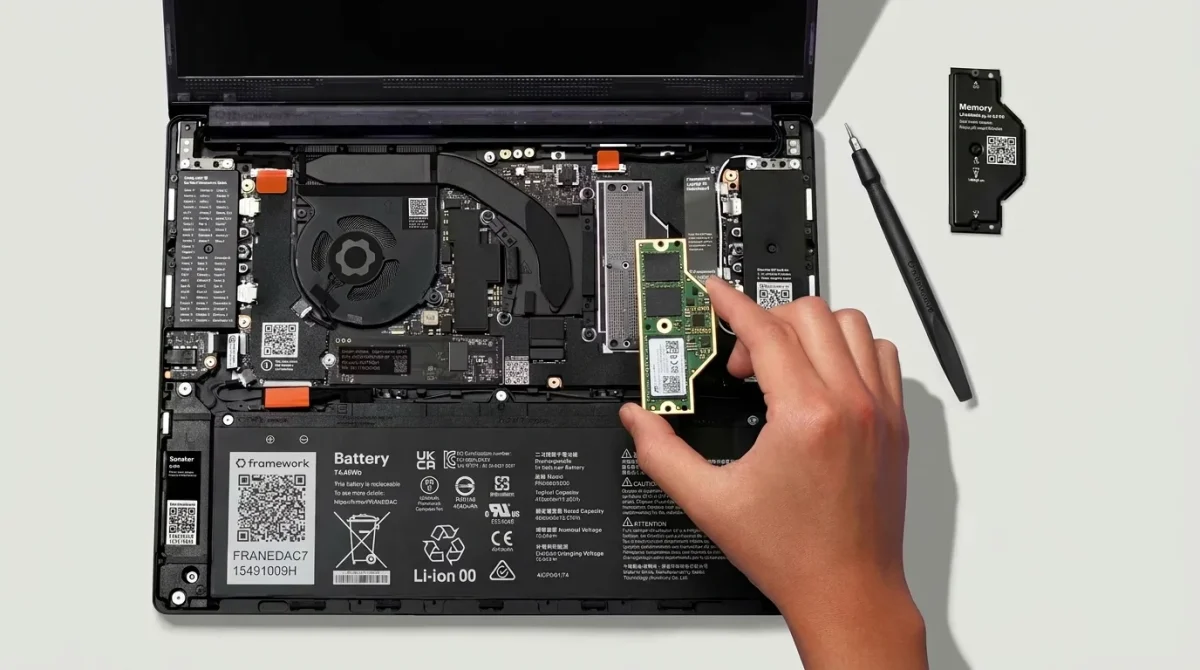
One of the most technically significant upgrades in the Laptop 13 Pro is the transition from standard SO-DIMM memory to LPCAMM2.
The last major shift has been in the RAM, going from regular SO-DIMMs to LPCAMM2. The newer hardware design supports LPDDR5X RAM, which offers better power efficiency and higher memory bandwidth, and it is not soldered to the board, so you can add more at a future date.
This is huge for a modular laptop. LPCAMM2 delivers the power efficiency of soldered laptop RAM (the kind Apple uses in MacBooks) while remaining fully user-upgradeable. It is one of the most forward-thinking hardware decisions Framework has made.
Read More: Allbirds Abandons Shoes for AI
The Haptic Touchpad: A MacBook-Level Experience
The original Framework 13’s mechanical trackpad was functional but rarely described as premium. That changes with the Laptop 13 Pro.
Input devices received significant attention, as Framework replaced the previous mechanical trackpad with a haptic one that employs four piezo elements to provide a true click and vibration under the fingers, consistent across the entire surface.
This is the same fundamental technology Apple has used in MacBook trackpads for years, delivering consistent tactile feedback wherever you press. It is a detail that sounds minor but dramatically changes the daily experience of using the machine.
Linux Support: The Best Framework Has Ever Offered
This is where the Framework Laptop 13 Pro truly earns its title as the MacBook Pro for Linux users.
During their live event, Framework had Ken VanDine from Ubuntu maker Canonical on stage to talk about Ubuntu on the device. They have also shipped hardware to developers on Debian, Fedora, Arch Linux, NixOS, Linux Mint, openSUSE, CachyOS, and Bazzite.
More importantly, the new machine is not only Linux-friendly, but Framework’s first computer to ship with Ubuntu Linux preloaded. The company can promise compatibility and support if you prefer not to use Windows.
This is a landmark moment. For the first time, you can order a Framework laptop from the factory with Linux installed and fully supported out of the box, no dual-boot workarounds, no driver headaches, no community wiki hunting. Just a laptop that works with Linux the way a MacBook works with macOS.

Backwards Compatibility: Your Old Framework Gets an Upgrade Too
One of the most thoughtful aspects of this announcement is what it means for existing Framework owners.
Every new element is backwards compatible with every Framework 13 laptop that came before it. You could be sitting on an old 11th Gen Tiger Lake machine from four or five years ago, and simply pick up the new Panther Lake mainboard with its LPCAMM2 memory modules and PCIe Gen 5 SSD support, and have an incredible laptop upgrade that will take just 15 minutes and one screwdriver.
You can also pre-order a $449 Mainboard, a $299 Display Kit, and battery and chassis upgrades that give you the Pro’s key features without buying an entirely new laptop.
In a world where most tech companies treat every product generation as a reason to buy a whole new device, this approach is genuinely radical, and it is exactly the philosophy that has made Framework one of the most beloved laptop brands among developers and Linux enthusiasts.
Read More: World Quantum Day
New Accessories: eGPUs, Expansion Cards, and a Couch Keyboard
The Laptop 13 Pro was not the only announcement at Framework’s Next Gen event.
Beyond the laptop itself, Framework announced first-party eGPUs for serious graphics work, one-piece touchpad-keyboard decks for the Laptop 16, and a 10Gbps Ethernet expansion card. There is even a couch keyboard designed for living room PC setups.
The wireless touchpad keyboard supports wired, Bluetooth, and USB-A dongle connectivity, and runs on open-source ZMK firmware, staying true to Framework’s commitment to openness at every level of the product stack.
The OCuLink Dev Kit for external GPU connectivity is particularly interesting for Linux users running local AI workloads or GPU-accelerated applications who want desktop-level graphics without a desktop.
Pricing and Availability
The Framework Laptop 13 Pro is available for pre-order now at the following price points:
Intel (Panther Lake)
- DIY Edition (Core Ultra 5 325, no RAM/storage): $1,199
- Pre-built (16GB RAM, 512GB SSD): $1,499
- Pre-built (32GB RAM, 1TB SSD): $2,099
AMD (Ryzen AI 300)
- DIY Edition (Ryzen AI 7 350): $1,399
Upgrade parts for existing Framework 13 owners
- Panther Lake Mainboard: $449
- New Display Kit: $299
Framework said the Laptop 13 Pro begins shipping in June 2026.
Framework Laptop 13 Pro vs MacBook Pro 14: How Do They Stack Up?
| Feature | Framework Laptop 13 Pro | MacBook Pro 14 (M4) |
| Starting Price | $1,199 | $1,599 |
| Display | 2880×1920, 700 nits, 120Hz, Touch | 3024×1964, 1000 nits, 120Hz, No Touch |
| Battery Life | 20+ hours | 22 hours |
| RAM | Upgradeable LPCAMM2 | Soldered (non-upgradeable) |
| Storage | User-replaceable PCIe 5.0 | Soldered (non-upgradeable) |
| Repairability | Full — every component modular | Very low |
| Linux Support | Excellent — Ubuntu preloaded | Poor |
| Image Generation | No | No |
| eGPU Support | Yes (OCuLink) | Limited |
| Right to Repair | Core principle | Not supported |
The MacBook Pro still leads on display brightness, raw performance from Apple Silicon, and software ecosystem polish. But for users who value repairability, Linux compatibility, and long-term ownership, the Framework Laptop 13 Pro makes a compelling case that you no longer have to compromise.
Why This Matters for the Linux Community
For a long time, Linux users looking for a premium laptop had limited options. They could buy a ThinkPad and accept its dated design, modify a Dell XPS with community-supported drivers, or pay MacBook Pro prices for hardware that actively resisted Linux. Framework’s Laptop 13 Pro changes that calculus entirely. It delivers:
- A premium CNC aluminum chassis that matches MacBook Pro build quality.
- A custom high-resolution touchscreen with VRR that most Linux laptops don’t have.
- 20+ hours of battery life that competes with Apple Silicon.
- Preloaded Ubuntu with verified support across nine Linux distributions.
- Full modularity — meaning the laptop you buy today can be upgraded for years.
As Framework put it at the launch event, this is what happens when you build a laptop with Linux users in mind from the first design decision rather than as an afterthought.
Final Thoughts
The Framework Laptop 13 Pro is the machine Linux users have been asking for since Framework launched its first product in 2021. It does not just check boxes; it genuinely challenges the assumption that premium build quality, long battery life, and open-source compatibility cannot coexist in a single device.
At $1,199 to start, it is not cheap. But for a modular laptop, you can upgrade components year by year with Ubuntu preloaded, a factory-calibrated display, and 20 hours of battery life. It represents a fundamentally different kind of value than any disposable ultrabook on the market. Pre-orders are open now. Shipping begins June 2026.