
Gaming desktops remain the top choice for players who want raw power without compromise. Unlike laptops, they offer better cooling, easier upgrades, and stronger performance per dollar, making them ideal for competitive gaming, streaming, and creative work alike. With so many brands and models available in 2026, from HP Pavilion and Omen to Alienware, MSI, and Asus ROG, choosing the right one can feel overwhelming. This guide breaks down everything you need to know, including how gaming desktops compare to laptops, whether building or buying makes more sense, and which models offer the best value. By the end, you will know exactly what to look for before making your purchase.
What Is a Gaming Desktop?
A gaming desktop is a computer built specifically to handle demanding games and graphics-heavy applications with smooth, consistent performance. Unlike general-purpose desktops meant for browsing, office work, or light multitasking, a gaming desktop is designed around high frame rates, fast load times, and the ability to run modern titles at high or ultra settings. These machines typically use more powerful processors, dedicated graphics cards, and advanced cooling systems to maintain stable performance during long play sessions. They are also built with future upgrades in mind, allowing users to swap out parts as newer technology becomes available, something that is rarely possible with standard consumer desktops or laptops.
How It Differs From a Regular Desktop
The biggest difference between a gaming desktop and a regular desktop lies in the hardware priorities. A regular desktop is optimized for everyday tasks like Word processing, web browsing, and video streaming, so it often includes integrated graphics and a modest processor. A gaming desktop, on the other hand, is built around a dedicated graphics card capable of rendering complex visuals in real time. It also includes a more powerful CPU to handle in-game physics, AI behavior, and background processes without slowing down. Cooling systems are more advanced as well, since gaming hardware generates significantly more heat during extended use than components in a standard office machine.
Key Components That Define a Gaming Build
Several core components separate a true gaming build from a basic desktop. The graphics card, or GPU, is the most important part, since it directly controls how well a system handles modern games and visual effects. The processor, or CPU, works alongside the GPU to manage game logic, multitasking, and overall system responsiveness. Cooling, whether air-based or liquid-based, keeps temperatures in check so performance does not drop during longer sessions. The power supply unit, or PSU, ensures every component receives stable, sufficient power, which is especially important in builds with higher-end graphics cards and processors that draw more power under load.
Gaming Desktop vs. Gaming Laptop: Which Should You Buy?
Choosing between a gaming desktop and a gaming laptop comes down to how you plan to use the machine and what you value most. Desktops generally deliver stronger performance for the same price, since more of the budget goes toward the actual components rather than compact design and battery efficiency. Laptops offer the advantage of portability, letting you game or work from anywhere without being tied to a single setup. Neither option is universally better, but understanding the trade-offs in performance, cost, and flexibility will help you decide which one best fits your lifestyle and gaming habits.
Performance and Upgradability Differences
Desktops consistently outperform laptops at similar price points because their larger cases allow for better airflow and more powerful components without the constraints of battery life or thermal limits. A desktop graphics card can run at full power for hours without throttling, while a laptop GPU often has to balance performance with heat and power consumption. Desktops also offer far greater upgradability, letting you replace the graphics card, add more memory, install faster storage, or connect peripherals like an MMO mouse or MMO mic setup as needed. Laptops, by contrast, are largely fixed at the time of purchase, with only minor components like storage or memory being upgradeable in most models.
Cost Comparison Over Time
When comparing long-term value, desktops tend to be more cost-effective. A gaming desktop can be upgraded piece by piece over several years, spreading out costs and extending the system’s useful life without needing a full replacement. Laptops usually require a full upgrade when they lag behind on newer titles, since most internal components cannot be swapped. While the upfront price of a laptop and a desktop with similar specs may look comparable, the desktop typically retains its value longer because individual parts can be replaced rather than the entire machine.
Portability and Use-Case Fit
Portability is where laptops clearly win, making them the better choice for students, frequent travelers, or anyone who needs to game or work from different locations. A gaming laptop lets you carry serious performance in a single bag, without needing a monitor, keyboard, or mouse setup. Desktops make more sense for users who game primarily in one place, such as a home office or dedicated gaming room, where the added performance and upgrade potential outweigh the need to move the system around. Your daily routine and available space should guide this decision more than raw specifications alone.
All-in-One Gaming Desktops: Are They Worth It?
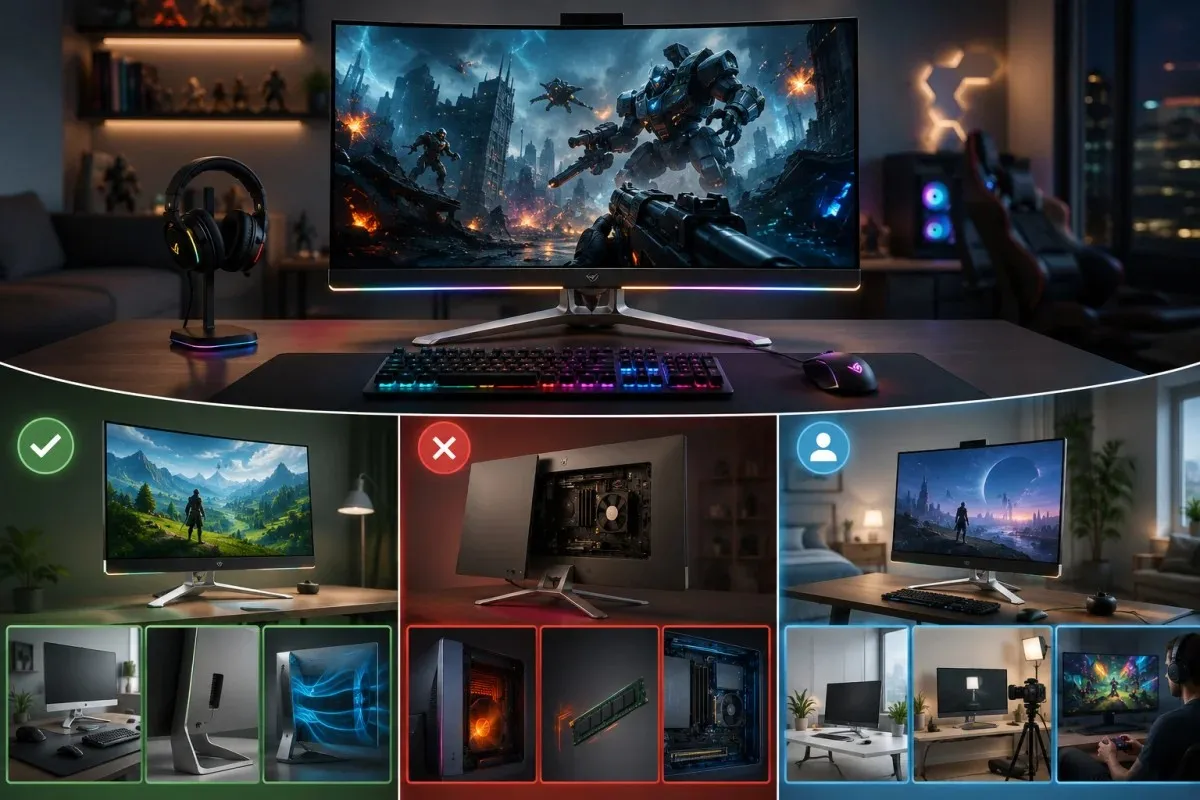
All-in-one gaming desktops combine the display and internal components into a single unit, offering a cleaner setup with fewer cables and less desk clutter. This design appeals to users who want a simpler, more compact gaming experience without sacrificing too much performance. However, all-in-one systems come with tradeoffs in cooling, upgradability, and raw power compared to traditional tower desktops. Understanding these trade-offs can help you decide whether the convenience of an all-in-one setup is worth the compromises it entails for serious gaming.
Pros and Cons for Gamers
The biggest advantage of an all-in-one gaming desktop is its space-saving design, which works well for smaller rooms or minimalist setups where a separate tower and monitor would feel excessive. These systems also tend to look cleaner, with fewer visible cables and a more streamlined appearance overall. On the downside, all-in-one desktops usually pack less-powerful components than a full tower build, since space constraints limit the size of the cooling system and the graphics card. Repairs and upgrades are also more difficult, since the screen and internals are fused together, making it harder to replace individual parts if something fails or becomes outdated.
When an All-in-One Makes Sense
An all-in-one gaming desktop makes the most sense for casual to moderate gamers who prioritize convenience and appearance over maximum performance. If your gaming habits lean toward less demanding titles, or you split your time between gaming and everyday tasks like browsing or streaming, an all-in-one can handle that workload comfortably. It is a reasonable choice for shared spaces, dorm rooms, or secondary setups where a full tower would be impractical. Serious or competitive gamers who need top-tier performance and future upgrade options are generally better served by a traditional tower desktop instead.
Should You Build or Buy a Gaming Desktop?
Deciding between building your own gaming desktop and buying a prebuilt system depends on your budget, technical comfort, and how much time you want to invest. Building offers more control over component selection and can save money for those willing to research and assemble parts themselves. Buying a prebuilt system offers convenience, warranty support, and a working machine right out of the box. Both paths can lead to a great gaming setup, but the right choice depends on your priorities and how hands-on you want to be with the process.
Cost Breakdown: DIY vs. Prebuilt
Building a gaming desktop from individual parts can often save money, especially if you shop sales and choose components carefully rather than paying for brand markups. However, the savings are not always guaranteed, since prebuilt systems sometimes benefit from bulk purchasing discounts that manufacturers pass on to customers. Prebuilt desktops also include the cost of assembly, testing, and quality control already factored into the price. For buyers who value predictable pricing and do not want to research every component, a prebuilt system often ends up costing close to the same once time and effort are factored in.
Warranty and Support Considerations
Prebuilt gaming desktops typically come with a manufacturer’s warranty covering the entire system, along with customer support if something goes wrong. This makes troubleshooting easier, since one company is responsible for the whole machine rather than individual parts from different manufacturers. Building your own desktop means each component carries its own separate warranty, which can complicate repairs if you are unsure which part caused an issue. For buyers who want simplicity and a single point of contact for support, a prebuilt system offers clear peace of mind that a self-built machine may not always provide.
Time and Skill Investment
Building a gaming desktop requires research into compatible parts and the patience to assemble everything correctly without damaging sensitive components. This process can be rewarding for those who enjoy hands-on projects, but it does demand time and a basic understanding of computer hardware. Buying a prebuilt system eliminates this learning curve entirely, letting you start gaming immediately after unboxing. For anyone short on time or unfamiliar with hardware assembly, purchasing a ready-made desktop remains the safer and more practical route.
Top Gaming Desktop Brands and Models (2026)
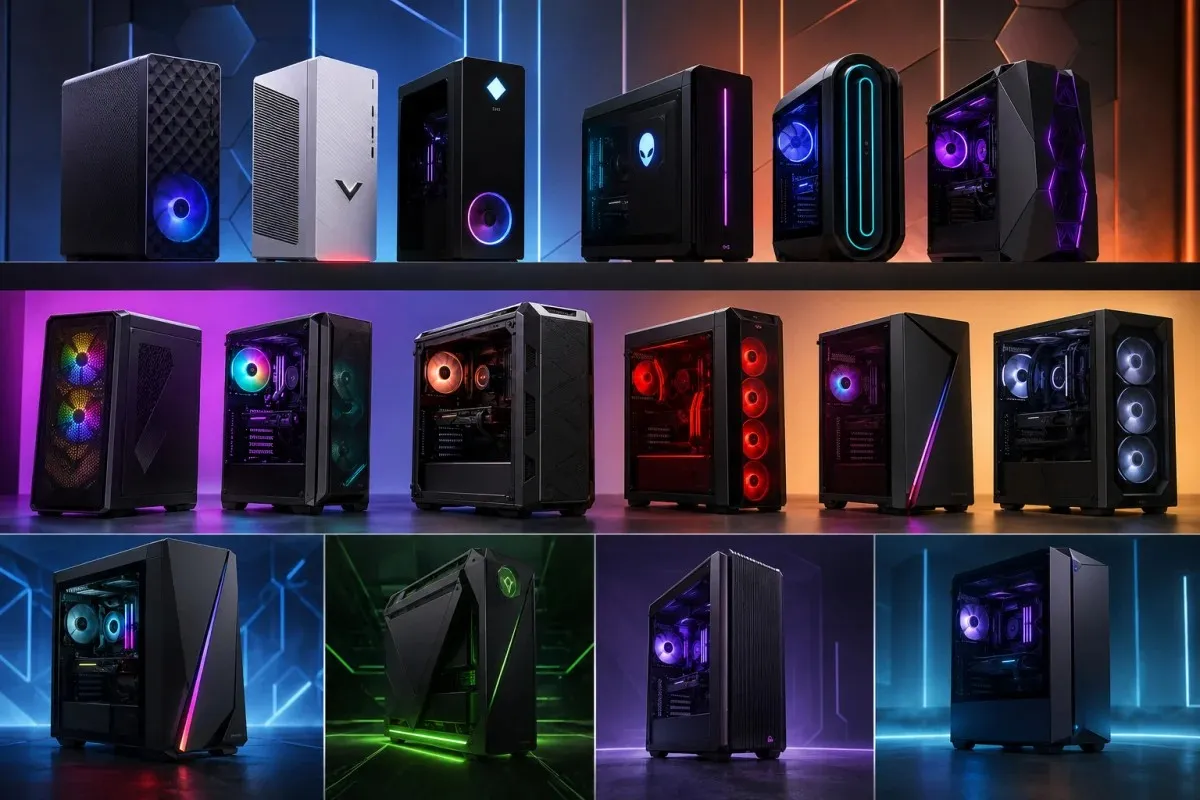
The gaming desktop market in 2026 offers a wide range of brands, each with its own strengths in performance, design, and pricing. Choosing the right one depends on your budget, preferred aesthetic, and whether you value raw power, upgradability, or brand reputation. Below is a breakdown of the leading manufacturers and what makes their lineups stand out this year.
HP Pavilion, Victus & Omen Series
HP offers a tiered lineup that covers entry-level to high-performance gaming needs. The Pavilion Gaming Desktop line remains a popular budget-friendly option, offering solid everyday gaming performance without a high price tag. The Victus series, including the Victus 15L, sits a step above Pavilion with improved cooling and stronger graphics options for more demanding titles. At the top of the lineup, the Omen series, including the Omen 16L, 35L, and 45L, targets serious gamers with higher-end processors, more capable graphics cards, and better thermal management for sustained performance during long sessions.
Acer Nitro & Predator Series
Acer’s Nitro line, including the Nitro 50, 60, and 70 models, is known for offering strong performance at competitive prices, making it a favorite among budget-conscious gamers who still want reliable frame rates. These systems balance cost and capability well, without unnecessary extras that drive up the price. Acer’s Predator series sits above Nitro and is aimed at gamers who want higher-performance components and more aggressive cooling solutions. Predator desktops are built for users who plan to run demanding titles at higher settings consistently, rather than occasionally.
Alienware & Dell Aurora/Area 51 Series
Alienware, under Dell, has built a reputation around premium design and strong performance, particularly with its Aurora and Area 51 lines. The Aurora series, including models like the R11, R12, and R16, offers a range of configurations from mid-tier to high-end, giving buyers flexibility based on budget. The Area 51 lineup sits at the premium end, featuring distinctive design elements and top-tier components aimed at enthusiasts who want both performance and a recognizable, high-end aesthetic.
MSI Aegis & Codex Series
MSI’s gaming desktops split into two main lines, Aegis and Codex, each targeting slightly different buyers. The Aegis series, including the Z2, R2, RS, and ZS2 models, generally emphasizes stronger cooling and higher-performance components, making it suitable for gamers who push their systems harder. The Codex series, including the R2 and Z2 models, tends to offer a more accessible price point while still delivering dependable performance for most modern games, making it a solid choice for gamers who want MSI build quality without the higher cost of the Aegis line.
Asus ROG Series
Asus ROG, short for Republic of Gamers, is known for combining strong performance with distinctive design choices that appeal to gamers who want their setup to stand out. Models like the ROG GM700 pair capable processors and graphics cards with build quality aimed at durability under heavy use. Asus ROG desktops tend to attract buyers who care about both performance and aesthetics, as the brand consistently invests in cooling design and visual details that set it apart from more understated competitors.
CyberPowerPC, iBuyPower & Skytech Prebuilts
CyberPowerPC, iBuyPower, and Skytech are among the most popular prebuilt options for gamers who want customizable performance without having to assemble a system themselves. CyberPowerPC’s Gamer Master and Gamer Xtreme lines offer flexible configurations across a range of budgets, often including recent-generation processors and graphics cards. iBuyPower’s Element SE and Y60 models follow a similar approach, focusing on value and configurability. Skytech, with its Shadow, Blaze II, and Nebula models, has built a reputation for offering competitive specs at accessible price points, making it a strong option for gamers comparing performance per dollar across multiple brands.
Other Notable Builds (CLX, Razer, Lenovo Legion, IPASON)
Beyond the major players, several other brands offer gaming desktops worth considering depending on specific needs. CLX, with its Horus line, focuses on customizable high-performance builds for enthusiasts. Razer’s Tomahawk stands out for its compact design paired with strong internals, appealing to gamers with limited desk space. Lenovo’s Legion T5 brings the brand’s reputation for reliability to the desktop space, while IPASON offers budget-oriented builds that deliver reasonable performance for gamers watching their spending.
Alienware vs. Dell vs. Other Premium Brands: Which Wins?
Comparing Alienware to standard Dell desktops and other premium brands comes down to what you prioritize between design, performance, and price. Alienware, while owned by Dell, occupies a distinct position focused on gaming performance and aesthetics, whereas standard Dell desktops target general productivity and business use. Other premium brands bring their own strengths to the table, so understanding these differences helps clarify which option delivers the best value for serious gamers.
Build Quality and Component Sourcing
Alienware desktops are built with gaming-specific engineering, including custom cooling solutions and chassis designs meant to handle sustained high-performance loads. Standard Dell desktops, by contrast, prioritize reliability and efficiency for office-style workloads, often using more conservative components better suited to everyday tasks than gaming. Other premium gaming brands, such as MSI and Asus ROG, similarly focus their engineering on sustained performance, though each brand has its own approach to cooling design, component selection, and overall build durability that sets it apart from general-purpose desktops.
Price-to-Performance Comparison
Alienware desktops tend to carry a premium price tag, partly due to their distinctive design and brand reputation, which does not always translate into better raw performance compared to similarly specced competitors. Brands like MSI, Asus ROG, and even Acer Predator often deliver comparable performance at a lower price point, since they place less emphasis on aesthetic branding and more on component value. For buyers focused purely on performance per dollar, comparing specs across brands rather than relying on brand name alone typically leads to a better overall purchase decision.
Warranty Coverage Compared
Warranty support varies noticeably across premium brands, and this can influence long-term satisfaction as much as raw performance does. Alienware generally offers solid warranty coverage backed by Dell’s broader support network, which can be reassuring for buyers who want dependable service. Other premium brands each maintain their own warranty terms, with coverage length and service quality varying by manufacturer and region. Reviewing the specific warranty terms before purchasing, rather than assuming all premium brands offer similar coverage, helps avoid unexpected costs if hardware issues arise later.
Can a Gaming Desktop Handle Video Editing and Creative Work?
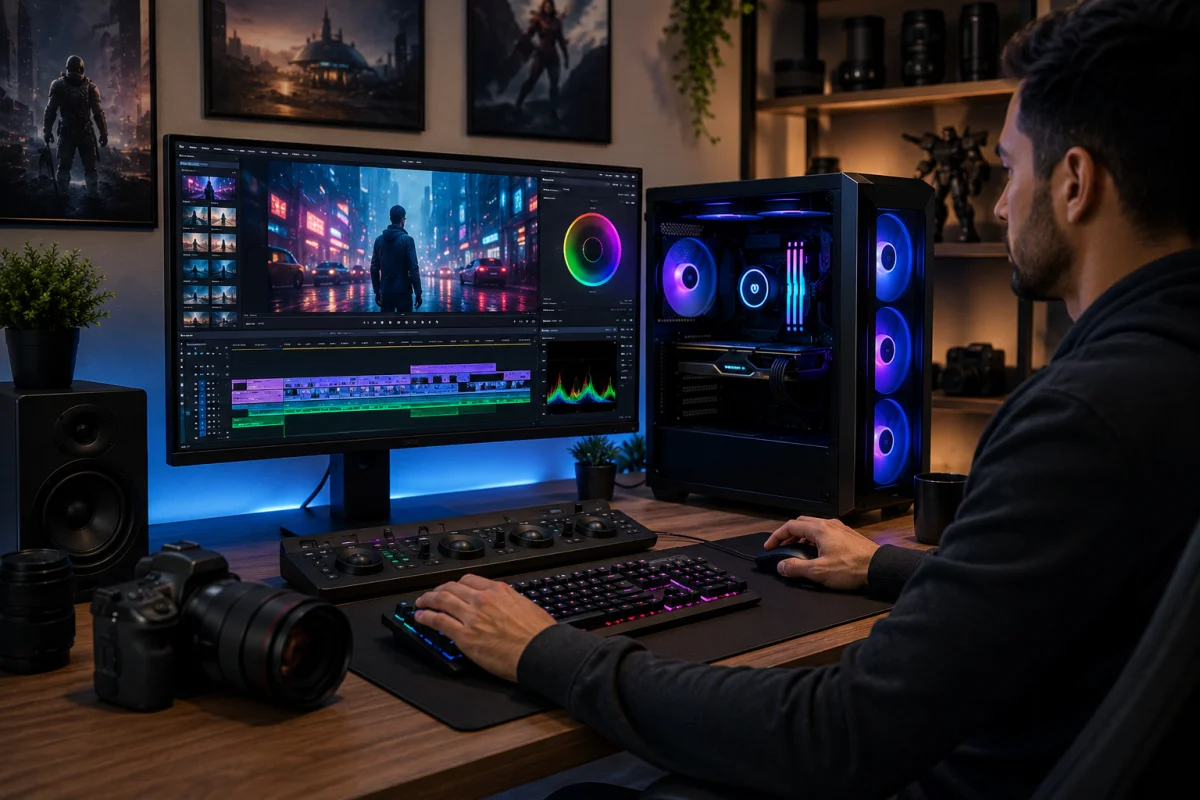
Gaming desktops are often well suited for video editing and other creative work, since many of the same components that power smooth gameplay also accelerate rendering and export times. A strong graphics card and processor combination benefits both gaming performance and creative software, making these systems a practical choice for users who split their time between gaming and content creation. Understanding which specs matter most helps ensure the desktop performs well across both use cases rather than excelling at one while struggling with the other.
Specs That Matter for Editing
For video editing, the graphics card plays a major role in speeding up rendering and processing effects, and in playing back high-resolution footage, much like it does for gaming. A capable processor with multiple cores also matters significantly, since editing software often relies on multi-core performance for tasks like exporting and applying effects across a timeline. Sufficient RAM is equally important, as editing large video files or working with multiple layers can quickly consume memory, leading to slowdowns on underpowered systems. Fast storage, particularly solid-state drives, further improves performance by reducing load times when working with large media libraries.
Dual-Purpose Builds for Gaming and Content Creation
Many gaming desktops on the market are well-equipped to handle both gaming and content creation without requiring separate machines for each purpose. Builds with higher-end graphics cards and processors, such as those found in MSI Aegis, Alienware Aurora, or Omen desktops, typically offer enough power to edit video comfortably while still delivering strong gaming performance. For users who want a single system to cover both needs, prioritizing a slightly higher-tier build with more RAM and a capable graphics card ensures smoother performance across editing software and demanding games alike.
Power Consumption and Running Costs
Gaming desktops generally use more electricity than standard computers because their powerful components require more energy to operate at full performance. Understanding how much a system consumes and how that translates into running costs helps buyers make more informed decisions before purchasing. While power usage varies by build, there are practical ways to manage consumption without sacrificing meaningful performance.
Average Wattage by Build Tier
Entry-level gaming desktops typically draw less power because they use more modest graphics cards and processors that require less energy to operate. Mid-tier builds consume moderately more, reflecting their stronger components and higher performance ceiling during demanding games. High-end gaming desktops, especially those with top-tier graphics cards and processors, can draw significantly more power, particularly during intensive gaming sessions or when running multiple demanding applications simultaneously. Knowing which tier your system falls into gives a clearer picture of expected electricity usage over time.
Tips to Reduce Energy Use Without Losing Performance
Adjusting in-game settings, such as capping frame rates when playing less demanding titles, can meaningfully reduce power draw without a noticeable drop in visual quality. Enabling power-saving modes during non-gaming tasks also helps lower consumption when the system is not under heavy load. Keeping components clean and well-ventilated allows cooling systems to operate more efficiently, which in turn reduces the energy required to maintain safe operating temperatures. Choosing energy-efficient components when building or upgrading a system can further help balance strong performance with more reasonable running costs over time.
Where to Find the Best Deals
Finding a good deal on a gaming desktop often comes down to timing your purchase and knowing how to separate genuine discounts from inflated pricing tactics. With so many brands and models available, prices can fluctuate significantly throughout the year, making it worth planning ahead rather than buying on impulse. Understanding when sales typically happen, along with how to evaluate promotional offers, helps ensure you get real value for your money.
Black Friday and Seasonal Sale Timing
Black Friday remains one of the most reliable times to find discounts on gaming desktops, with many major brands offering meaningful price cuts across multiple tiers. Other seasonal sales, such as back-to-school promotions or end-of-year clearance events, can also offer noticeable savings, though discounts during these periods tend to be less dramatic than those on Black Friday. Planning a purchase around these known sale windows, rather than buying at full price during regular months, often results in better overall value for the same or similar specifications.
How to Spot Genuine Discounts vs. Inflated “Sale” Pricing
Not all advertised discounts reflect real savings, since some retailers inflate the original price shortly before a sale to make the discount appear larger than it actually is. Comparing prices across multiple retailers and checking price history tools where available helps confirm whether a deal is genuinely lower than typical market pricing. It is also worth paying attention to bundled offers, since some promotions include accessories or extended warranties that add value beyond the base price reduction alone.
Giveaways and Free Gaming PC Promotions (What’s Legitimate)
Giveaways for free gaming desktops do exist, often run by manufacturers, retailers, or content creators as part of marketing campaigns. Legitimate giveaways typically require simple entry steps, such as following a social media account or subscribing to a newsletter, without asking for payment or sensitive personal information upfront. Any giveaway that requests payment details, banking information, or upfront fees to claim a prize should be treated with caution, since these are common signs of a scam rather than a genuine promotional offer.
Frequently Asked Questions
Are gaming desktops worth it in 2026?
Gaming desktops remain worth it for most buyers, as they continue to offer better performance per dollar than laptops and greater flexibility for future upgrades. For anyone who primarily games from one location, a desktop typically offers better long-term value.
Is the HP Pavilion good for gaming?
The HP Pavilion Gaming Desktop is a solid choice for casual to moderate gaming, offering dependable performance at a budget-friendly price. It may not handle the most demanding titles at maximum settings, but it covers most mainstream games comfortably.
Is it cheaper to build or buy a gaming desktop?
Building can save money for those willing to research components and assemble the system themselves, though the difference is not always significant once time and effort are factored in. Buying a prebuilt system offers convenience and warranty support that a self-built machine may not always provide.
Do gaming desktops use a lot of electricity?
Gaming desktops use more electricity than standard computers, with consumption varying based on the build tier and components installed. High-end systems with powerful graphics cards and processors draw noticeably more power, especially during intensive gaming sessions.
Which brand offers the best warranty?
Warranty coverage varies by brand, with companies like Alienware benefiting from Dell’s broader support network. It is worth reviewing specific warranty terms before purchasing, as coverage length and service quality vary by manufacturer.










)
&description=&image=https://techwelo.com/wp-content/uploads/2026/07/gaming-desktop-rgb-setup-1024x683.webp)