Every device you use, from your smartphone to your laptop, runs on two core parts: hardware and software. Hardware is everything you can physically touch, like the screen, processor, and keyboard, while software is the set of instructions and programs that tell the hardware what to do. Understanding hardware and software, and how they work together, is the first step to understanding technology itself, whether you’re troubleshooting a slow device, buying a new gadget, or just curious about what’s happening behind the scenes. In this guide, we’ll break down what each one means, how they interact, and why the distinction matters more than you might think.
What Is Hardware?
Hardware refers to the physical, tangible parts of a computer or electronic device, the components you can actually see and touch. If you were to open up a laptop or desktop, everything inside and outside the case, from the screen to the internal circuit boards, counts as hardware. Without it, there would be no physical device for software to run on in the first place.
Think of hardware as the “body” of a computer. It provides the physical structure and processing power, but on its own, it can’t do anything useful. It needs software to bring it to life, which is exactly why the two are almost always discussed together.
Examples of Hardware Components
Some of the most common hardware components found in everyday devices include:
- The processor (CPU) acts as the brain of the device, executing instructions and performing calculations.
- The motherboard connects all the internal components and allows them to communicate.
- RAM (Memory) temporarily stores data the device needs to access quickly
- Storage drives (HDDs/SSDs) store your files, apps, and operating system for the long term.
- A monitor or screen displays visual output.
- A keyboard and mouse allow you to input commands.
- The graphics card (GPU) handles image and video rendering.
- The power supply unit delivers electricity to all components.
These parts work together to give a device the physical capability to run programs, display information, and respond to your commands.
How Hardware Physically Powers a Device
Every action you take on a device, opening an app, typing a message, or watching a video, starts with hardware. When you press a key, the keyboard sends an electrical signal to the motherboard, which routes it to the processor. The processor interprets the signal, works with memory and storage to carry out the task, and then sends the result to your screen so you can see it happen.
This entire process happens in fractions of a second, but it relies entirely on physical components working in sync. Hardware provides the raw power and structure, but it needs a set of instructions to know what to actually do with that power, which is where software comes in.
What Is Software?
Software is the collection of programs, applications, and instructions that tell hardware what to do. Unlike hardware, you can’t physically touch software; it exists as code, stored as data on your device’s hardware and executed by the processor to perform tasks. If hardware is the body of a computer, software is the mind that directs it.
Without software, hardware is just an inert collection of physical parts. It’s software that transforms that potential into something useful, whether it’s browsing the internet, editing a photo, or simply turning the device on in the first place.
Examples of Software (System vs Application)
Software generally falls into two main categories:
System software manages the device itself and provides the platform on which everything else runs. Examples include:
- Operating systems (Windows, macOS, Android, iOS)
- Device drivers that let hardware components communicate with the OS
- Utility programs for tasks like disk cleanup or antivirus protection
Application software is designed for specific tasks that the user directly interacts with. Examples include:
- Web browsers like Chrome or Safari
- Productivity tools like Microsoft Word or Google Sheets
- Mobile apps like Instagram or Spotify
- Games and creative tools like Photoshop
System software keeps the device running smoothly in the background, while application software is what most people think of when they hear the Word “software,” the programs they actually open and use every day.
How Software Instructs Hardware
Software works by sending instructions, written in code, that hardware components can interpret and execute. When you open an app, the operating system loads the necessary files from storage into memory, and the processor begins executing those instructions step by step.
For example, when you tap “send” on a text message, the software translates that action into a series of commands. The processor executes those commands, memory temporarily holds the relevant data, and the network hardware transmits the message, all coordinated by software telling each hardware component exactly what to do and when.
This relationship is what makes modern devices work: hardware provides the physical means to perform tasks, and software provides the intelligence and instructions to make those tasks meaningful.
Hardware and Software: Key Differences Explained
While hardware and software depend on each other for a device to function, they are fundamentally different in nature, purpose, and behavior over time. Understanding these differences helps clarify why troubleshooting a device sometimes means replacing a physical part and other times means simply updating or reinstalling a program.
Tangibility, Function, and Lifespan
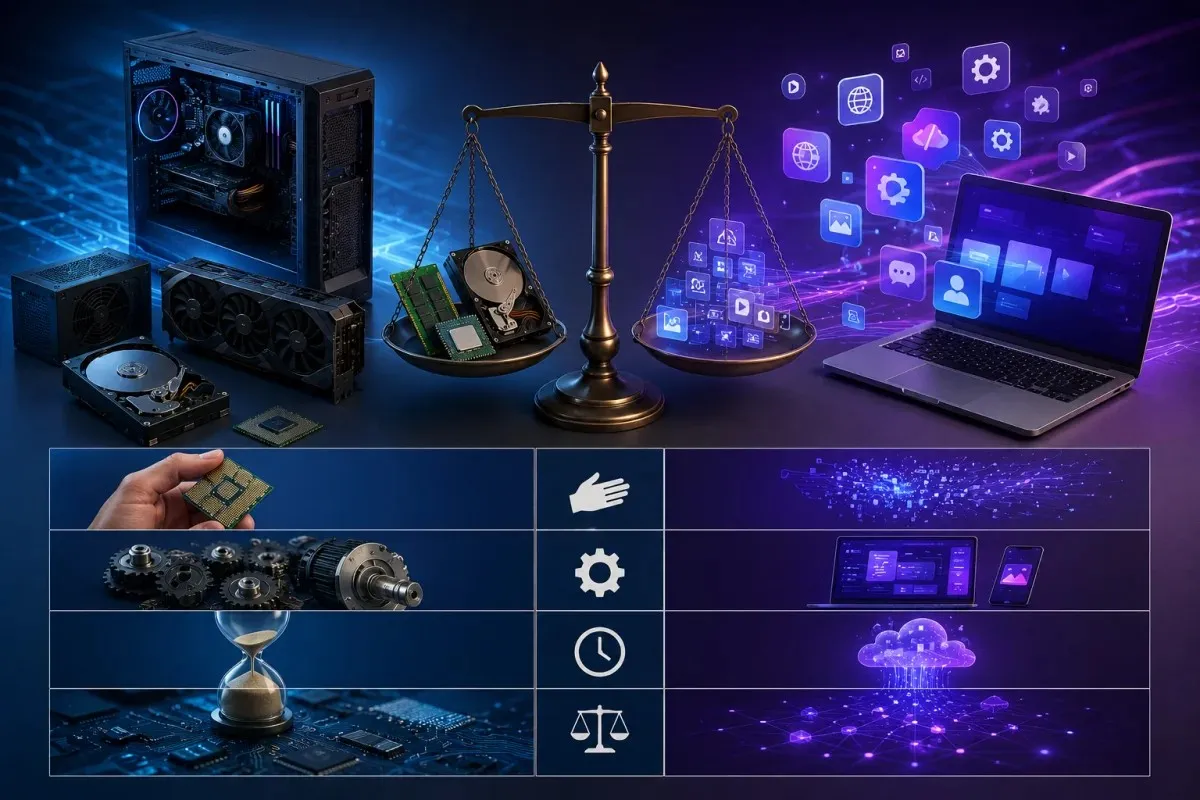
The most obvious difference is tangibility. Hardware is physical: you can see it, touch it, and, if necessary, replace it by hand. Software, on the other hand, is intangible. It exists as code and data, and while you interact with it visually on a screen, there’s no physical object you can pick up and hold.
Their functions also differ significantly. Hardware provides the physical means to perform tasks, the processing power, storage capacity, and input/output capability a device needs. Software provides the instructions and logic that determine what those physical components actually do. A powerful processor is useless without software telling it what to calculate, just as a beautifully designed app is useless without hardware to run it on.
Lifespan is another key distinction. Hardware degrades physically over time due to wear and tear, heat, and use, eventually requiring repair or replacement. Software, by contrast, doesn’t wear out in the same way. It can become outdated or incompatible with newer systems, but it can also be updated, patched, or upgraded indefinitely without ever touching the physical device it runs on.
Side-by-Side Comparison Table
| Aspect | Hardware | Software |
| Nature | Physical and tangible | Intangible, exists as code |
| Function | Provides processing power and physical structure | Provides instructions and logic |
| Visibility | Can be seen and touched | Cannot be physically touched |
| Lifespan | Wears out over time, needs replacement | Doesn’t physically degrade, can be updated |
| Examples | Processor, RAM, keyboard, monitor | Operating system, apps, drivers |
| Dependency | Needs software to function meaningfully | Needs hardware to run and execute |
| Cost over time | Depreciates, often needs upgrading | Can be updated or licensed repeatedly |
Together, these differences show that hardware and software aren’t competing parts of a device; they’re complementary. One provides the physical foundation, and the other provides the intelligence to make that foundation useful.
How Hardware and Software Work Together
Hardware and software cannot function independently of each other in any meaningful way. A device without software is just an inactive collection of parts, and software without hardware has nowhere to run. It’s the constant communication between the two that allows a device to actually do anything useful, from opening an app to connecting to the internet.
The Role of the Operating System
The operating system acts as the bridge between hardware and software, and it’s arguably the most important piece of software on any device. It manages hardware resources such as the processor, memory, and storage, while also providing a platform for application software to run.
When an app needs to access hardware, it doesn’t communicate with the components directly. Instead, it sends a request to the operating system, which then translates that request into instructions the hardware can understand. This is also where device drivers come in: small pieces of software that act as translators between the operating system and specific hardware components, such as printers or graphics cards. Without this coordination, every app would need to know how to talk to every possible hardware configuration, which would make hardware and software development nearly impossible.
Real-World Example (Booting Up a Device)
The process of turning on a device is one of the clearest examples of hardware and software working in sync. When you press the power button, that action is entirely hardware, an electrical signal that activates the power supply and processor.
Once power reaches the processor, it immediately looks for a small piece of firmware to begin executing instructions. This firmware then locates and loads the operating system from storage into memory. From there, the operating system takes over, initializing hardware components like the display, network adapter, and input devices, and preparing the system for use.
Within seconds, you go from a completely powered-off device to a fully functional one, ready to open apps and respond to your commands. This entire sequence, which most people never think twice about, depends on hardware and software passing control back and forth in a precise, coordinated order.
Types of Hardware and Software
Both hardware and software can be categorized by the role each component or program plays in a device. Understanding these categories makes it easier to see how a device is structured and why certain parts work together the way they do.
Input, Output, Storage, and Processing Hardware
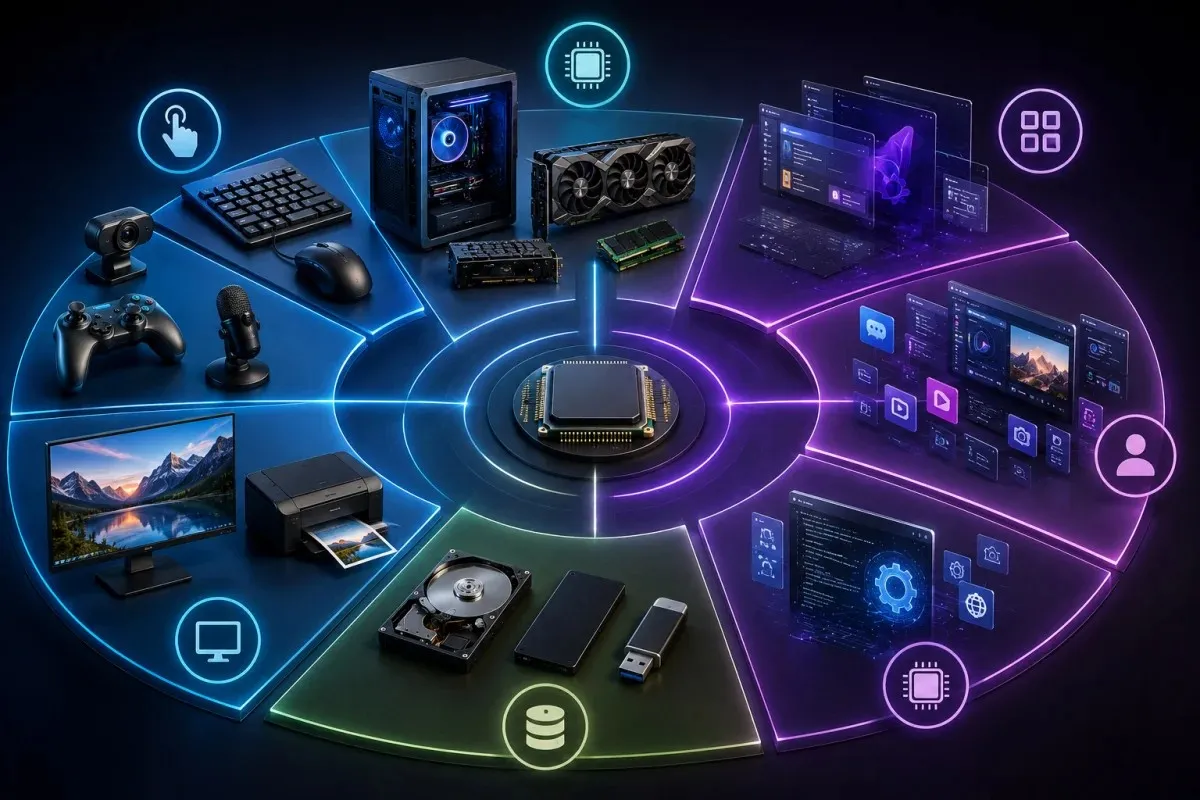
Hardware components are generally grouped by function within a device.
Input hardware enables users to enter information or commands into a device. A keyboard, mouse, touchscreen, and microphone are all examples of input hardware, since each one lets a person interact with and control the system.
Output hardware does the opposite; it presents information from the device back to the user. Monitors, speakers, and printers fall into this category, converting processed data into something a person can see, hear, or hold.
Storage hardware is used to hold data, whether temporarily or long-term. RAM provides fast, temporary storage that the processor uses while actively working on tasks, while hard drives and solid-state drives provide long-term storage for files, applications, and the operating system itself, even when the device is powered off.
Processing hardware, primarily the CPU and GPU, is where the actual computation happens. The CPU handles general processing tasks and instructions, while the GPU specializes in rendering graphics and handling tasks that benefit from parallel processing, such as video editing or gaming.
System Software, Application Software, and Firmware
Software can also be grouped into distinct categories based on its purpose.
System software forms the foundation that allows a device to operate at all. This includes the operating system itself, along with utility programs and device drivers that manage hardware resources and keep the system running smoothly in the background.
Application software refers to programs designed for specific, user-facing tasks. Web browsers, Word processors, photo editors, and mobile apps all fall under this category, since users interact with them directly to accomplish particular goals.
Firmware sits in a slightly different space, occupying the boundary between hardware and software. It’s a specialized type of software that’s permanently programmed into a hardware component, providing the low-level instructions a device needs to control that specific piece of hardware. Because firmware is so closely tied to the physical component it controls, it’s often mistaken for hardware itself, even though it’s technically a form of software.
Firmware: Where Hardware and Software Meet
Firmware occupies a unique space in the world of technology, and it’s often the source of confusion when people try to draw a clear line between hardware and software. Understanding firmware helps clarify that the relationship between the two isn’t always a strict divide, but sometimes a spectrum.
Why Firmware Is Often Confused with Both
Firmware is technically software: it’s a set of coded instructions, just like an app or an operating system. However, it behaves very differently from the software most people are familiar with. Instead of being installed and regularly updated by the user, firmware is written directly onto a hardware component, often a chip, during manufacturing, and it’s designed to control that specific piece of hardware at a very basic level.
This close relationship is why firmware often gets mistaken for hardware itself. A router, for example, has firmware that controls how it manages network traffic, but that firmware is stored on a physical chip inside the device. You can’t see or touch the firmware directly, yet it’s inseparable from the hardware it lives on and controls.
Firmware also tends to be far more stable than typical application software. It’s rarely changed after a device is manufactured, and when it is updated, usually to fix bugs or security vulnerabilities, that update process looks and feels quite different from installing a new app. This is common in devices like printers, routers, and smart TVs, as well as components inside a computer, such as the motherboard, where firmware quietly manages core functions without the user ever needing to interact with it directly.
Ultimately, firmware is a reminder that hardware and software aren’t always cleanly separated. They exist on a spectrum, with firmware sitting right at the intersection, technically software, but functioning almost as an extension of the hardware itself.
Managing Hardware and Software Assets
For individuals, keeping track of hardware and software might mean little more than remembering which laptop is due for an upgrade or which apps need updating. For businesses, however, managing hardware and software assets is a far more structured and critical process, one that directly affects security, budgeting, and day-to-day operations.

Why Asset Management Matters for Businesses
Every organization relies on a mix of hardware, like computers, servers, and networking equipment, and software, including operating systems, licensed applications, and cloud subscriptions. Without a clear system for tracking these assets, businesses can quickly lose visibility into what they own, what’s outdated, and what’s unnecessarily costing them money.
Proper asset management helps prevent several common problems. It reduces the risk of running outdated or unpatched software, which is one of the most common entry points for security breaches. It also helps avoid unnecessary spending, since businesses can easily end up paying for software licenses that are no longer in use or hardware that’s sitting idle rather than being reallocated. On top of that, having an accurate inventory makes it far easier to plan for future upgrades, replacements, and budgeting cycles, rather than reacting to problems as they arise.
Asset management also plays a role in compliance. Many industries require businesses to demonstrate that their software is properly licensed and their hardware meets certain security standards, and having organized records makes audits significantly less stressful.
Tools for Hardware and Software Inventory Tracking
Modern businesses typically rely on dedicated inventory management tools rather than manual spreadsheets, especially as the number of devices and licenses grows. These tools automatically scan a network to detect connected hardware, track software installations, and flag licenses approaching expiration or renewal.
Many platforms also integrate hardware and software tracking into a single dashboard, giving IT teams a real-time view of their entire technology environment. This makes it easier to spot issues such as unauthorized software installations, outdated systems that need patching, or hardware nearing the end of its useful life.
For smaller businesses or individuals, even basic tracking, keeping a simple record of devices, purchase dates, and installed software, can go a long way toward avoiding the confusion and cost that comes from poor asset visibility. As a business scales, though, investing in proper hardware and software asset management tools becomes less of a convenience and more of a necessity.
Common Examples in Everyday Devices
Hardware and software might sound like abstract technical concepts, but the truth is you interact with both every single day, often without thinking about it. Looking at how they show up in the devices you already use makes the relationship between the two much easier to understand.
Smartphones, Laptops, and IoT Devices
A smartphone is one of the clearest everyday examples of hardware and software working together. The physical components, the touchscreen, camera, battery, and processor, are all hardware. The operating system, whether it’s Android or iOS, along with every app you open, from messaging to social media, is software. When you take a photo, the camera hardware captures the image, but it’s the software that processes it, applies adjustments, and saves it to storage.
Laptops follow a similar pattern but on a larger scale. The keyboard, screen, processor, and storage drive are hardware, while the operating system and every program you install, from web browsers to editing software, are the software layer that makes the device useful for work, communication, or entertainment. A laptop’s performance often depends on how well its hardware and software are matched, which is why the same software can feel fast on one machine and sluggish on another.
Smart home and IoT devices extend this relationship even further. A smart thermostat, for example, has hardware sensors that detect temperature and software that learns your habits and adjusts settings automatically. A smart speaker relies on hardware microphones to capture your voice and software, often connected to cloud-based processing, to understand your request and respond appropriately.
In each of these examples, the pattern remains the same: hardware provides the physical capability to sense, store, or display information, while software provides the intelligence to interpret that information and turn it into something useful. Recognizing this relationship makes it much easier to understand why a device might need a hardware upgrade in one case and simply a software update in another.
Frequently Asked Questions
What is the main difference between hardware and software?
The main difference between hardware and software lies in tangibility and function. Hardware refers to the physical components of a device, such as the processor, memory, and screen, that you can see and touch. Software refers to the programs and instructions that tell the hardware what to do. Hardware provides the physical means to perform tasks, while software provides the logic and instructions that make those tasks meaningful, and together, hardware and software form the complete system that powers every device you use.
Can software work without hardware?
No, software cannot function without hardware. This is a core part of how hardware and software work together: software exists as code, but that code needs to be stored somewhere and executed by physical components like a processor and memory. Without hardware to run on, software has no way to actually perform any task, no matter how well it’s written.
Is firmware hardware or software?
Firmware is technically software, since it’s a set of coded instructions. However, it’s permanently written onto a hardware component and controls that component at a very basic level, which is why it’s often mistaken for hardware itself. Firmware essentially sits at the intersection of hardware and software, functioning almost as an extension of the physical device it’s built into.
What are some examples of hardware and software?
Common examples of hardware include the processor, RAM, hard drive, keyboard, and monitor- the physical parts you’d find inside or connected to a device. Common examples of software include the operating system, web browsers, mobile apps, and antivirus programs, the instructions and programs that run on top of that hardware to make it useful. Together, these hardware and software examples show how the two work side by side in every device.