A computer mouse may seem like a small accessory, but choosing the right one can completely change your daily experience, whether you’re working long office hours, attending online classes, or playing competitive games. In today’s tech gadget market, the USB mouse and the wired mouse remain two of the most trusted and widely used options because of their reliability, fast response time, and simple plug-and-play setup.
While wireless devices are becoming more common, many users still prefer a wired USB mouse for its stable connection, zero battery worries, and smooth performance. But with so many designs, sensor types, and features available, selecting the best mouse can feel confusing, especially when the terms USB mouse and wired mouse are often used interchangeably.
In this detailed guide, we’ll break down everything you need to know about USB and wired mouse, including their benefits, key differences, must-have features, and how to choose the perfect model for work, gaming, or everyday use.
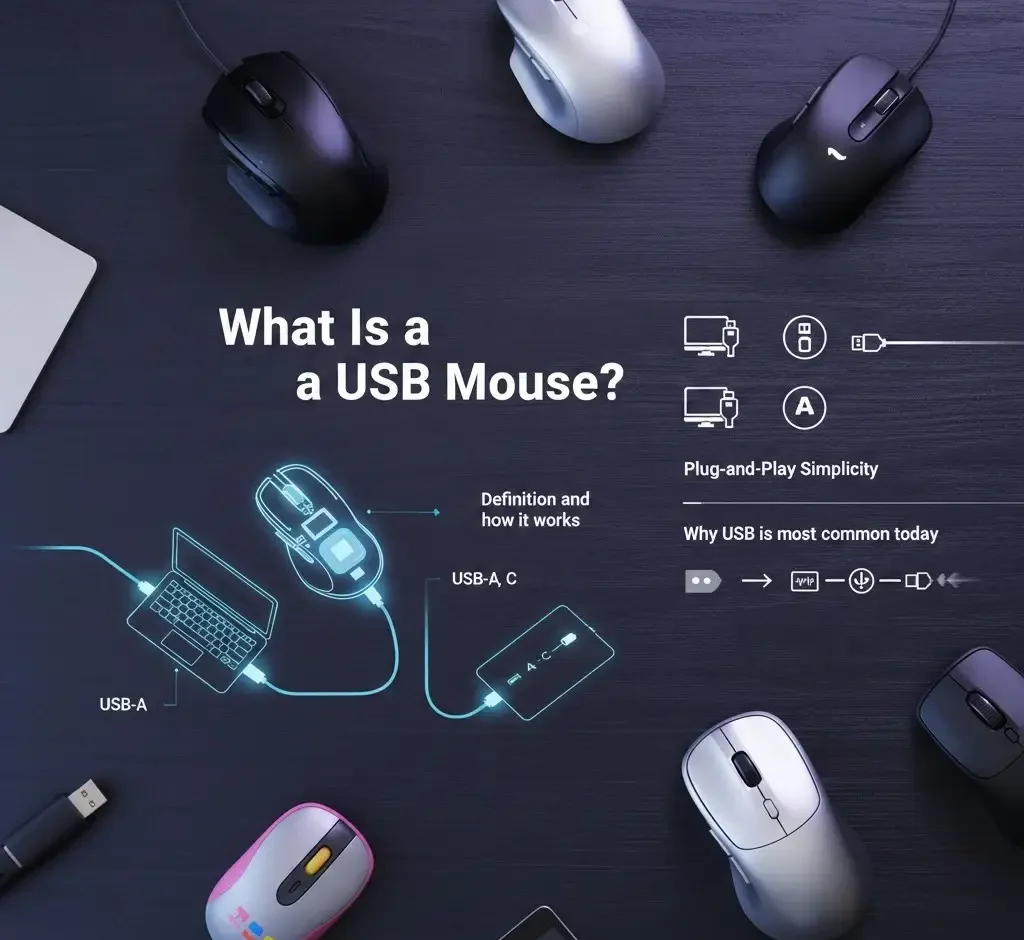
What Is a USB Mouse?
A USB mouse is a wired pointing device that connects to a computer, laptop, or compatible tablet through a USB (Universal Serial Bus) port. It allows users to control the cursor on the screen, click on icons, scroll through pages, and perform everyday tasks with precision. USB mouse are among the most widely used computer accessories because they are simple, reliable, and compatible with almost every modern device. Unlike wireless mice that rely on batteries and Bluetooth or radio signals, a USB mouse uses a physical cable connection, making it a stable choice for work, gaming, and office environments.
Definition and How It Works
A USB mouse works by translating your hand movements into digital signals that the computer understands. Inside the mouse, there is a sensor, usually optical or laser, that tracks movement across a surface.
Here’s how the process works step by step:
When you move the mouse, the sensor detects the direction and speed of movement.
The mouse converts that movement into electronic data.
This data is sent through the USB cable to your computer.
The computer’s operating system processes the signal instantly and moves the cursor on the screen accordingly.
The mouse buttons and scroll wheel also send signals over the same USB connection, enabling actions such as clicking, dragging, zooming, and scrolling. Because USB is designed for fast communication, responses are nearly instant, which is why many professionals and gamers still prefer wired USB mice.
Why Is USB the Most Common Wired Connection Today?
USB has become the standard wired connection for computer accessories because of its convenience, performance, and universal compatibility. Over the years, it replaced older mouse ports, such as PS/2, due to several significant advantages. Here’s why USB is the most common choice today:
Universal Support
Almost every computer and laptop includes USB ports, making a USB mouse usable across different brands and operating systems without extra setup.
Easy Plug-and-Play Experience
Most USB mouse work immediately after being plugged in. In most cases, there’s no need to install drivers manually.
Reliable Connection
Since the mouse is physically connected, there is no interference, lag, or battery dependency like wireless devices.
Fast Data Transfer and Low Latency
USB provides quick signal transmission, ensuring smooth cursor movement and responsive clicking, especially important for gaming and precision work.
Power Supply Included
USB ports can power the mouse, so there is no need to charge or replace batteries. Because of these benefits, USB remains the go-to option for wired input devices even in modern setups.
Types of USB Mouse
USB mice come in several types based on connector style and functionality. Understanding these options can help you choose the right mouse for your device.
USB-A Mouse
USB-A is the traditional rectangular USB connector commonly found on most desktop computers, older laptops, and many gaming systems. It is the most common wired mouse connection type and is compatible with a wide range of devices. Because of its widespread support, USB-A is ideal for desktops and standard laptops. If your computer has a regular USB port, choosing a USB-A mouse is usually the easiest and most reliable option.
USB-C Mouse
USB-C is a newer, smaller, and reversible connector commonly found on modern laptops, tablets, and smartphones. It is explicitly designed for newer devices that feature USB-C ports and is often used with ultra-thin laptops such as MacBooks. This connector provides fast and reliable connectivity in a compact form. As many modern devices have removed traditional USB-A ports, USB-C mice are becoming increasingly popular and widely adopted.
Plug-and-Play USB Mouse
Most USB mice today are plug-and-play, which means they work instantly without requiring any additional software installation. They are automatically recognized by operating systems such as Windows, macOS, and Linux, making setup quick and hassle-free. This ease of use makes USB mice ideal for beginners and everyday users. While some advanced mice offer optional customization software, their basic functions are fully usable right away.
What Is a Wired Mouse?
A wired mouse is a pointing device that connects directly to a computer or laptop via a physical cable, usually via a USB port. It allows users to move the cursor, click, scroll, and interact with on-screen elements with speed and accuracy. Wired mouse have been a standard computer accessory for decades and remain widely used today because of their consistent performance and dependable connection. Unlike wireless mice, which rely on Bluetooth or radio signals and battery power, wired mouse operate through a direct link to the device, making them a simple and efficient option for many users.
Explanation of Wired Mouse Technology
Wired mouse technology is built around fast and direct communication between the mouse and the computer. When you move the mouse or click a button, the mouse instantly sends that information through the cable to the system.
Here’s how a wired mouse works:
Movement Detection
Signal Conversion
Direct Data Transfer
Instant Response
Since the mouse is powered via cable, there is no need to charge or replace batteries. This makes wired mice exceptionally reliable for long working hours, competitive gaming, or professional environments where uninterrupted performance matters.
How Wired Mouse Differ From Wireless Options
While both wired and wireless mouse serve the same purpose, they differ in several important ways related to connection type, performance, and convenience.
Connection Method
Wired mice connect to a computer via a physical cable, typically via USB-A or USB-C ports, providing a stable, direct connection. In contrast, wireless mouse connect via Bluetooth or a USB receiver, offering greater flexibility and freedom of movement without cables.
Power Source
Wired mice draw power directly from the computer through the USB connection, so they do not need batteries or charging. In comparison, wireless mouse rely on batteries or rechargeable power, which requires periodic replacement or recharging to keep them functioning.
Latency and Responsiveness
Wired mouse usually offer faster and more consistent response times because signals travel directly through the cable. A wireless mouse, on the other hand, may experience slight delays or interference. However, modern wireless technology has significantly improved and now offers performance nearly as good as wired mice for most users.
Portability and Cable Management
Wired mouse use cables, which can feel less convenient for travel or minimalist desk setups. In contrast, wireless mice offer a cleaner, cable-free workspace, making them more portable and visually uncluttered.
Why Wired Mouse Are Still Preferred in Many Setups
Even with the popularity of wireless devices, wired mouse remain the top choice in many professional and high-performance environments. There are several strong reasons for this continued preference.
Reliable and Stable Connection
A wired mouse provides a constant connection without worrying about signal drops, wireless interference, or pairing issues.
No Battery or Charging Required
Wired mouse never run out of power, making them ideal for users who want a hassle-free experience.
Better Performance for Gaming and Precision Tasks
Competitive gamers, designers, and editors often choose wired mice because they offer low latency, faster response, and accurate tracking.
Cost-Effective Option
Wired mouse are usually more affordable than wireless models with similar features, making them a great budget-friendly choice.
Ideal for Office and Professional Workstations
In offices, schools, and workplaces, wired mouse are easy to manage, durable, and compatible with most systems without extra setup.
USB Mouse vs Wired Mouse (Are They the Same?)
Many people often wonder whether a USB mouse and a wired mouse are two different devices or simply different names for the same thing. The confusion is completely understandable, mainly because these terms are often used interchangeably in online stores and product descriptions. The truth is: they are closely related, but not always identical. Understanding the difference can help you choose the right mouse for your setup without overthinking the terminology.
Clarifying the Confusion: Most USB Mouse Are Wired
In most cases, a USB mouse is a wired mouse, and a wired mouse is usually a USB mouse, which is why people often treat them as the same product. For example, if you buy a standard wired mouse today, it will almost always connect through a USB port because USB has become the modern standard for computer peripherals, replacing older connection types over time. However, it’s essential to understand the distinction: USB refers to the port type, while wired describes the connection style. This means USB mice are not a special category, but simply the most common form of wired mouse available today. So remember:
- A USB mouse refers to the type of connector the mouse uses—USB (Universal Serial Bus).
- A wired mouse refers to how the mouse connects—through a physical cable rather than wireless signals.
Wired Mouse Connection Types (USB, PS/2)
While USB is the dominant connection type, it is not the only option that wired mouse have used historically. Wired mice can connect through different ports depending on the device and era.
USB Wired Mouse (Most Common Today)
That’s why people often treat them as the same product. USB wired mouse are widely supported across desktop PCs, laptops, gaming consoles, and even tablets when used with USB adapters. Their main benefits include plug-and-play functionality, fast response times, and universal compatibility. Depending on the device, USB mouse are available in both USB-A and USB-C versions, making them suitable for a wide range of modern and older hardware.
PS/2 Wired Mouse (Older Systems)
That’s why people often treat them as the same product. PS/2 mouse are primarily found in older desktop computers, legacy office setups, and some specialized industrial systems. While PS/2 connections can still function reliably, they are rarely used today because most modern laptops and PCs no longer include PS/2 ports.

Key Benefits of Using a USB Wired Mouse
Faster Response Time and Zero Lag
A wired mouse delivers instant input because it connects directly to the computer through a cable. This direct connection eliminates delays that can occur with wireless signals. As a result, movement feels smoother and more accurate. It is an ideal choice for gaming, design work, and professional tasks where speed and precision matter the most.
No Battery or Charging Needed
One of the most significant advantages of a wired mouse is that it does not require batteries or charging. It draws power directly from the device it is connected to. This means it is always ready to use without worrying about sudden power loss. It is a reliable option for long work sessions and daily computer use.
Affordable and Widely Available
A wired mouse is usually more affordable compared to wireless options with similar features. It is widely available in stores and online, making it easy to find a good model at almost any price range. This budget-friendly nature makes it perfect for students, offices, schools, and anyone who needs a simple, practical accessory.
Strong Compatibility Across Devices
A wired mouse works well with most modern devices, including desktop PCs, laptops, and even some tablets that support USB connections. Since it does not rely on Bluetooth pairing or special software, it offers quick setup and broad compatibility. This makes it a convenient choice for users who frequently switch between systems.
Best Use Cases for USB and Wired Mouse
Office and Productivity Work
A wired mouse is an excellent choice for office and productivity tasks because it offers comfort and steady performance throughout the day. It provides reliable control for typing, editing documents, browsing, and multitasking. Since it does not depend on batteries or wireless signals, it stays consistent during long working hours and helps maintain focus without interruptions.
Gaming and Competitive Esports
For gaming mouse and competitive esports, a wired mouse is often preferred due to its fast response time and high precision. Features like adjustable DPI allow better sensitivity control, while a strong polling rate ensures smoother tracking during quick movements. This level of accuracy is essential for fast-paced games where every reaction matters.
Travel and Portable Setups
A lightweight wired USB mouse can be handy for travel and portable setups. It is easy to carry, works instantly when plugged in, and does not require charging. This makes it a practical option for people who use laptops on the go and want a dependable pointing device without worrying about wireless pairing issues.
School and Student Use
For school and student use, a wired mouse is a simple and cost-effective solution. It is durable enough for daily assignments, online classes, and research work. Since it is affordable and easy to use, it becomes a wise choice for students who need a reliable accessory for studying and everyday computer tasks.
Essential Features to Look for in a USB Wired Mouse
DPI Sensitivity Levels
DPI refers to a mouse’s sensitivity to movement. A higher DPI means the cursor moves faster across the screen with less hand motion, while a lower DPI provides slower and more controlled movement. DPI matters because it affects both speed and accuracy, especially for gaming, design work, or tasks that require precise control. Choosing the right DPI level helps create a smoother and more comfortable experience.
Ergonomic Design and Grip Style
The shape and design of a mouse play a significant role in comfort, especially during long hours of use. Ergonomic models are built to reduce strain on the hand and wrist. Grip style also matters: some people prefer a palm grip for full-hand support, a claw grip for quicker control, or a fingertip grip for light, fast movements. Picking the right design improves comfort and performance.
Button Customization
Many modern mouse options come with extra programmable buttons that can be customized for different tasks. These buttons are functional for productivity, such as switching tabs, copying and pasting, or controlling media. In gaming, they provide quicker access to commands and shortcuts. Button customization adds convenience and helps users work or play more efficiently.
Build Quality and Cable Strength
Build quality determines how durable and long-lasting a mouse will be. A strong cable is crucial because it prevents wear and damage over time. Some models use braided cables, which are more resistant to tangling and tearing, while standard cables are more straightforward and more flexible. Choosing a well-built mouse ensures better reliability, especially for daily or heavy use.
Sensor Type (Optical vs Laser)
The sensor inside a mouse affects how accurately it tracks movement. Optical sensors are widely used and perform well on most surfaces, making them a popular choice for gaming and general use. Laser sensors are more sensitive and can work on a wider variety of surfaces, including glossy ones. Understanding the sensor type helps you select the right mouse for your needs and environment.

USB Mouse Buying Guide (How to Choose the Right One)
Budget vs Premium Models
Budget Models
Budget models are an excellent choice for anyone who needs a reliable mouse for everyday tasks such as browsing, typing, or attending video calls. These devices focus on delivering consistent, basic performance through a simple plug-and-play setup, making them incredibly user-friendly. While they lack advanced bells and whistles, they offer a durable build tailored for light use at a very affordable price point. Ultimately, they are a perfect fit for students, office workers, or anyone seeking a functional tool without the premium cost of specialized features.
Premium Models
In contrast, premium models are designed for users who demand more from their hardware, offering a more refined experience through high-precision sensors that ensure smoother tracking. These devices typically feature adjustable DPI for granular speed control, customizable lighting, and programmable buttons to suit specific workflows. Built with superior materials and higher construction standards, these mice are a worthwhile investment for gamers, creative professionals, or anyone who spends long hours at a computer and values enhanced performance and comfort.
Work Mouse vs Gaming Mouse
Your daily tasks should influence your choice:
Work USB mouse
Ideal for productivity, office tasks, and general use, these models prioritize comfort and simple functionality over flashy aesthetics. They are characterized by ergonomic shapes designed for long-term comfort, with smooth tracking that is ideally suited for navigating spreadsheets and browsing the web. By focusing on essential performance, these mice omit unnecessary lighting and complex gaming features in favor of a streamlined design with fewer extra buttons, making them an efficient choice for a professional environment.
Gaming USB mouse
Built for speed, accuracy, and control, gaming-style models are an ideal choice for players of action-heavy games or those who require exact cursor movement. These mice often feature high DPI sensitivity, quick adjustment, and fast polling rates to significantly reduce input lag, ensuring every movement is captured instantly. Additionally, they provide extra programmable buttons and custom software for managing macros and profiles, offering a level of customization that standard mice lack.
Wired Mouse vs Wireless Mouse: Quick Comparison
| Aspect | Wired Mouse | Wireless Mouse |
|---|---|---|
| Latency | Near-zero, instant response | Slight delay possible |
| Power | No batteries needed | Requires charging/batteries |
| Portability | Limited by cable | Flexible, cable-free |
| Cost | Usually cheaper | Often more expensive |
| Best Use | Gaming, work, long sessions | Casual use, travel |
Conclusion
Choosing the right mouse may seem like a small decision, but it can significantly impact your comfort, productivity, and gaming performance. A USB wired mouse offers a reliable, lag-free connection, zero charging worries, and excellent compatibility across devices. From office tasks to intense gaming sessions, a wired mouse remains a dependable choice even in 2026.
When selecting a mouse, consider key features such as DPI sensitivity, ergonomic design, sensor type, and cable quality to ensure it meets your specific needs. Whether you want a budget-friendly model, a high-performance gaming mouse, or an ergonomic solution for long hours of work, a USB wired mouse delivers precision, durability, and value.
Frequently Asked Questions (FAQs)
Is a USB mouse always a wired mouse?
Not always, but most USB mice are wired. Some USB mice can be wireless via a USB receiver, but most wired mice use a USB connection for power and data transfer.
Are wired mice better for gaming than wireless mice?
Yes, wired mice are often preferred by gamers because they offer zero latency, consistent response times, and no battery interruptions, which are crucial for competitive gaming.
Do USB mice work on all computers and laptops?
Almost all modern computers and laptops support USB mice, including Windows, Mac, and Linux systems, thanks to plug-and-play functionality.
What DPI is best for office and everyday use?
For general productivity, a DPI between 800 and 1600 is ideal. Higher DPI is better suited for gaming, where precision and faster movement are needed.
How long do wired USB mice usually last?
With proper care, a wired USB mouse can last 3–5 years or longer. Durability depends on build quality, cable strength, and frequency of use.