
Getting professional photos used to mean booking a studio, hiring a photographer, and setting aside hours for hair, makeup, and wardrobe changes. An AI photoshoot removes almost all of that. Using nothing but a few reference photos of your own face, you can now generate studio-quality images in minutes, styled however you like, from corporate headshots to editorial fashion shots to full musician press kits.
This guide covers everything you need to know about AI photoshoots. You will learn how the technology works, the different types of AI photoshoots available today, and how to create one using your own face for realistic, personalized results. We also cover free AI photoshoot tools worth trying, ready-to-use AI photoshoot prompts including examples built for Gemini, and the common mistakes that lead to unrealistic output. Whether you are a musician who needs cover art, a professional who needs a headshot, or simply curious about what an AI photoshoot can do, this guide will walk you through the entire process from start to finish.
What Is an AI Photoshoot?
An AI photoshoot is a set of images generated using artificial intelligence rather than a camera and studio setup. Instead of physically posing in front of a photographer, you upload a handful of reference photos of your face, and an AI model uses those images to create new, realistic photos of you in different outfits, settings, and styles. The result looks like a traditional photoshoot, but the entire process happens through software. This approach has grown popular because it removes the cost, time, and logistics of a real photoshoot while still producing polished, high-resolution images suitable for professional or creative use.
How AI Photoshoot Tools Work (Face Training + Diffusion Models)
Most AI photoshoot tools rely on diffusion models, a type of AI trained to generate images from text and visual input. You start by uploading several clear photos of your face from different angles. The tool analyzes these to learn your facial features, then uses that data alongside a text prompt to generate new images. The more varied and high-quality your reference photos are, the more accurately the AI can recreate your likeness in new scenes, lighting, and outfits.
AI Photoshoot vs. Traditional Photoshoot
A traditional photoshoot involves a photographer, physical location, lighting equipment, and often a stylist, all coordinated around a fixed schedule. An AI photoshoot replaces this entire setup with software. You skip travel, booking fees, and reshoots. The tradeoff is control: a real photographer can react to lighting and expression in real time, while an AI photoshoot depends on how well your prompt and reference photos guide the output. For most everyday needs, however, the AI version is faster and considerably cheaper.
Is It Really “Your” Face? Accuracy Explained
Modern AI photoshoot tools can achieve impressively accurate likeness, but results vary by tool and input quality. Clear, well-lit reference photos taken from multiple angles produce the most convincing results. Blurry or low-quality uploads often lead to distorted or generic-looking faces. Accuracy also depends on the complexity of the requested pose or style, since dramatic angles and unusual lighting are harder for the model to render correctly. Testing a few reference sets is the easiest way to find what works best for a given tool.
Benefits of Using AI for Photoshoots
An AI photoshoot offers clear advantages over booking a traditional session, especially for people who need frequent, varied, or budget-friendly imagery. These benefits explain why musicians, professionals, and content creators are increasingly turning to AI photoshoot tools instead of hiring photographers for every new set of images.
Cost Savings vs. Studio Photography
A traditional studio photoshoot can cost anywhere from a few hundred to several thousand dollars once you factor in the photographer, studio rental, hair and makeup, and wardrobe. An AI photoshoot cuts nearly all of these expenses. Many tools offer free or low-cost plans, and even paid subscriptions are far cheaper than a single professional session. This makes high-quality imagery accessible to people who could not otherwise afford regular photoshoots.
Speed Photos in Minutes, Not Days
Booking a photographer often means waiting days or weeks for scheduling, then more time for editing and delivery. An AI photoshoot removes this entire timeline. Once your reference photos are uploaded, most tools generate new images within minutes. This speed is especially useful for musicians needing last-minute press photos, professionals updating a headshot before a job application, or anyone who simply wants results without a long wait.
Unlimited Styles, Outfits, and Backdrops
A physical photoshoot is limited by the outfits, props, and locations available on the day. An AI photoshoot has no such limits. You can generate images in a studio setting, an outdoor location, a fantasy backdrop, or a completely different wardrobe, all from the same set of reference photos. This flexibility makes it easy to build a varied portfolio without multiple bookings.
No Studio, No Photographer, No Scheduling
Because everything happens through software, an AI photoshoot eliminates the logistics of a real session. There is no studio to rent, no photographer to coordinate with, and no travel involved. This makes it a practical option for anyone who wants professional-looking photos without the planning that a traditional photoshoot requires.
Types of AI Photoshoots
AI photoshoot tools are flexible enough to serve many different purposes. Understanding the main categories helps you choose the right style and prompt approach for your specific goal, whether that is a professional image, a creative project, or promotional content.
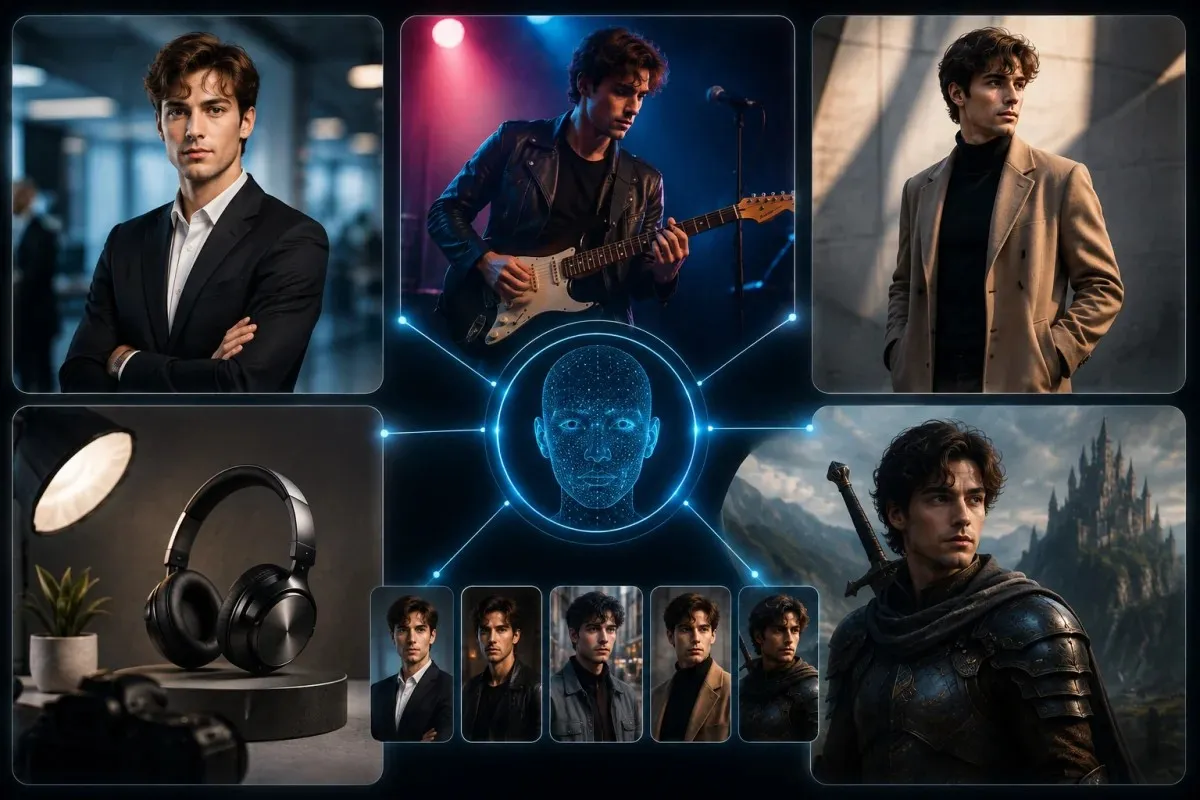
Professional Headshot AI Photoshoots
Professional headshots are one of the most common uses for an AI photoshoot. These images are designed to look clean, well lit, and business-appropriate, often used for LinkedIn, resumes, or company websites. Most tools offer preset styles like corporate, casual professional, or executive, letting you generate a polished headshot without booking a studio session. Consistent lighting and a neutral background are usually key to making these images look credible.
Musician / Artist AI Photoshoots (With Your Own Face)
Musicians and artists increasingly use AI photoshoots to create press photos, album covers, and promotional content using their own face. This allows for stylized, editorial, or concert-style imagery without the cost of a full production shoot. Because these images are often used publicly, likeness accuracy matters more here, making high-quality reference photos especially important for this use case.
Fashion & Lifestyle AI Photoshoots
Fashion and lifestyle AI photoshoots focus on styled outfits, poses, and settings similar to editorial or social media photography. These are popular among influencers and content creators who want a steady stream of varied images without constant photoshoots. Prompts for this category typically emphasize wardrobe details, mood, and setting.
Product & E-commerce AI Photoshoots
Some AI photoshoot tools extend beyond faces to product photography, generating clean, studio-style images for online stores. While not centered on a person’s likeness, this use case follows the same underlying technology and is worth noting for creators who manage both personal branding and product listings.
Fantasy & Creative Concept Photoshoots
For more imaginative use cases, AI photoshoots can generate stylized or fantasy-themed images, placing your face into creative scenes that would be difficult or expensive to produce physically. This category is popular for social media content, personal projects, and experimenting with different visual identities.
How to Create an AI Photoshoot With Your Own Face
Creating an AI photoshoot is a straightforward process, but the quality of your results depends heavily on how well you complete each step. Following a clear process helps you avoid distorted faces, mismatched lighting, and generic-looking output.
Upload Reference Photos
Start by uploading several clear photos of your face, ideally five to ten images taken from different angles and under good lighting. Include a mix of close-up shots and slightly wider shots so the AI can learn the full structure of your face. Avoid sunglasses, heavy filters, or extreme angles, since these make it harder for the tool to capture an accurate likeness.
Choose a Style or Theme
Once your reference photos are uploaded, select the style of photoshoot you want. Most tools offer presets such as professional, editorial, casual, or artistic. Choosing a style before writing your prompt helps narrow down lighting, wardrobe, and background choices, making the final output more consistent and intentional rather than random.
Write or Select a Prompt
Your prompt tells the AI exactly what to generate. A strong prompt usually includes the subject, desired style, lighting, setting, and mood. You can write this yourself or use a prompt template designed for AI photoshoots. Being specific here makes a significant difference in how realistic and on brief the final images turn out.
Generate and Refine
After submitting your prompt, the tool will generate one or more images based on your reference photos and instructions. Review the results and adjust your prompt or settings if the likeness, lighting, or style is not quite right. Most tools allow multiple regenerations, so treat the first output as a starting point rather than a final result.
Tips for Getting Realistic, Accurate Results
Use high-resolution reference photos taken in natural light whenever possible. Avoid heavily edited or filtered images, since these can confuse the model. Keep your prompts specific rather than vague, and test small changes one at a time so you can identify what actually improves your results.
Free AI Photoshoot Options
Not everyone needs a paid subscription to get started. Several tools offer a free AI photoshoot option, making it possible to test the process and see results before committing to a paid plan. Knowing what to expect from free tiers helps set realistic expectations about quality and limitations.
Best Free Tools to Try First
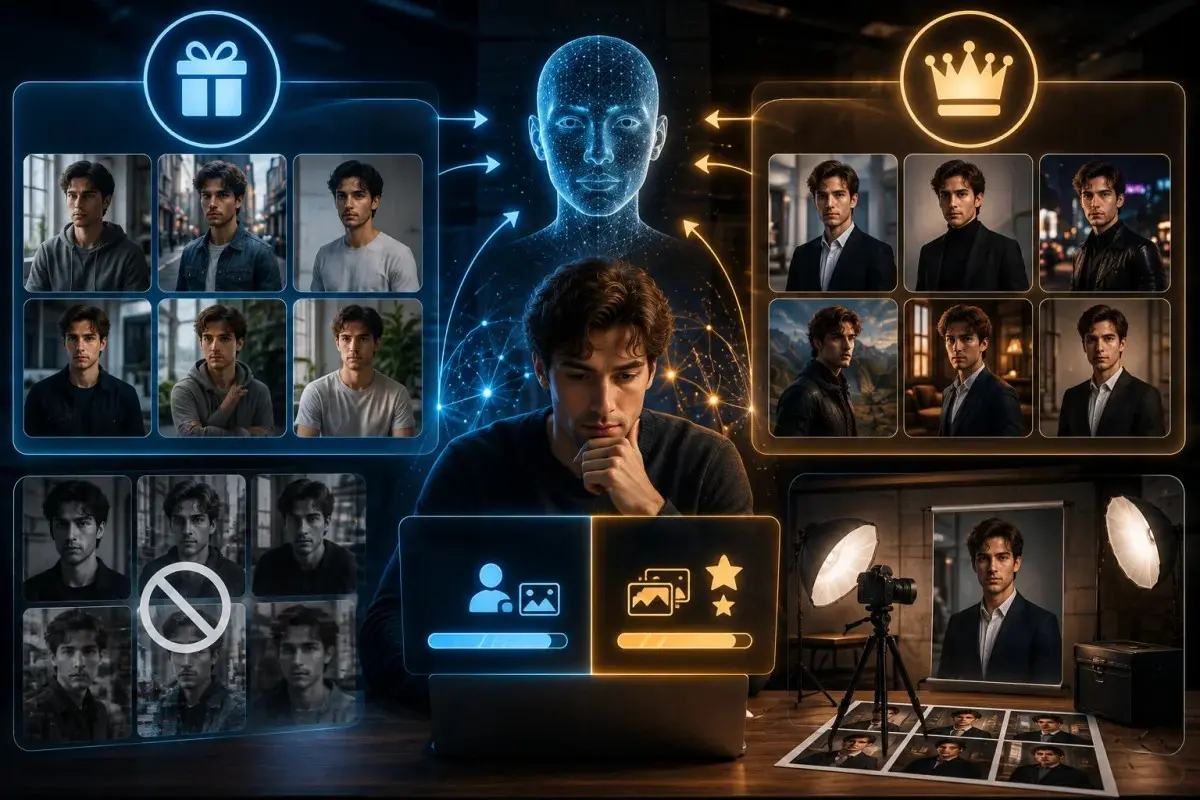
Many AI photoshoot platforms offer a free trial or a limited free tier that allows a small number of generations before requiring payment. These free options are a good way to test how well a tool captures your likeness before upgrading. Since quality and features vary widely between platforms, trying two or three free tools is a practical way to compare results and find the one that best suits your needs.
Free vs. Paid: What You Actually Get
Free plans typically limit the number of images you can generate, the resolution of the output, or the styles available. Paid plans usually unlock higher resolution downloads, more style presets, faster processing, and the ability to generate larger batches of images at once. For casual or one-time use, a free plan is often enough. For ongoing needs like regular content creation, a paid plan tends to offer better value.
Limitations of Free AI Photoshoot Generators
Free AI photoshoot tools often come with watermarks, lower resolution exports, or restricted access to premium styles. Some also limit how many reference photos you can upload, which can reduce accuracy. It’s worth treating free tools as a way to test quality and workflow rather than a long-term solution if you plan to use the images professionally or publicly.
AI Photoshoot Prompts (Copy & Customize)
A well-written prompt is often the difference between a generic-looking image and a realistic, on-brief result. Below are prompt templates and examples you can adapt to your own AI photoshoot, organized by use case.
General AI Photoshoot Prompt Templates
A strong general purpose prompt describes the subject, style, lighting, setting, and mood in a single clear sentence. For example, a template might specify a professional portrait with soft studio lighting against a neutral background, or a candid outdoor shot with natural afternoon light. Keeping the structure consistent across prompts makes it easier to adjust one element at a time, such as swapping the lighting or setting while keeping the rest unchanged.
Gemini AI Photoshoot Prompt Examples
When writing a Gemini AI photoshoot prompt, it helps to be direct and descriptive rather than abstract. Gemini responds well to prompts that clearly state the subject, camera angle, lighting style, and background in plain language. For example, describing a close-up portrait with warm golden hour lighting and a blurred outdoor background tends to produce more consistent results than vague or overly artistic phrasing. Testing small wording changes can help you find what works best for your specific reference photos.
Musician / Album-Cover Style Prompts
For musicians, prompts should reflect the mood of the music or brand being represented. This might include describing dramatic lighting, a moody color palette, or a specific setting like a concert stage or urban backdrop. Being specific about emotion and atmosphere, not just physical details, tends to produce more compelling promotional imagery.
Professional Headshot Prompts
Headshot prompts work best when kept simple and consistent. A typical prompt might describe a neutral background, soft even lighting, business attire, and a confident but approachable expression. Avoiding overly stylized language here helps keep the result looking professional and appropriate for corporate use.
Prompt Formula: Subject + Style + Lighting + Setting + Mood
A reliable way to structure any prompt is to combine five elements in order: who the subject is, the overall style, the lighting condition, the setting or background, and the mood or emotion being conveyed. This formula works across nearly every type of AI photoshoot and provides a consistent starting point you can adjust based on results.
Musician Photoshoot AI Using Your Own Face
Musicians have become one of the fastest-growing groups using AI photoshoot tools, largely because press photos and cover art need to be refreshed often and typically on a tight budget. A musician photoshoot AI setup using your own face allows artists to generate a steady stream of promotional images without booking a new session every time.
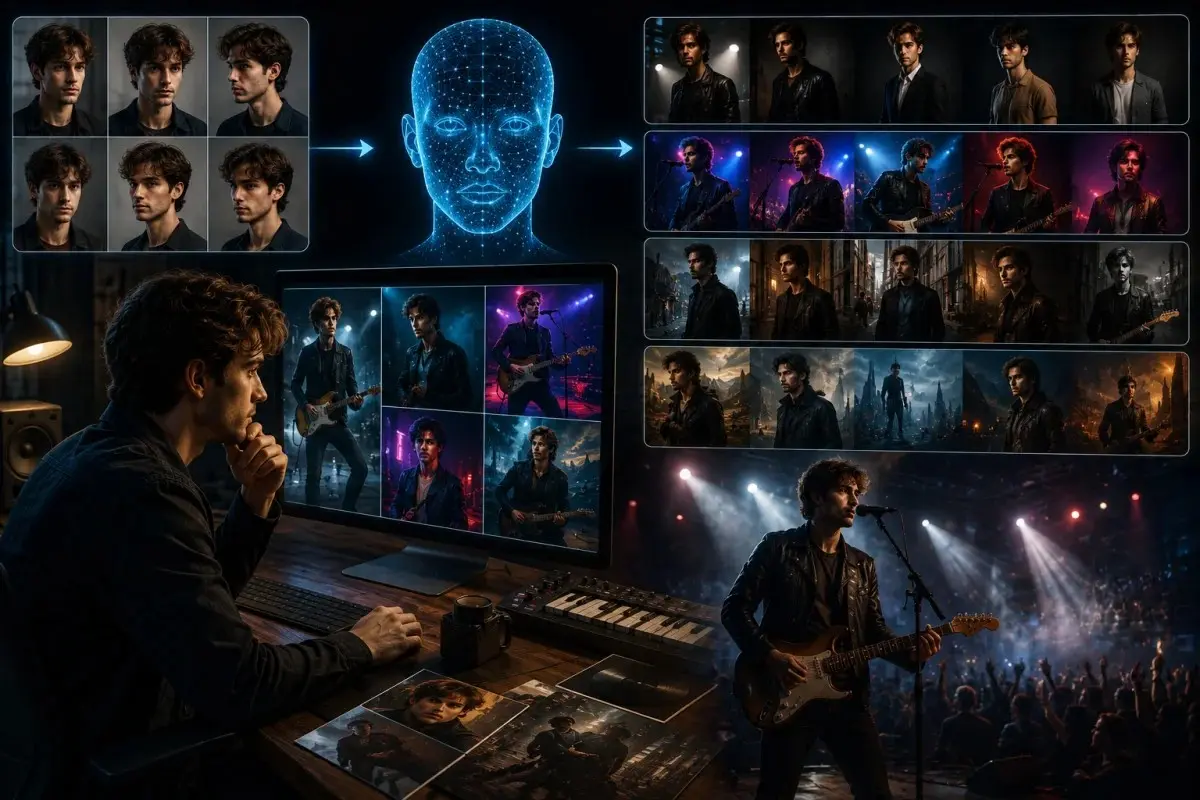
Why Musicians Are Using AI for Press Photos & Cover Art
Independent musicians often need new visuals for single releases, album drops, tour announcements, and social media, far more frequently than a traditional photoshoot budget allows. AI photoshoots make it possible to generate fresh, styled images on demand, using the same set of reference photos. This is especially useful for artists who release music regularly and need visuals that keep pace with their output.
Best Practices for Likeness Accuracy
Because musician photos are often public-facing and tied directly to an artist’s identity, likeness accuracy matters more here than in most other use cases. Using a wide variety of high-quality reference photos, including different expressions and angles, helps the AI maintain a consistent and recognizable look across multiple generations. It also helps to reuse the same reference set across a project so that all resulting images feel cohesive.
Style Ideas (Studio, Concert, Editorial, Cinematic)
Musician photoshoots benefit from strong stylistic direction. Studio style prompts work well for clean, promotional headshots, while concert style prompts suit high-energy performance imagery. Editorial style prompts are useful for magazine-style press kits, and cinematic prompts, with dramatic lighting and mood, work well for album covers or music videos. Testing different styles against the same reference photos can help an artist find a consistent visual identity.
Comparing Popular AI Photoshoot Tools
With so many AI photoshoot platforms available, choosing the right one depends on your specific needs, budget, and intended use. Comparing tools side by side makes it easier to identify which one fits a particular project rather than relying on a single default choice.
Feature Comparison Table
| Feature | Free Tier Tools | Paid Tier Tools |
| Image resolution | Standard, often watermarked | High resolution, no watermark |
| Number of generations | Limited per day or month | Higher limits or unlimited |
| Style presets | Basic selection | Expanded, professional styles |
| Reference photo uploads | Often capped | Higher upload limits |
| Processing speed | Slower during peak times | Prioritized, faster processing |
| Commercial use rights | Often restricted | Usually included |
Free vs. Paid Tiers
Free tiers are best suited for testing a tool’s likeness accuracy and general style quality before committing financially. Paid tiers are worth considering once you need higher resolution output, watermark-free images, or the ability to generate larger batches for ongoing projects like musician press kits or professional branding. The right choice often comes down to how frequently you plan to use the tool.
Which Tool Fits Which Use Case
Tools with strong headshot presets and neutral lighting options tend to suit professional use best. Platforms offering more stylistic range, including dramatic lighting and creative backdrops, are usually a better fit for musicians and content creators. Testing a free tier against your specific use case is the most reliable way to determine which tool delivers the best results for your goals.
Common Mistakes to Avoid
Even with a capable AI photoshoot tool, certain habits can consistently lead to poor results. Avoiding these common mistakes helps ensure your generated images look realistic and usable rather than distorted or generic.
Poor Reference Photo Quality
The single biggest factor in AI photoshoot quality is the reference photos you upload. Blurry, low-resolution, or heavily filtered images make it difficult for the AI to learn an accurate likeness, often resulting in distorted or inconsistent faces. Using clear, well-lit photos taken from multiple angles gives the model far more accurate information to work with, and it remains the easiest way to improve results across almost any tool.
Vague or Generic Prompts
A prompt that simply says something like “professional photo” gives the AI very little to work with, often producing generic or unpredictable results. Being specific about lighting, setting, wardrobe, and mood consistently produces better output. Following a clear prompt structure, rather than writing loosely, helps avoid this mistake entirely.
Ignoring Lighting/Style Consistency
When generating multiple images for the same project, such as a musician press kit, inconsistent lighting or style choices between prompts can make the final set look disjointed. Keeping lighting, color tone, and overall style consistent across prompts helps the images feel like they belong to the same cohesive shoot, even though each one was generated separately.
Frequently Asked Questions
Is an AI photoshoot free?
Many AI photoshoot tools offer a free tier, though it usually comes with limitations such as watermarks, lower resolution, or a capped number of generations. A free AI photoshoot is a good way to test a tool before deciding whether a paid plan is worth it for your needs.
Can I use my own face in an AI photoshoot?
Yes, most AI photoshoot tools are specifically designed to use your own face. By uploading a set of reference photos, the AI learns your facial features and generates new images that maintain your likeness across different styles, outfits, and settings.
What’s the best AI photoshoot prompt for beginners?
Beginners tend to get the most consistent results from a simple AI photoshoot prompt that follows the subject, style, lighting, setting, and mood formula. Starting with a straightforward prompt and adjusting one element at a time makes it easier to understand how changes affect the final output.
Does Gemini support AI photoshoots?
Gemini can be used to generate AI photoshoot-style images when given a clear, descriptive prompt. A well-written Gemini AI photoshoot prompt that specifies camera angle, lighting, and setting tends to produce more consistent and realistic results than vague instructions.
Are AI photoshoots good enough for professional use?
AI photoshoots can produce results suitable for professional use, including headshots and press photos, especially when using high-quality reference photos and a paid tier for higher resolution output. Results vary by tool, so testing a platform against your specific use case is the best way to confirm it meets professional standards.



)
&description=&image=https://techwelo.com/wp-content/uploads/2026/08/photoshoot-ai-guide-featured-image-1024x683.webp)