You built your e-commerce store from the ground up — the product pages, the checkout flow, the customer trust. Then one morning, you wake up to find your payment processor flagging suspicious transactions, customer accounts compromised, and your Google ranking tanked because search engines detected malware on your site. This scenario is not hypothetical. It happens to thousands of online stores every year, including large, well-funded ones. And the brutal reality is that most of them never fully recover.
E-commerce businesses are among the most targeted sectors in cybercrime. You hold something attackers want desperately: financial data, personal information, and payment credentials — all in one place. According to IBM’s Cost of a Data Breach Report, the average cost of a retail data breach now exceeds $3 million. For small- to mid-sized stores, that number is often enough to shut down operations permanently.
The good news? You don’t have to be a cybersecurity expert to protect your store. You just need the right framework, the right tools, and an understanding of where the real threats actually come from.
This guide covers everything — from the most common attack vectors targeting ecommerce platforms to the specific security controls that stop them. Whether you’re running a Shopify store, a WooCommerce site, or a custom-built platform, this is your definitive cybersecurity for ecommerce stores in 2026.
Read more: Cybersecurity for Law Firms
Why Ecommerce Stores Are Prime Cybercrime Targets
Before jumping into solutions, you need to understand the threat landscape. Attackers are not random. They are strategic, and ecommerce platforms sit squarely in their crosshairs for very specific reasons.
The Data Goldmine Problem
Your store collects and stores data that has direct monetary value on dark web marketplaces. Full credit card records (called “fullz”) sell for $15–$50 each. Customer login credentials with stored payment methods fetch even more. A mid-sized store with 10,000 active customers represents a significant payday for a successful attacker — which is precisely why they are willing to invest time and resources in penetrating your defenses.
The Complexity Gap
Most ecommerce stores operate on a stack of third-party components: a core platform (Shopify, WooCommerce, Magento), plugins, payment gateways, shipping integrations, marketing tools, and analytics scripts. Each integration is a potential entry point. Security vulnerabilities in any one of them can expose your entire store, even if your own code is perfectly written.
This is not theoretical. The infamous British Airways breach, which exposed 500,000 customers, originated from a compromised third-party script running on its checkout page — a technique now commonly known as web skimming, or a Magecart attack.
The Trust Multiplier
Customers trust ecommerce stores with their payment details because they expect professional-grade security. When that trust is broken, the reputational damage extends far beyond the incident itself. Studies consistently show that 60% of consumers would stop shopping with a brand after a data breach — even if the breach was relatively small.
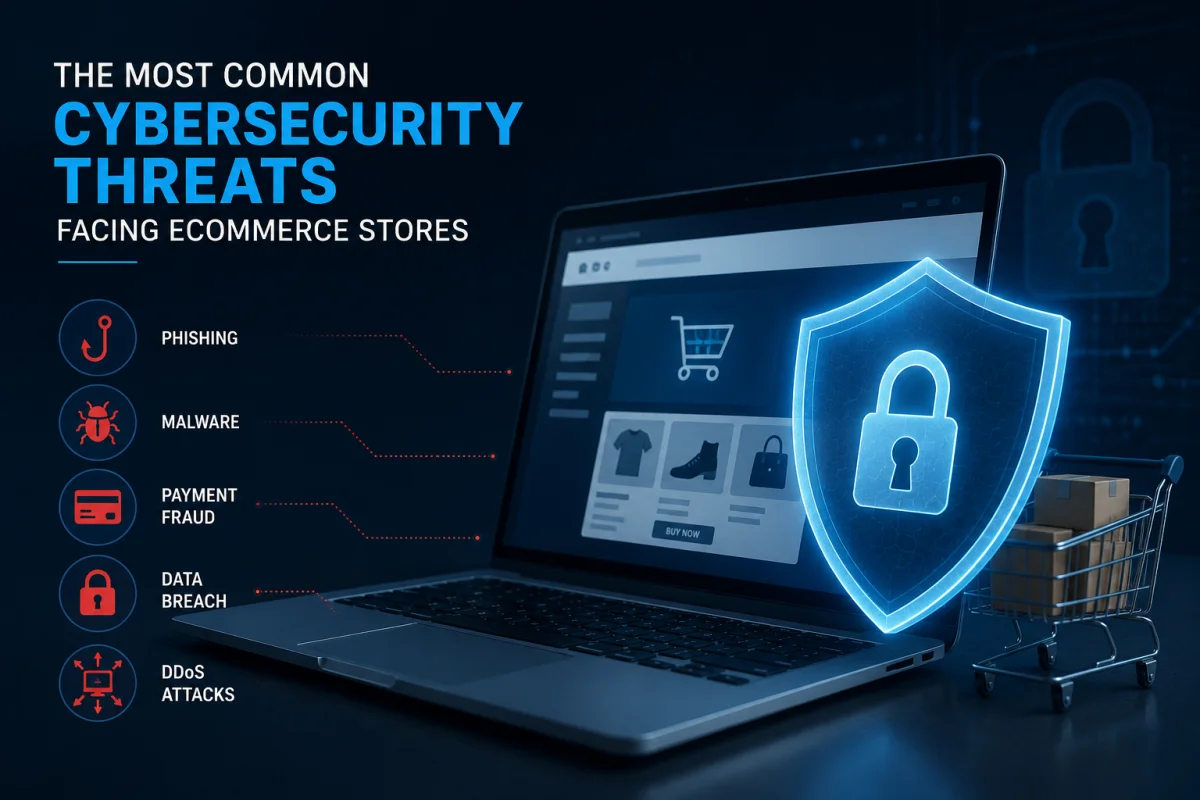
The Most Common Cybersecurity Threats Facing Ecommerce Stores
Understanding what you’re up against is half the battle. These are the attack types that security teams at ecommerce companies encounter most frequently.
Web Skimming and Magecart Attacks
Web skimming is one of the most dangerous and hardest-to-detect threats in ecommerce. Attackers inject a small piece of malicious JavaScript into your checkout page — often through a compromised third-party plugin or script — that silently captures payment card details as customers type them and sends that data to an attacker-controlled server.
What makes this so insidious is that your store appears to function perfectly. Transactions complete normally. Nothing looks wrong from the outside. The theft occurs invisibly in real time and can persist for weeks or months before detection.
Defenses against skimming attacks involve Content Security Policy (CSP) headers, Subresource Integrity (SRI) checks, and regular audits of all JavaScript running on your checkout page.
SQL Injection
SQL injection remains one of the most common web application attacks despite being well understood for over two decades. Attackers exploit improperly sanitized form inputs — search bars, login fields, discount code boxes — to inject SQL commands that manipulate your database.
A successful SQL injection attack can expose your entire customer database, allow an attacker to bypass authentication, or in extreme cases, allow remote code execution on your server. Parameterized queries, input validation, and Web Application Firewalls (WAFs) are the primary defenses.
Credential Stuffing
Credential stuffing attacks use large lists of username-password combinations (obtained from breaches of other websites) and automatically test them against your store’s login page. Because many users reuse passwords across sites, these attacks have a surprisingly high success rate.
Once inside a compromised account, attackers can steal stored payment methods, change shipping addresses for fraudulent orders, or use the account as a staging point for further attacks. Mandatory multi-factor authentication and rate limiting on login attempts are essential countermeasures.
Brute Force Attacks
Unlike credential stuffing, brute force attacks systematically try every possible password combination for a specific account or admin panel. Admin dashboards accessible via predictable URLs (e.g.,/wp-admin or /admin) with weak passwords are frequent targets.
Hiding admin login URLs, enforcing strong password policies, implementing login attempt limits, and using MFA together create a layered defense that makes brute force attacks practically infeasible.
Distributed Denial of Service (DDoS) Attacks
DDoS attacks flood your store with illegitimate traffic, preventing legitimate customers from reaching it. For ecommerce businesses, even a few hours of downtime during peak shopping periods can result in tens of thousands of dollars in lost revenue.
Beyond simple volumetric attacks, more sophisticated application-layer DDoS attacks target specific functions, such as your search or checkout flow, consuming server resources without necessarily overwhelming your bandwidth.
Business Email Compromise (BEC)
Attackers who gain access to your business email account — or convincingly spoof it — can redirect supplier payments, steal customer data sent via email, or use your domain to launch phishing campaigns that damage your reputation and deliverability.
Phishing Targeting Your Team
Social engineering attacks against your employees or contractors represent the human element of ecommerce security. A convincing phishing email that tricks an employee into entering their credentials on a fake admin portal can hand attackers the keys to your entire operation.
Third-Party Supply Chain Vulnerabilities
Every plugin, app, or integration you add to your store expands your attack surface. Attackers increasingly compromise legitimate plugins or npm packages — infecting downstream stores that install routine updates. This is why vetting third-party vendors and monitoring plugin behavior are critical security practices.
Read more: Cybersecurity Policy
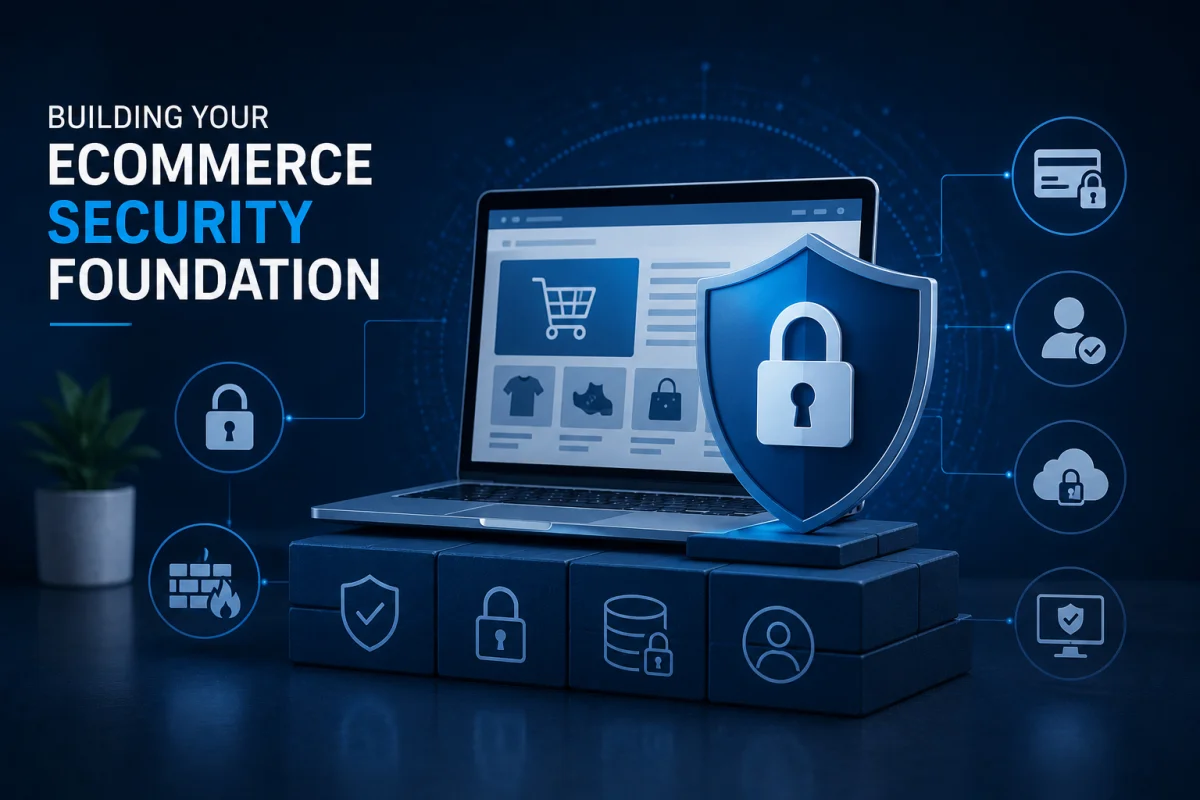
Building Your Ecommerce Security Foundation
Cybersecurity is not a product you buy once. It’s a system of overlapping controls you build, test, and continuously improve. The following framework provides the foundation every ecommerce store needs.
Secure Your Platform and Hosting Environment
Your platform and hosting environment are the bedrock of your security posture. Weaknesses here undermine every other control you put in place.
If you’re on a managed platform like Shopify, many infrastructure-level security controls are handled for you — PCI DSS compliance, DDoS protection, and server hardening. This is one of the genuine advantages of managed platforms over self-hosted solutions.
If you’re running WooCommerce, Magento, or a custom stack, you’re responsible for the server configuration. This means keeping your operating system, web server software, PHP version, and database engine fully patched. Running outdated software is the single most common root cause in e-commerce breaches.
Choose hosting providers that offer built-in DDoS protection, network-level firewalls, intrusion detection systems, and automated backups. Cloud providers like AWS, Google Cloud, and Azure offer managed security services that significantly raise your baseline security level compared to shared hosting.
Implement HTTPS Everywhere — Not Just Checkout
HTTPS (HTTP Secure) encrypts data transmitted between your visitors and your server. By 2026, there is no excuse for any page on your ecommerce store to serve over plain HTTP. Browsers now actively warn users about non-HTTPS pages, and Google factors HTTPS into search rankings.
Crucially, HTTPS must cover your entire domain — not just the checkout flow. Attackers can intercept session cookies on non-HTTPS product pages and use them to hijack authenticated sessions at checkout, even if the checkout itself is encrypted.
Use TLS 1.2 or 1.3 (never older SSL versions), implement HTTP Strict Transport Security (HSTS), and regularly renew and monitor your SSL certificates. Certificate expiry causes not just security warnings but complete loss of customer trust at the worst possible moment.
Deploy a Web Application Firewall (WAF)
A Web Application Firewall sits between your store and the internet, analyzing incoming HTTP traffic and blocking requests that match known attack patterns— such as SQL injection attempts, XSS payloads, scanner fingerprints, and more.
Commercial WAF solutions like Cloudflare, Sucuri, or AWS WAF are the standard choices for ecommerce. Cloudflare, in particular, offers robust DDoS mitigation alongside WAF capabilities and is widely used by ecommerce stores of all sizes.
Configure your WAF with platform-specific rulesets. Shopify stores have different attack surfaces than custom Magento builds, and your WAF rules should reflect that specificity. Review WAF logs regularly—they provide insight into who is probing your store and for what.
Enforce Strict Access Controls
Apply the principle of least privilege to every user account in your system. Every employee, contractor, or integration should have only the minimum access required to do their job — nothing more.
Implement role-based access control (RBAC) to separate duties clearly. Your marketing team does not need access to customer financial records. Your shipping integration does not need read access to your full database. The more tightly you compartmentalize access, the more limited the blast radius when any single account is compromised.
Implement mandatory multi-factor authentication (MFA) for all admin accounts without exception. Hardware security keys (FIDO2/WebAuthn) offer the strongest protection. Time-based one-time password (TOTP) apps like Google Authenticator are a strong second option. SMS-based MFA is better than nothing, but vulnerable to SIM-swapping attacks and should be avoided for high-privilege accounts.
Patch and Update Relentlessly
Vulnerability exploitation is often opportunistic — attackers scan the internet for systems running known-vulnerable software versions and automatically attack them. Keeping your platform, plugins, themes, and server software fully patched is one of the highest-return security investments you can make.
Enable automatic security updates where possible. Review plugin changelogs for security-related fixes and prioritize those updates. Remove plugins and integrations you no longer use — unmaintained code is a liability.
For self-hosted platforms, subscribe to security advisories for your stack. Magento’s security bulletins, WordPress core security releases, and relevant CVE databases should be on your radar.
Read more: Cybersecurity Stack
Protecting the Payment Ecosystem
Payment security is the most scrutinized aspect of ecommerce cybersecurity — and for good reason. This is where the highest-value data lives and where compliance requirements are most stringent.
PCI DSS Compliance
The Payment Card Industry Data Security Standard (PCI DSS) is the baseline requirement for any business that accepts card payments. It defines technical and operational standards for protecting cardholder data across six core objectives: building secure networks, protecting cardholder data, maintaining a vulnerability management program, implementing access controls, monitoring networks, and maintaining an information security policy.
Your PCI compliance level depends on your annual transaction volume, ranging from Level 4 (fewer than 20,000 Visa/Mastercard e-commerce transactions annually) to Level 1 (more than 6 million). Even Level 4 merchants must complete an annual self-assessment questionnaire and run quarterly network scans.
The simplest path to PCI compliance for most e-commerce stores is to minimize the cardholder data environment entirely — which brings us to tokenization.
Tokenization and Hosted Payment Pages
Tokenization replaces sensitive card data with a non-sensitive equivalent (a “token”) that has no value outside your specific payment processing context. When implemented correctly, your store never stores, processes, or transmits actual card numbers — your payment processor handles that, and you handle only tokens.
Hosted payment pages (like Stripe’s Stripe.js/Elements or Braintree’s Drop-in UI) take this further by ensuring that card input fields are served directly from the payment processor’s domain, never touching your servers. This dramatically reduces your PCI scope and your exposure to web skimming attacks.
3D Secure Authentication
3D Secure 2 (3DS2) adds an authentication layer to card transactions, requiring customers to verify their identity with their card issuer during checkout. Beyond fraud reduction, 3DS2 provides a liability shift—if a fraudulent transaction passes 3DS2 authentication, liability shifts to the card issuer rather than your store.
Modern implementations of 3DS2 use behavioral and contextual data to invisibly authenticate low-risk transactions, minimizing friction for legitimate customers while adding a meaningful barrier to fraud.
Fraud Detection and Prevention
Beyond the payment security infrastructure, implement a dedicated fraud-detection layer that analyzes order patterns in real time. Look for indicators like mismatches between billing and shipping addresses, unusually high order values from new accounts, multiple orders to the same shipping address from different cards, and velocity patterns (many orders in a short time from the same IP).
Tools like Signifyd, NoFraud, and Stripe Radar apply machine learning to these signals and provide risk scores that help you decide which orders to fulfill and which to flag for manual review.
Read more: 9 Must-Have Security Controls
Securing Customer Accounts and Authentication
Customer account security is an area many ecommerce stores underinvest in, assuming it’s the customer’s responsibility. In practice, compromised customer accounts result in direct business losses from fraudulent orders, chargebacks, and reputational damage.
Strong Authentication Requirements
Enforce minimum password strength requirements at account creation. While extremely long password requirements frustrate users, requiring at least 10–12 characters with a mix of character types meaningfully reduces vulnerability to brute-force attacks.
Offer — and strongly encourage — MFA for customer accounts, particularly for accounts with stored payment methods. Email-based MFA (a one-time link or code) is the most user-friendly option. Authenticator app support is appropriate for your more tech-savvy customers.
Monitoring for Compromised Credentials
Integrate with services like Have I Been Pwned’s API to check customer email addresses against known breach databases. When a customer’s email appears in a breach, prompt them to change their password immediately — even if the breach was on another site — since credential reuse is common.
Implement login anomaly detection that flags suspicious login activity, such as logins from new geographic locations, unusual access times, or login attempts from IPs associated with known credential-stuffing botnets.
Account Takeover Protection
Rate-limit login attempts aggressively. After five failed attempts, require CAPTCHA. After ten, implement a temporary lockout with email verification to unlock. These simple controls make automated credential-stuffing attacks impractical.
Monitor for account changes that often follow a takeover: shipping address changes followed immediately by new high-value orders are a classic fraud pattern. Automated alerts on these behaviors let your team intervene before losses occur.
Read more: The Cybersecurity Checklist for Gaming Companies
Data Security and Privacy
Beyond payment data, your store collects a substantial volume of personal information — names, addresses, email addresses, purchase histories, browsing behavior, and potentially more. Protecting this data is both a security imperative and a legal obligation under regulations such as the GDPR, the CCPA, and similar frameworks.
Data Minimization
Collect only the data you genuinely need. Every data point you collect is a liability — it must be protected, it can be breached, and it creates compliance obligations. Regularly audit what data your store collects, how long it’s retained, and whether it’s still necessary.
Delete customer data you no longer need. If you stopped using a marketing automation platform two years ago, purge its data. Old, forgotten data stores are a common source of breaches.
Encryption at Rest
Sensitive customer data stored in your database should be encrypted at rest. This means that even if an attacker gains access to your database files, they cannot read the actual data without the encryption keys.
Use modern encryption standards (AES-256 for symmetric encryption). Manage encryption keys carefully — store them separately from the data they protect, use key management services (AWS KMS, Google Cloud KMS, HashiCorp Vault), and rotate keys regularly.
Secure Backup Strategy
Maintain regular, encrypted backups of your stored data in geographically separate locations from your primary servers. Test your backups regularly by actually restoring from them — untested backups frequently fail when you need them most.
The 3-2-1 backup rule is a practical standard: maintain three copies of your data, on two different media types, with one copy offsite.
Read more: 12 Essential SOC Tools
Security Testing and Continuous Monitoring
Building security controls is not enough. You need to verify that they work and detect when something goes wrong.
Vulnerability Scanning
Run automated vulnerability scans on your store regularly — at a minimum, monthly, ideally weekly. Tools like OWASP ZAP (free, open source), Nessus, or Qualys can identify common vulnerabilities in your web application and server configuration.
For PCI compliance, quarterly external vulnerability scans by an Approved Scanning Vendor (ASV) are required. These scans look for vulnerabilities visible from the internet — open ports, unpatched software, misconfigured services.
Penetration Testing
Annual penetration testing by qualified security professionals goes beyond automated scanning to simulate real attacker behavior. A skilled penetration tester will chain multiple low-severity findings into attack paths that automated tools miss.
Focus penetration testing on your highest-risk areas: the checkout flow, authentication systems, admin interfaces, and API endpoints. Make sure your pentest scope includes your third-party integrations — not just your own code.
Security Information and Event Management (SIEM)
For stores with the scale to justify it, a SIEM system aggregates log data from across your infrastructure — web server logs, application logs, database audit logs, WAF logs — and applies correlation rules to detect suspicious patterns.
Smaller stores can achieve meaningful monitoring with simpler tools: web server log analysis, WAF alerting, Google Search Console monitoring for security issues, and uptime monitoring services that detect sudden traffic anomalies.
File Integrity Monitoring
Implement file integrity monitoring (FIM) on your web server to detect unauthorized changes to your codebase. Attackers who gain access to your server will often modify PHP files or inject malicious scripts. FIM tools alert you immediately when files are changed outside of expected deployment processes.
Tools like OSSEC, Tripwire, or Wordfence (for WordPress) provide this capability. Configure alerts for any changes to core platform files, payment-related pages, and checkout flows.
Read more: 15 Essential Network Defenses
Incident Response
Every ecommerce store should have an incident response plan before they need one. Improvising your response during an active breach is a recipe for extended damage and regulatory non-compliance.
Develop Your Incident Response Plan
A practical incident response plan covers five phases: detection and identification, containment, eradication, recovery, and post-incident review. For each phase, document who is responsible for which actions, what tools and access they need, and what internal and external communication is required.
Define your escalation path clearly. Who gets called first when an alert fires at 2 AM? What’s the threshold for engaging external incident response specialists? What’s the process for notifying customers and regulators?
Know Your Notification Obligations
Data breach notification laws vary by jurisdiction but are increasingly stringent. GDPR requires notification to supervisory authorities within 72 hours of discovering a breach involving the personal data of EU residents. US state laws (starting with California’s CCPA/CPRA) similarly mandate timely customer notification.
Understand which laws apply to your store based on where your customers are located — not where your business is incorporated. Failure to notify within the required timeframe can result in significant regulatory fines in addition to the original breach costs.
Preserve Evidence
When a breach is discovered, resist the urge to wipe compromised systems immediately. Forensic evidence preserved from those systems is often essential for understanding the full scope of the breach, meeting regulatory requirements, and pursuing legal remedies.
Take snapshots of affected systems before any remediation. Preserve all relevant log files. Work with security professionals who understand evidence preservation protocols.
Read more: 12 Essential Steps to Secure Your Remote Workspace
Security Culture and Employee Training
Technology controls only go so far. The human element remains the most reliably exploited attack vector, and training your team is one of the most cost-effective security investments you can make.
Phishing Awareness Training
Run regular simulated phishing exercises to train your team to recognize and report suspicious emails. Modern phishing simulation platforms let you craft realistic scenarios, measure click rates, and provide immediate, contextual training to employees who fall for the simulation.
Train your team specifically on the scenarios most relevant to ecommerce: fake payment processor notifications, spoofed supplier invoices, urgent requests from “the CEO” to transfer funds, and fake platform security alerts.
Security Policies and Procedures
Document and communicate clear security policies for your team: acceptable use policies for work systems, password management requirements (mandate a password manager), procedures for handling customer data, and guidelines for approving new third-party integrations.
Integrate security into your onboarding process for every new hire and contractor. If someone has access to your admin systems, they need to understand the security responsibilities that come with that access.
Key Takeaways
Cybersecurity for ecommerce stores is not an optional extra — it’s a fundamental business requirement. The threat environment has matured to the point where unprotected stores are actively and continuously targeted. The cost of a breach — financially, legally, and reputationally — dwarfs the investment required to prevent one.
Start with the fundamentals: HTTPS everywhere, a WAF, MFA on all admin accounts, regular patching, and a monitored backup system. From that foundation, build toward PCI DSS compliance, tokenized payments, fraud detection, and regular penetration testing.
Security is never finished. The threat landscape evolves, new vulnerabilities emerge, and your own infrastructure changes. Treat security as a continuous operational discipline, not a one-time project, and your store will be dramatically more resilient than the vast majority of your competitors.
The stores that get breached are rarely brought down by sophisticated zero-day exploits. They fall to known vulnerabilities, weak passwords, unpatched software, and third-party integrations they forgot they had. Fix those fundamentals, and you’ve already closed the door on most attacks.
Frequently Asked Questions (FAQs)
What is the most important cybersecurity measure for a small ecommerce store?
For a small ecommerce store, the highest-priority measures are enabling HTTPS across your entire site, enabling MFA on your admin account, keeping your platform and plugins fully updated, and using a hosted payment solution that keeps card data off your servers. These four controls address the majority of the attack surface at minimal cost.
Do I need to be PCI DSS compliant if I use Shopify or a hosted payment gateway?
If you use a fully hosted checkout like Shopify Payments or Stripe’s hosted payment pages where card data never touches your servers, your PCI DSS scope is significantly reduced — typically to a simple annual self-assessment questionnaire (SAQ A). However, you still have compliance obligations and are responsible for securing your storefront against attacks that could compromise the checkout experience.
How can I tell if my ecommerce store has been compromised?
Warning signs of compromise include unexpected admin user accounts, unfamiliar JavaScript files or code injected into your templates, customer complaints about fraudulent charges after shopping on your site, Google Search Console security warnings, and unusual server resource consumption. Implementing file integrity monitoring and regular security scans significantly improves your ability to detect compromise quickly.
What is a Magecart attack and how do I prevent it?
A Magecart attack involves malicious JavaScript injected into your checkout page — typically through a compromised third-party plugin or script — that steals payment card details in real time. Prevention involves implementing Content Security Policy (CSP) headers to restrict which scripts can run on your checkout page, regularly auditing all scripts loaded on your store, using Subresource Integrity (SRI) for third-party scripts, and choosing a hosted payment solution that removes card input fields from your page entirely.
How often should I back up my ecommerce store?
For active ecommerce stores, daily automated backups are the minimum standard. High-transaction stores should consider real-time or near-real-time database replication. Backups should be encrypted, stored offsite, and tested by performing actual restoration at least quarterly. Never assume your backups work until you’ve verified them.
Is SSL the same as PCI DSS compliance?
No. SSL/TLS (which enables HTTPS) is just one component of PCI DSS compliance, which covers a much broader set of technical and operational requirements. Having an SSL certificate means your data is encrypted in transit. Still, PCI DSS also requires secure network architecture, access controls, vulnerability management, logging and monitoring, and a formal security policy — among many other requirements.
What cybersecurity regulations apply to ecommerce stores?
The key frameworks include PCI DSS (required for any store accepting card payments), GDPR (applies to stores with EU customers), CCPA/CPRA (applies to California residents), and various state-level breach notification laws in the US. Depending on your product categories, additional regulations may apply — for example, HIPAA if you sell health-related products that involve protected health information. Consult a legal advisor familiar with data privacy law for guidance specific to your situation.