Every major data breach in recent history shares a common thread — stolen, weak, or reused passwords. Despite decades of security awareness campaigns, phishing training, and two-factor authentication rollouts, compromised credentials remain the single most exploited entry point for attackers. That reality has pushed the security industry toward a fundamental rethinking of how digital identity verification should work.
Enter passkeys. Built on open cryptographic standards and backed by Apple, Google, and Microsoft, passkeys represent the most significant shift in authentication since the password itself was invented. But the question most users and IT teams are actually asking is not simply what a passkey is — it is whether passkeys are genuinely more secure than passwords, or just the latest technology trend oversold as a silver bullet. This guide gives you an honest, technical, and practical answer to that question.
Read more: Cybersecurity for Freelancers
What Is a Password and How Does It Actually Work?
A password is a shared secret. When you create an account and choose a password, that secret gets stored (ideally in hashed form) on the service’s server. Every time you log in, the system compares what you type against what it has stored. If they match, you get access.
That simplicity is the source of both its ubiquity and its vulnerability. The entire model depends on a secret being kept in two places simultaneously — your memory and a remote server — and neither location is reliably secure.
The Real Problem With Passwords
The weakness of passwords is not that people choose bad ones, though many do. The deeper structural problem is that passwords are inherently shareable secrets. A secret that must be transmitted across a network, stored in a database, and recalled from human memory will eventually be exposed.
Phishing attacks exploit the transmission step — a fake login page looks real enough that a user types their credentials, handing them directly to an attacker. Data breaches exploit the storage step — when a server’s password database is stolen, every account on that service is at risk, regardless of how strong each password is. Credential stuffing exploits a human behavior pattern: people reuse the same passwords across multiple services, meaning that a breached password can unlock dozens of accounts.
Password managers partially address the memory problem by generating and storing unique, complex passwords for every account. They dramatically reduce credential reuse and represent a significant security upgrade over manual password management. But a password manager cannot eliminate the fundamental issue: passwords are still secrets stored on servers that can be breached, and they are still transmitted in ways that can be intercepted.
Read more: Cybersecurity for Ecommerce
What Is a Passkey and How Does It Work?
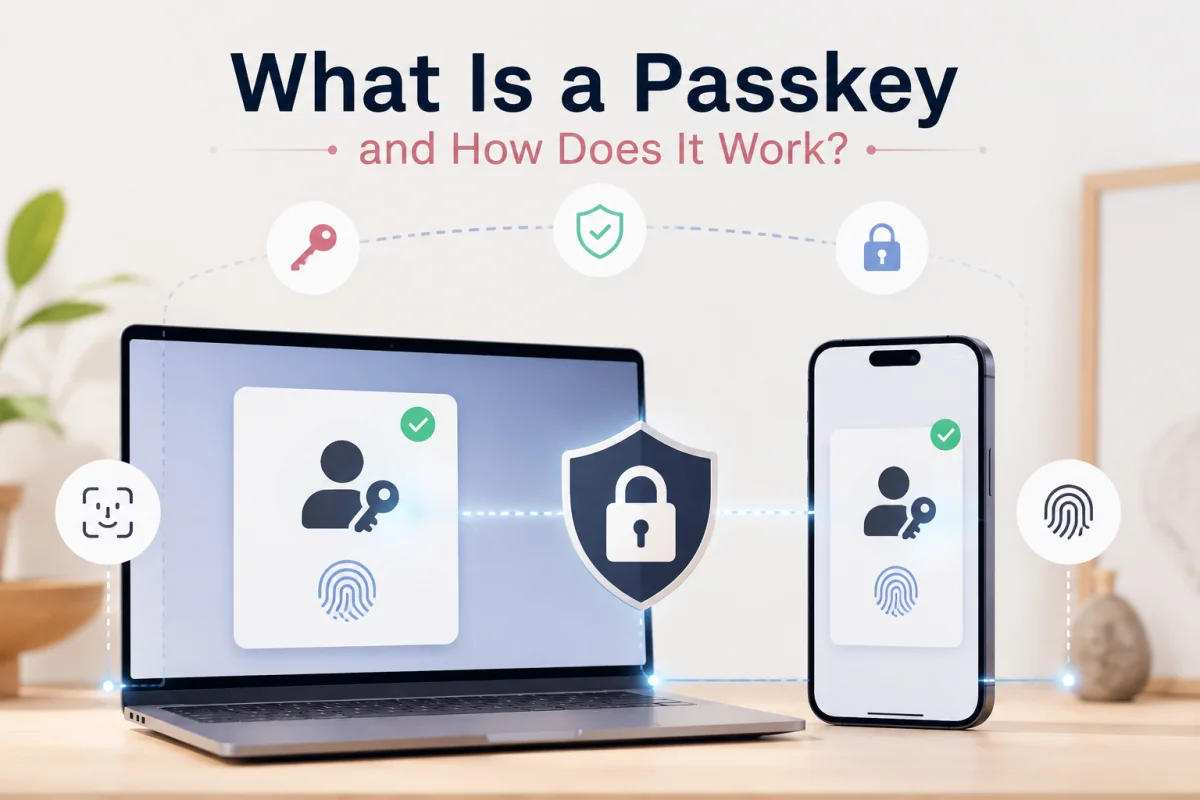
A passkey is not a password stored elsewhere. It is an entirely different type of credential based on asymmetric cryptography — specifically, the same public-key infrastructure that secures HTTPS, digital signatures, and end-to-end encrypted messaging. When you register with a service using passkeys, your device generates two mathematically linked cryptographic keys:
- A public key, which is sent to and stored on the service’s server
- A private key, which never leaves your device and is stored in secure, tamper-resistant hardware (such as Apple’s Secure Enclave or a TPM chip on Windows devices)
When you want to log in, the server sends a unique cryptographic challenge to your device. Your device uses the private key to sign the challenge and return the signature. The server verifies the signature using the stored public key. If it checks out, you are authenticated.
At no point is a password — or any shared secret — transmitted over the network. There is nothing for a phishing site to capture, nothing in the server’s database that can be used to impersonate you if stolen, and nothing that requires your memory to function correctly.
The Role of Biometrics and PINs
From a user experience perspective, unlocking a passkey typically involves a fingerprint scan, face recognition, or a device PIN. It is important to understand what role these play: they do not authenticate you to the remote server. They authenticate you to your own device, which then uses the private key to authenticate you to the server.
The biometric never leaves the device — it is simply the gate that controls access to the private key. This distinction matters. A server breach cannot expose your fingerprint because your fingerprint was never sent to the server in the first place.
The FIDO2 and WebAuthn Standards
Passkeys are built on the FIDO2 standard, developed by the FIDO Alliance in collaboration with Apple, Google, Microsoft, and dozens of other major technology organizations. The technical specification that enables passkeys in web browsers is called WebAuthn (Web Authentication API). These open standards ensure that passkeys are not proprietary to any single vendor, and that implementations across different platforms can interoperate reliably.
Passkeys vs Passwords: A Direct Security Comparison
Understanding how each method handles specific attack types reveals the most important security differences.
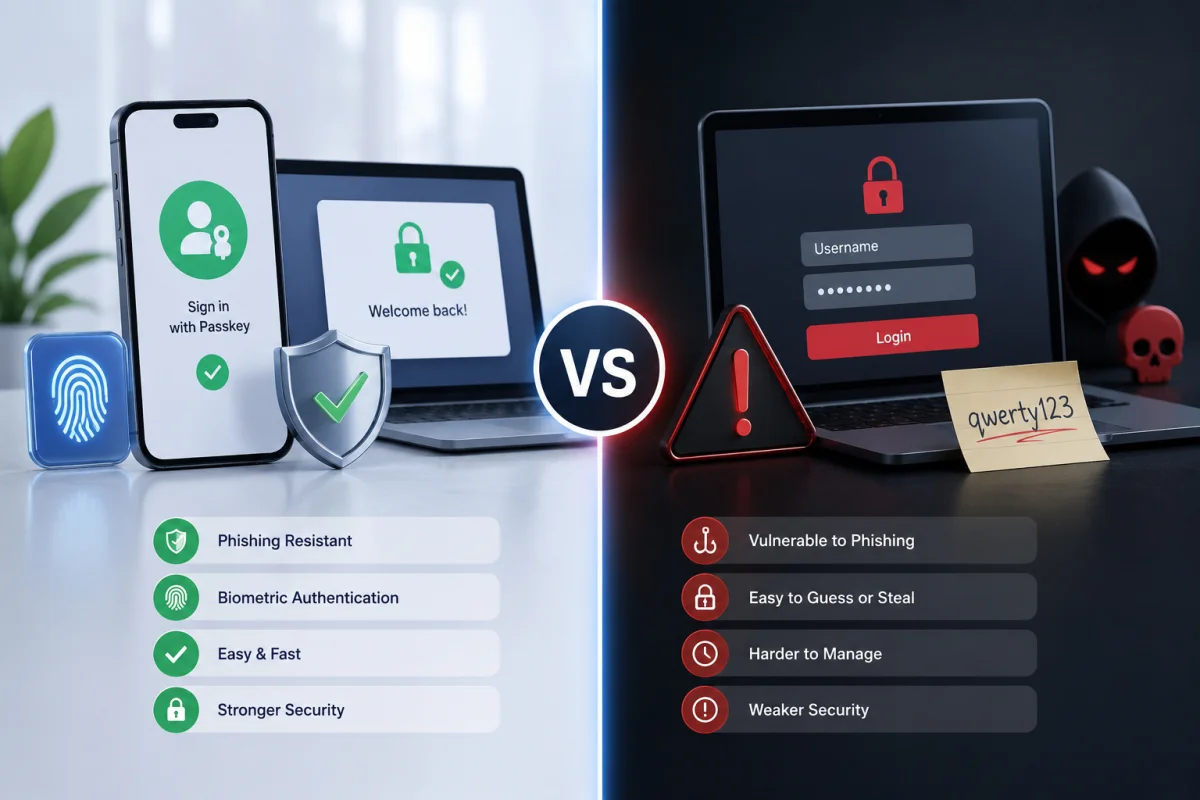
Resistance to Phishing
When you use a password, a convincing fake login page can capture your credentials because you are the one entering information. The system relies entirely on your ability to identify a legitimate website — a challenge that even experienced security professionals fail under carefully crafted social engineering attacks.
Passkeys are domain-bound by design. A passkey created for your Google account is cryptographically linked to the exact domain accounts.google.com. If an attacker creates a fake site at accounts-google.com, your passkey will not respond to it. A lookalike URL cannot trick the authentication mechanism because the domain check happens at the cryptographic level, not the visual level. This makes passkeys categorically phishing-resistant, not just theoretically so.
Vulnerability to Data Breaches
In a traditional password system, a server breach can expose the password database. Even with strong hashing, determined attackers can crack common, short passwords, and any poorly secured systems that store plaintext credentials are catastrophically vulnerable.
When a server storing passkeys is breached, attackers gain access only to public keys. A public key is designed to be public — it reveals nothing useful to an attacker. Without the private key stored on the user’s device, the public key alone cannot be used to authenticate. A passkey server breach is essentially harmless from a credential exposure standpoint.
Susceptibility to Credential Stuffing
Credential stuffing works because people reuse passwords. Steal one set of credentials from a low-security site and try them on banks, email providers, and e-commerce platforms. It is one of the most common and cost-effective attacks in a cybercriminal’s toolkit.
Passkeys are unique per service by design. Each registration creates a new key pair tied to a specific domain. Even if every passkey service in the world were compromised simultaneously, there would be no cross-site credential reuse possible because there are no shared credentials to reuse.
Protection Against Brute Force and Password Spraying
Brute-force attacks and password spraying exploit the fact that passwords are finite strings of characters that, given enough attempts, can be guessed or computed. Stronger passwords reduce this risk but do not eliminate it.
Passkey private keys are generated using strong cryptographic algorithms, producing keys of 256 bits or more. The mathematical complexity of breaking such a key with current or near-future computing hardware makes brute force attacks computationally infeasible — not just difficult, but effectively impossible.
Man-in-the-Middle Attack Resistance
In a man-in-the-middle (MitM) scenario, an attacker intercepts communication between a user and a server. Even over HTTPS, certain MitM configurations can capture or relay credentials. With passkeys, the cryptographic challenge is unique to each login session and bound to the specific server. Replaying a captured authentication request does not work because the server will reject a previously used challenge signature.
Read more: Cybersecurity for Law Firms
Side-by-Side Comparison: Passkeys vs Passwords
| Security Feature | Traditional Passwords | Passkeys / Cryptography |
|---|---|---|
| Phishing resistance | Moderate (relies on user vigilance) | Very high (domain-bound cryptography) |
| Data breach exposure | Moderate (hashed credentials can be cracked) | Very low (public key only — not exploitable) |
| Credential reuse risk | Reduced with manager, not eliminated | None (unique per service by design) |
| Brute force resistance | Depends on password strength | Extremely high (256-bit cryptographic key) |
| MitM attack resistance | Moderate | High (session-bound challenge-response) |
| Requires server secret storage | Yes | No |
| Built-in MFA | No (separate step required) | Yes (device possession + biometric/PIN) |
| Requires user memory | No (with manager) | No |
| Recovery if stolen | Password reset required | N/A — nothing to steal |
| Recovery if device lost | Email/SMS reset | Backup device, recovery codes, or synced keychain |
Where Passwords Still Have an Edge
Honesty requires acknowledging where passwords remain more practical than passkeys in 2025 and 2026.
Universal Compatibility
Every web service, application, and operating system supports passwords. Passkeys require FIDO2-compatible hardware, a WebAuthn-supporting browser, and a service that implements passkey authentication on its backend. The ecosystem is maturing quickly, but legacy enterprise applications, government portals, and many specialized software tools have not yet added support for passkeys. In these environments, passwords — ideally managed through a password manager — remain the only option.
Shared Account Access
Passkeys are designed for individual authentication. They are tied to a specific device and protected by a biometric or a PIN unique to the user. When teams need to share access to a single account — a common scenario in small businesses, agencies, and operations teams — passwords are far easier to share, rotate, and revoke. Passkeys solve the individual authentication problem exceptionally well, but the shared credential use case remains an unsolved challenge in the passkey ecosystem.
Account Recovery Complexity
Losing access to your primary device and having no backup authentication configured can make passkey account recovery more complex than with passwords. Password recovery typically involves an email link or an SMS code — straightforward, familiar, and universally supported. Passkey recovery depends on how well the user has set up sync across devices or configured backup options. Users who have not planned for recovery may find it more difficult to regain access to passkeys after a lockout.
Read more: The 2026 Cybersecurity Policy
How Passkeys Handle the Multi-Device Reality
One of the most common early concerns about passkeys was that they were locked to a single device. That concern has been largely addressed by two mechanisms: passkey syncing and cross-device authentication.
Passkey Syncing
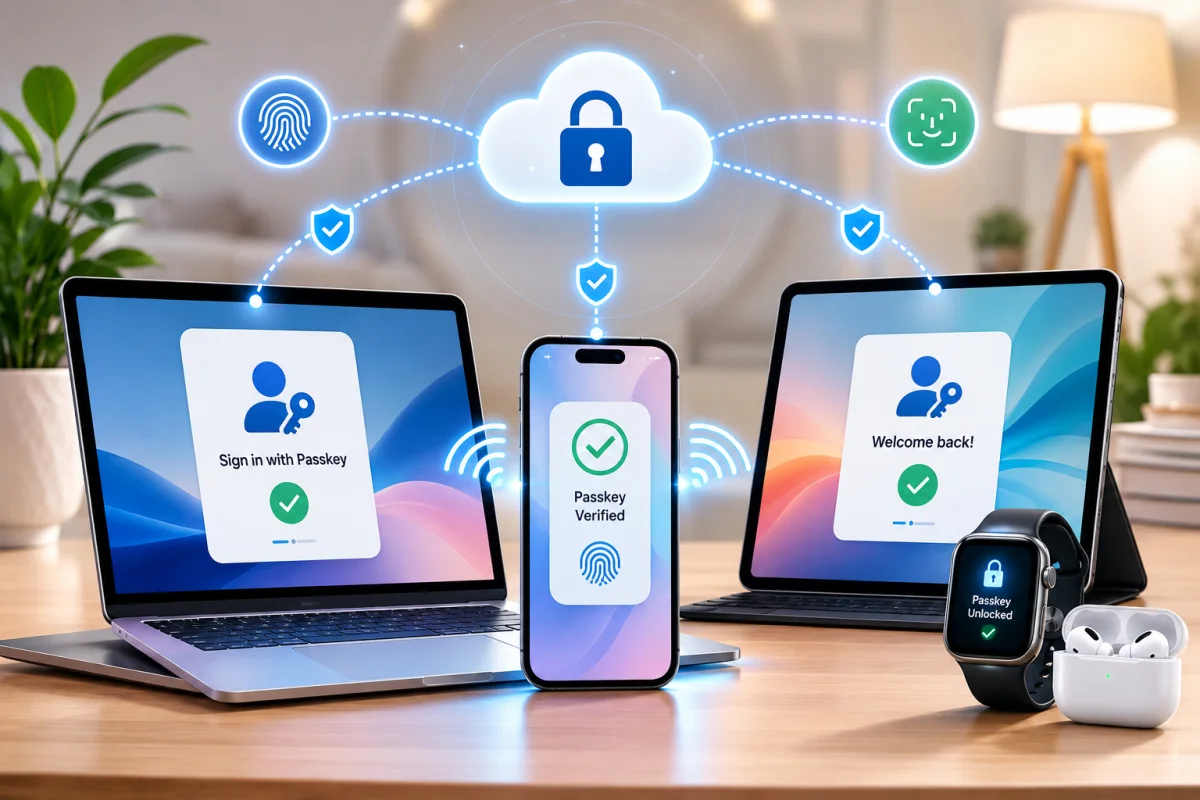
Passkey syncing works through the platform ecosystem. Apple syncs passkeys across all devices signed into the same Apple ID via iCloud Keychain. Google syncs passkeys across Android and Chrome through Google Password Manager. This means a passkey created on your iPhone is available on your Mac and iPad without any additional setup, since sync happens automatically via end-to-end encrypted cloud storage.
Cross-device Authentication
Cross-device authentication handles the scenario where you want to log in on a device outside your ecosystem — for example, a Windows PC when your passkey is stored on an iPhone. In this case, the Windows device displays a QR code, you scan it with your iPhone, and your phone uses Bluetooth to verify proximity and complete the authentication. This prevents remote attackers from using your phone to authenticate on a device you cannot see.
Read more: What Is a Cybersecurity Stack?
The Quantum Computing Question
Long-term thinkers in security circles have raised the question of whether passkeys are vulnerable to quantum computing. The concern is legitimate but needs context. Currently deployed passkeys use elliptic curve cryptography (ECC), which is theoretically vulnerable to Shor’s algorithm running on a sufficiently powerful quantum computer. However, the quantum computers that would pose a practical threat to current ECC key sizes do not yet exist and are not expected to exist in the near term.
The FIDO Alliance and standards bodies are already developing post-quantum cryptography (PQC) specifications. NIST finalized its first set of post-quantum cryptographic standards in 2024, and the passkey ecosystem will migrate to these algorithms as they are integrated into hardware and software platforms.
For current purposes, passkeys are significantly more future-resistant than passwords, which face no cryptographic ceiling but are perpetually vulnerable to human and operational failures that better algorithms cannot solve.
What Does the Adoption Landscape Look Like?
Passkeys are not a niche experiment. As of 2025 and into 2026, the adoption trajectory is significant. Over 95% of active smartphones globally are passkey-capable, enabled by OS-level support on iOS and Android. Major platforms, including Google, Apple, Microsoft, Amazon, PayPal, GitHub, and hundreds of others, now support passkey login. Google has reported passkey authentications across hundreds of millions of accounts, and the adoption curve continues to steepen.
The FIDO Alliance’s 2024 research indicated that passkey adoption is accelerating, particularly among users who have experienced account compromise, as awareness of password vulnerabilities grows. Enterprise adoption is also increasing, driven by compliance requirements and the rising cost of password-related IT support.
For individual users, enabling passkeys on supported services today requires no additional hardware purchase and minimal setup time — typically just a few taps in an account’s security settings.
Read more: Cyber Insurance Requirements
Practical Steps: How to Start Transitioning to Passkeys
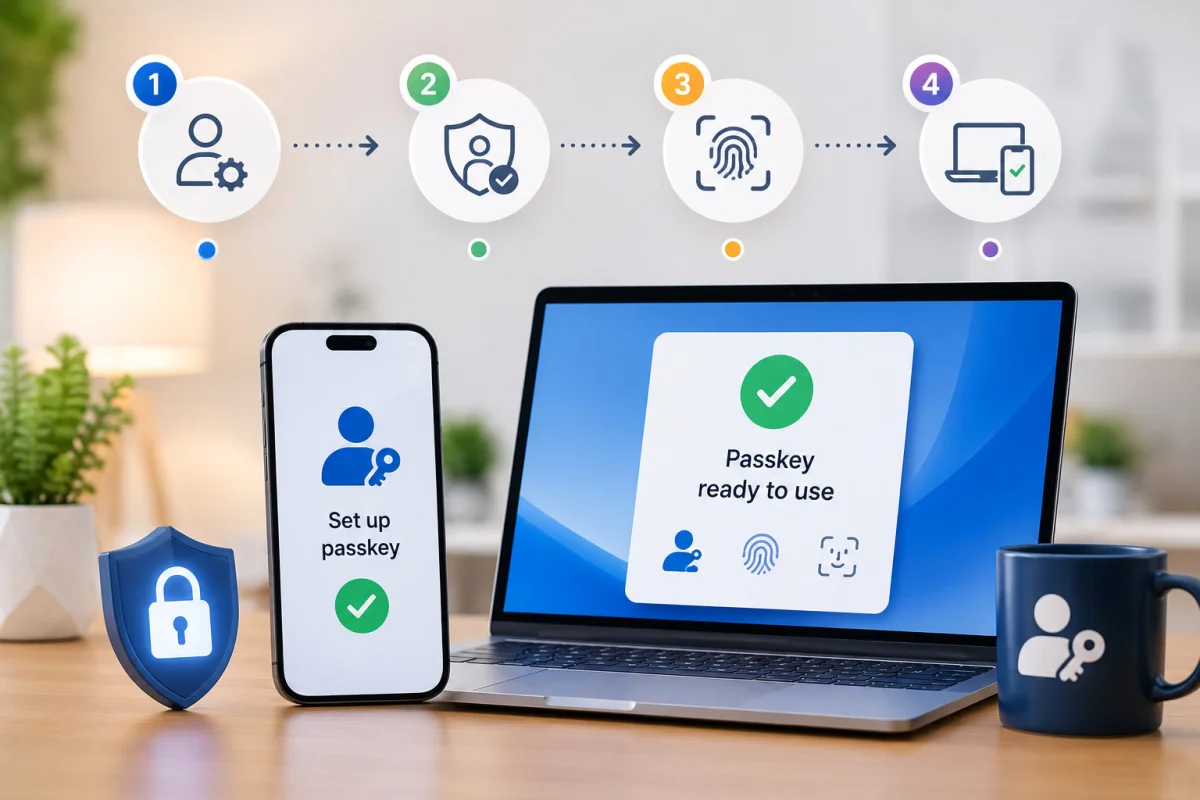
For individual users and small teams ready to move beyond passwords where supported, the transition is straightforward. Start with your most frequently used and highest-value accounts. Google, Apple ID, Microsoft accounts, and GitHub all support passkeys and have straightforward setup processes. Open the security or account settings on any supported service, look for the passkey or security key option, and follow the enrollment prompts. Your device will walk you through creating the key pair and confirm registration with a biometric or PIN.
Set up passkeys on multiple devices, or configure your platform’s cloud sync, to ensure you have backup access. Record any recovery codes provided during setup in a secure location — this is the equivalent of keeping a spare key. For services that do not yet support passkeys, continue using a password manager with strong, unique passwords and MFA enabled. The goal is not to abandon passwords overnight but to replace them on a service-by-service basis as support becomes available.
For IT administrators rolling out passkeys across an organization, a phased deployment starting with high-risk or high-value application access is typically most effective. Establish a clear device enrollment process, define a recovery workflow for lost devices before rollout, and communicate the change to users, emphasizing the improved login experience rather than the security architecture.
Passkeys vs Passwords + MFA: A More Nuanced Comparison
Many security practitioners will argue that passwords, combined with strong multi-factor authentication — particularly hardware security keys or time-based one-time passwords (TOTP) — provide security comparable to that of passkeys. This is partially true and worth examining carefully.
TOTP-based MFA significantly reduces the risk of account compromise, even when a password is phished, because the attacker would also need the time-limited code. However, real-time phishing attacks have evolved to capture both the password and the TOTP code in the same session, then replay them instantly. This attack class, known as adversary-in-the-middle (AiTM) phishing, specifically targets the weakness that even MFA codes can be intercepted if they are transmitted to the server during the authentication flow.
Hardware security keys (like YubiKeys) that implement the FIDO U2F or FIDO2 standards provide phishing-resistant MFA and offer security comparable to passkeys in this regard. The practical difference is that hardware keys require an additional physical device that must be purchased, carried, and managed — whereas passkeys are built into devices users already own and carry.
Passkeys essentially deliver hardware security key-level protection directly on the device in your pocket, making high-assurance, phishing-resistant authentication accessible to mainstream users without additional hardware purchases or specialized setup.
Read more: 15 Essential Network Defenses for IT teams
Conclusion
The security evidence is not ambiguous. Passkeys are structurally more secure than passwords against the attack vectors responsible for the vast majority of real-world account compromises — phishing, credential stuffing, data breaches, and brute force. The comparison is not even close when evaluating phishing resistance, because passkeys make phishing cryptographically impossible rather than just statistically unlikely.
The honest caveat is that passkeys introduce their own operational considerations around device management and recovery that do not exist in the same form with passwords. For users and organizations without clear recovery plans, a poorly configured passkey deployment can create account lockout risks that outweigh the security gains—setup and recovery planning matter.
The practical path forward for most users is not choosing between passkeys and passwords entirely, but to recognize that passwords are the fallback while passkeys are the goal. Enable passkeys wherever they are supported, keep a well-managed password manager for services that are not yet compatible, and build the habit of configuring backup access during every passkey enrollment.
The shift from passwords to passkeys is not simply an upgrade in the same technology category. It is a change in the underlying model — from trusting that secrets can be kept to eliminating shared secrets from the equation. In a threat landscape defined by the scale of credential theft, that architectural shift is exactly what the security industry needed.
Frequently Asked Questions (FAQs)
Are passkeys safer than a strong, randomly generated password?
Yes, for most threat models. Even a strong password can be captured by a phishing attack or exposed in a server breach. A passkey cannot be phished and exposes nothing useful if the server is breached, making it structurally more secure against the most common real-world attacks.
Can passkeys be hacked?
The passkey credential itself — the private key — is protected by secure hardware on the device and cannot be extracted through software attacks under normal circumstances. The more realistic threat model is physical access to your device combined with knowledge of your PIN or biometric compromise. This attack surface is smaller and harder to execute at scale than stealing password databases.
What happens if I lose the device with my passkey on it?
If your passkeys are synced through your platform ecosystem (e.g., iCloud Keychain or Google Password Manager), they are immediately available on any other signed-in device. If they are not synced, you can use backup access methods configured during setup — such as a recovery code or a registered backup device — to regain access to your account. Losing the device alone is not sufficient for an attacker to use your passkeys, because they still require your biometric or PIN.
Do passkeys replace two-factor authentication?
Passkeys are inherently two-factor by design—they combine something you have (the device with the private key) and something you are or know (a biometric or a PIN). They satisfy the MFA requirement built into the authentication flow itself, without requiring a separate step.
Can businesses use passkeys for employee authentication?
Yes, and enterprise adoption is growing. Most major identity providers, including Okta, Microsoft Entra ID, and Google Workspace, support FIDO2 passkey authentication. Enterprise deployments typically involve centralized management of device enrollment and recovery workflows.
What if a website doesn’t support passkeys yet?
Use a password manager to generate a strong, unique password and enable MFA on the account. Passkeys are not yet universally supported, and properly managed passwords remain a reasonable security posture for services that have not yet implemented FIDO2 authentication.