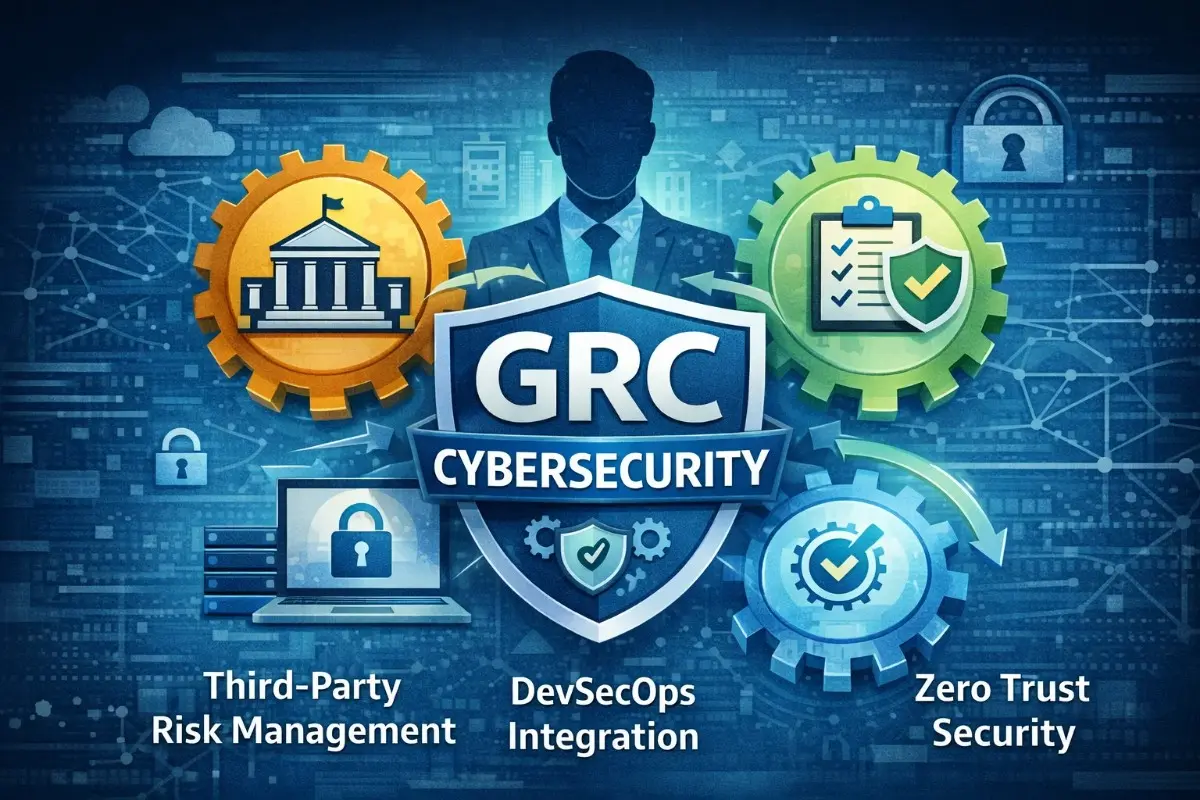
Cyberattacks don’t discriminate by company size, industry, or budget. What they consistently exploit are gaps in unpatched systems, misconfigured access controls, unmonitored endpoints, and undertrained employees. For IT support teams, this makes a systematic cybersecurity checklist not just a convenience tool, but an operational necessity.
The threat landscape in 2025 looks fundamentally different from what it was even three years ago. Ransomware-as-a-service has lowered the bar for attackers. AI-generated phishing messages have become nearly indistinguishable from legitimate communication. Supply chain compromises have shown that even trusted software vendors can serve as entry points. Meanwhile, the average IT support team is stretched thin managing help desk tickets, maintaining infrastructure, onboarding users, and trying to stay ahead of a threat environment that evolves daily.
This cybersecurity checklist is built specifically for IT support teams. It goes beyond surface-level advice to focus on practical, network-level defenses that reduce your organization’s attack surface. Each item is actionable, prioritized by impact, and explained with enough context to implement it confidently, not just check a box and move on. If you’re serious about building a resilient security posture, this is your starting point.
Why Most Cybersecurity Checklists Fall Short for IT Teams
Before diving into the checklist itself, it’s worth addressing why many existing resources miss the mark for IT support professionals specifically.
Most general cybersecurity checklists are written either for executives, who frame everything in terms of risk and compliance, or for end users, who focus on password hygiene and phishing awareness. IT support teams occupy a space entirely different from theirs. You’re the ones implementing the controls, triaging incidents, managing endpoints, and translating security policy into actual technical action.
That means your checklist needs to:
Cover both strategic controls and hands-on technical tasks; address the specific tools and environments IT teams manage day-to-day; include the less-glamorous but critical operational items like patch cadence and log review; and connect each security action to the real-world threat it mitigates. That’s exactly what the 15 items below are designed to do.
The 15-Point Cybersecurity Checklist for IT Support Teams
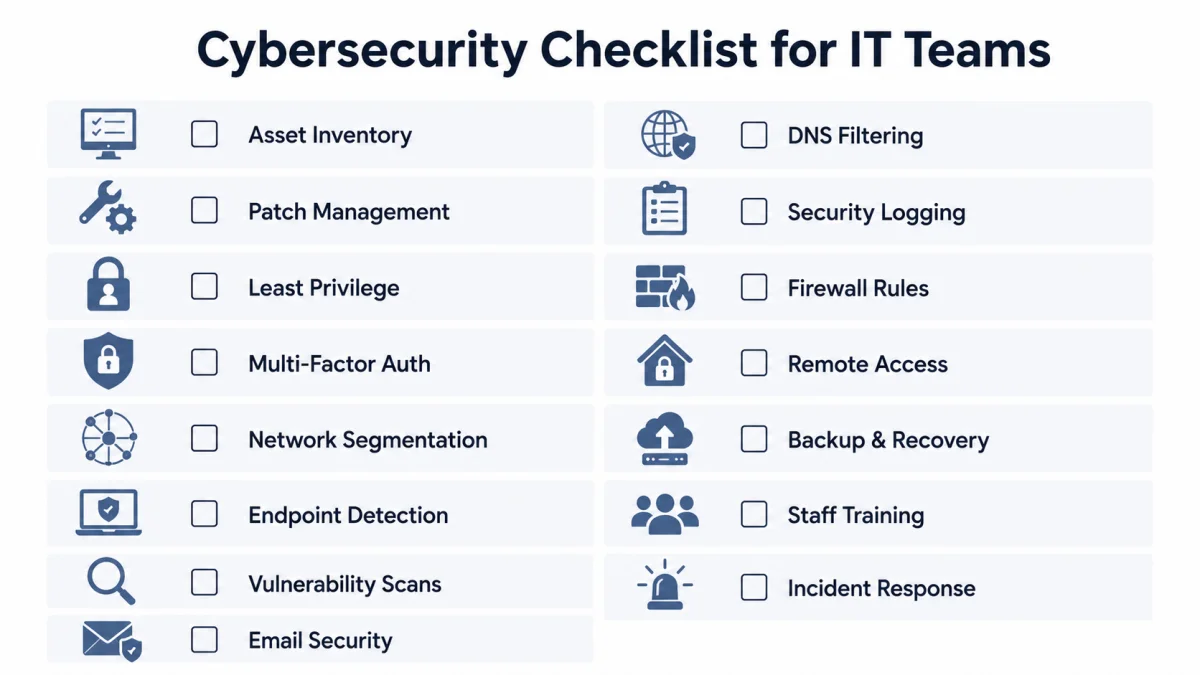
1. Build and Maintain a Complete Asset Inventory
You cannot defend what you don’t know exists. Asset visibility is the foundation of every other security control on this list, yet it remains one of the most neglected areas in practice.
Your asset inventory should cover every device with network access, including company-issued laptops, mobile phones, printers, IP cameras, VoIP phones, IoT sensors, cloud instances, and any personal devices allowed under a BYOD policy. For each asset, document the device type, owner, operating system, firmware version, authorized software, and network location.
Use network scanning tools like Nmap, Lansweeper, or your RMM (Remote Monitoring and Management) platform to automate discovery. Any device that appears on the network without a corresponding inventory record should trigger an immediate investigation.
Beyond hardware, map your software assets with the same rigor. Unauthorized or unlicensed applications introduce vulnerabilities that your security team may never have evaluated. Keep a running list of approved applications and remove anything that falls outside that scope.
Why it matters: Unapproved shadow IT devices and applications are a major vector for breaches. If a contractor connects an unmanaged laptop to your network and that laptop is compromised, your perimeter becomes irrelevant immediately.
2. Implement a Structured Patch Management Program
Patching is not glamorous. It’s often disruptive, sometimes breaks things, and always seems to land at the worst possible time. But unpatched vulnerabilities account for a substantial share of successful cyberattacks, and the window between a vulnerability’s disclosure and its active exploitation has narrowed dramatically in recent years.
A structured patch management program means more than applying updates when you get around to it. It requires a defined cadence: critical patches within 24 to 72 hours of release, high-severity patches within 2 weeks, and standard patches on a monthly cycle. It also means testing patches in a staging environment before broad deployment, documenting every patch applied, and tracking which systems remain unpatched and why.
Prioritize based on exposure: internet-facing systems, systems handling sensitive data, and systems running end-of-life software need the most attention. Use vulnerability scanning tools like Qualys, Tenable Nessus, or Microsoft Defender Vulnerability Management to identify gaps and prioritize remediation.
Don’t overlook firmware. Routers, switches, firewalls, and other network hardware require firmware updates just as operating systems do, and they’re frequently ignored.
Read more: Cybersecurity Framework
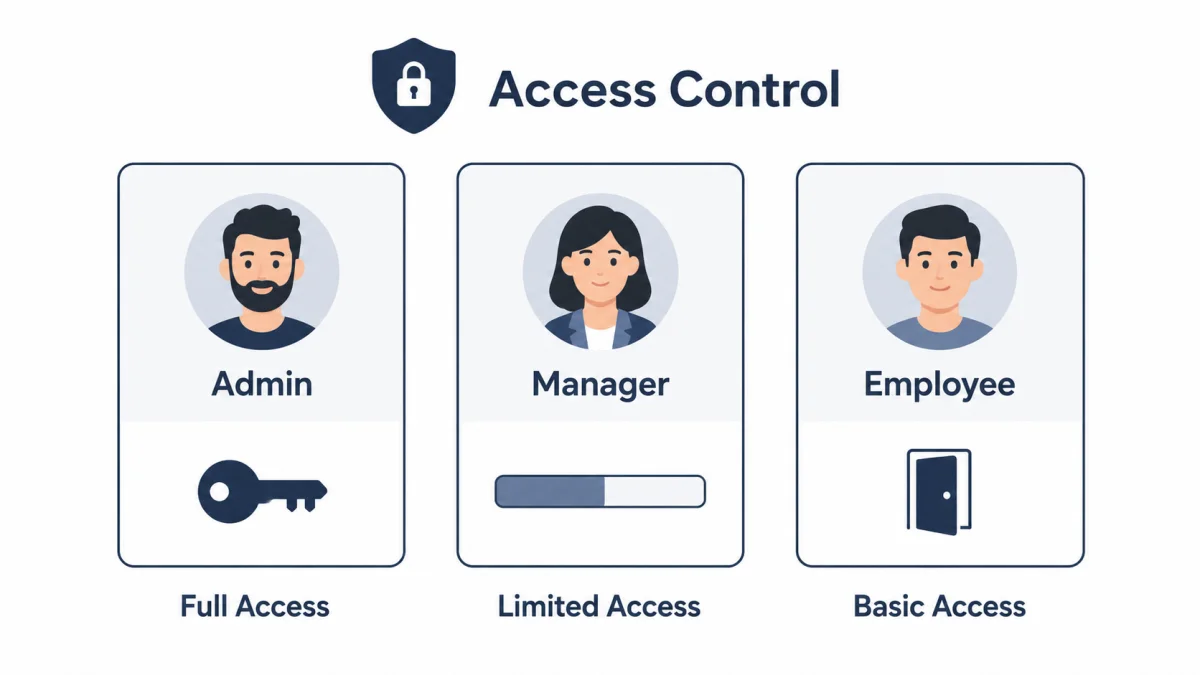
3. Enforce the Principle of Least Privilege Across All Accounts
Every user account in your organization, including IT staff accounts, should have access only to what the person needs to perform their job. Nothing more.
This principle of least privilege (PoLP) is straightforward in theory but requires deliberate effort to implement consistently. Start with an access audit: review every user, service, and administrative account across your environment. Identify accounts with excessive permissions, dormant accounts that haven’t been used in 90 days or more, and any shared accounts (which make attribution nearly impossible during an incident).
For IT support teams specifically, the temptation is to use administrator-level accounts for routine tasks. Resist it. Implement separate elevated accounts for privileged tasks and require just-in-time (JIT) access for sensitive operations, granting permissions temporarily and automatically revoking them. Microsoft’s Privileged Access Workstations (PAW) concept offers a solid framework here.
Role-based access control (RBAC) systems make this scalable: define roles, assign permissions to roles rather than to individuals, and then assign users to roles. When job responsibilities change, permissions are automatically updated.
Why it matters: Administrative credentials are the most prized target in any network environment. Limiting who can hold them and when they’re active dramatically reduces your blast radius if an account is ever compromised.
Read more: GRC Cybersecurity
4. Deploy and Configure Multi-Factor Authentication (MFA) Everywhere
Passwords alone are no longer sufficient protection for any account, let alone privileged ones. Multi-factor authentication adds a second layer of verification that stops the vast majority of credential-based attacks in their tracks, even when a password has been stolen or phished.
MFA should be mandatory for remote access (VPN, RDP), email accounts, cloud platforms (Microsoft 365, Google Workspace, AWS), identity providers and SSO systems, any application that contains sensitive or regulated data, and all IT admin consoles and management tools.
Hardware security keys (like YubiKeys) offer the strongest protection. Authenticator apps (Microsoft Authenticator, Google Authenticator) are strong and practical for most users. SMS-based MFA, while better than nothing, is vulnerable to SIM-swapping attacks and should be avoided where stronger options are available.
Configure MFA at the identity provider level rather than relying on individual application settings. This ensures coverage is consistent and enforceable across your environment.
One common gap: service accounts and API integrations often bypass MFA because they operate non-interactively. These should instead be protected through IP restrictions, certificate-based authentication, and regular credential rotation.
5. Segment Your Network to Contain Lateral Movement
Network segmentation is one of the most effective controls for limiting the damage an attacker can do once they’re inside your environment. Without it, a compromised endpoint in the marketing department could reach your financial systems, backups, or domain controllers.
At minimum, your network should be divided into logical segments that reflect the sensitivity and function of the systems within them: a general user network, a server network, a DMZ for internet-facing services, a management network for administrative access, a guest Wi-Fi network with no access to internal resources, and isolated segments for operational technology (OT) or IoT devices.
Use VLANs, firewalls, and access control lists (ACLs) to enforce boundaries between segments. Traffic between segments should be explicitly allowed rather than implicitly permitted. The default stance should be deny-all.
Zero-trust network access (ZTNA) takes segmentation further by treating every access request as untrusted by default, requiring continuous verification regardless of network location. This is increasingly important as remote work has dissolved the traditional network perimeter.
Read more: Is Cybersecurity Hard?
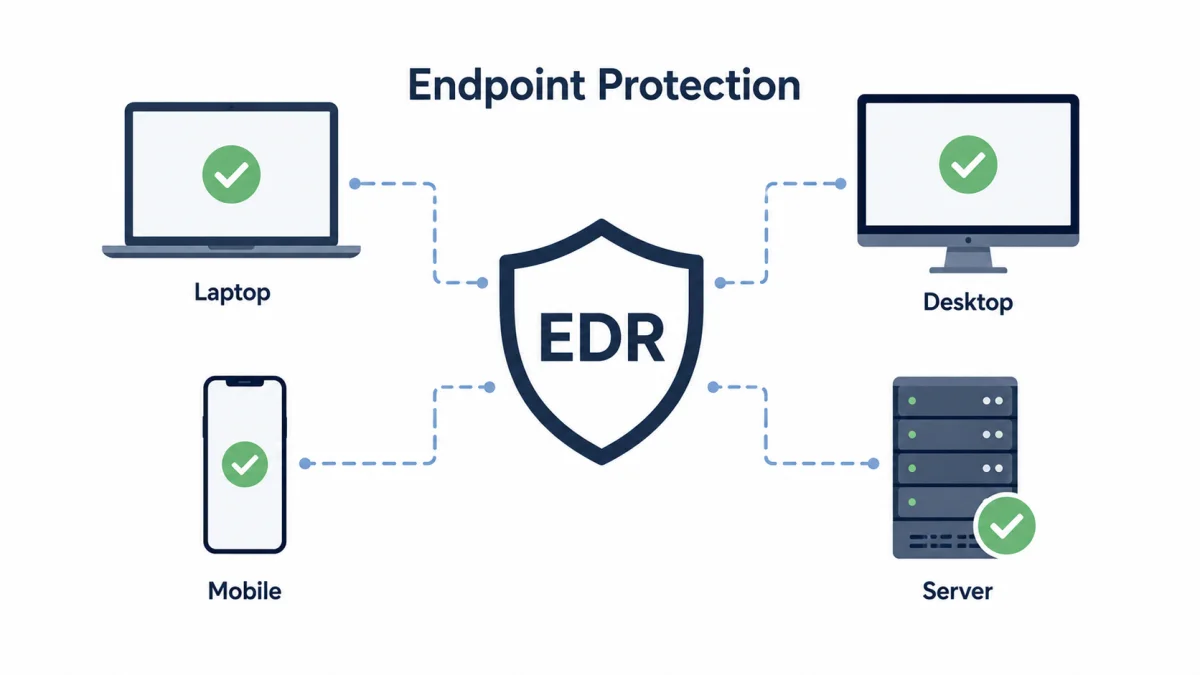
6. Deploy Endpoint Detection and Response (EDR) on Every Managed Device
Traditional antivirus tools rely on known threat signatures, meaning they’re blind to novel malware, fileless attacks, and living-off-the-land techniques, all of which are increasingly common in modern attacks.
Endpoint Detection and Response (EDR) solutions provide behavioral monitoring, threat hunting capabilities, automated response actions, and detailed forensic data. Leading platforms include CrowdStrike Falcon, Microsoft Defender for Endpoint, SentinelOne, and Sophos Intercept X.
Deploying EDR is not enough on its own. Configure it actively: enable tamper protection, ensure real-time protection is on, set up alert policies for high-severity detections, and establish a process for responding to those alerts. An EDR that generates alerts no one reviews is security theater.
Extend coverage to servers and cloud workloads, not just user endpoints. Attackers frequently pivot across servers once they establish a foothold, leaving them unmonitored and creating a blind spot.
7. Establish a Rigorous Vulnerability Management Program
Patching known vulnerabilities is only effective if you know what vulnerabilities exist. Vulnerability management is the continuous process of identifying, assessing, prioritizing, and remediating security weaknesses across your environment.
Run authenticated vulnerability scans against all systems at least monthly. For internet-facing systems, consider continuous scanning. Tools like Tenable.io, Rapid7 InsightVM, or Microsoft Defender Vulnerability Management integrate with your asset inventory to provide actionable remediation guidance.
Prioritize vulnerabilities using a risk-based approach rather than simply chasing the highest CVSS scores. A critical vulnerability on an isolated, non-internet-facing system with compensating controls may warrant less urgency than a medium-severity vulnerability on a public-facing web server. Consider exploitability, exposure, and business context in every prioritization decision.
Track remediation progress against defined SLAs and regularly report on outstanding vulnerabilities to leadership. Vulnerability management without accountability becomes a list of problems that never gets shorter.
Read more: Does Cybersecurity Require Coding?
8. Harden Your Email Security Configuration
Email remains the single most common entry point for cyberattacks, ransomware, business email compromise (BEC), phishing, and malware delivery, all of which frequently begin with a well-crafted message landing in an inbox.
A comprehensive email security posture includes multiple layers. At the DNS level, configure SPF (Sender Policy Framework), DKIM (DomainKeys Identified Mail), and DMARC (Domain-based Message Authentication, Reporting & Conformance) records for all your domains. These controls authenticate outbound email and instruct receiving mail servers on how to handle messages that fail authentication. Set your DMARC policy to reject, rather than leave it at none or quarantine, for maximum protection.
Supplement DNS-level controls with a dedicated email security gateway or cloud service (Microsoft Defender for Office 365, Proofpoint, Mimecast) that provides anti-spam, anti-malware, anti-phishing, and URL detonation capabilities. Configure these to automatically strip dangerous attachment types and rewrite URLs through a time-of-click protection service.
Implement mailbox rules to flag external emails, alert users when a sender is outside the organization, and prevent auto-forwarding to external addresses, a common BEC exfiltration technique.
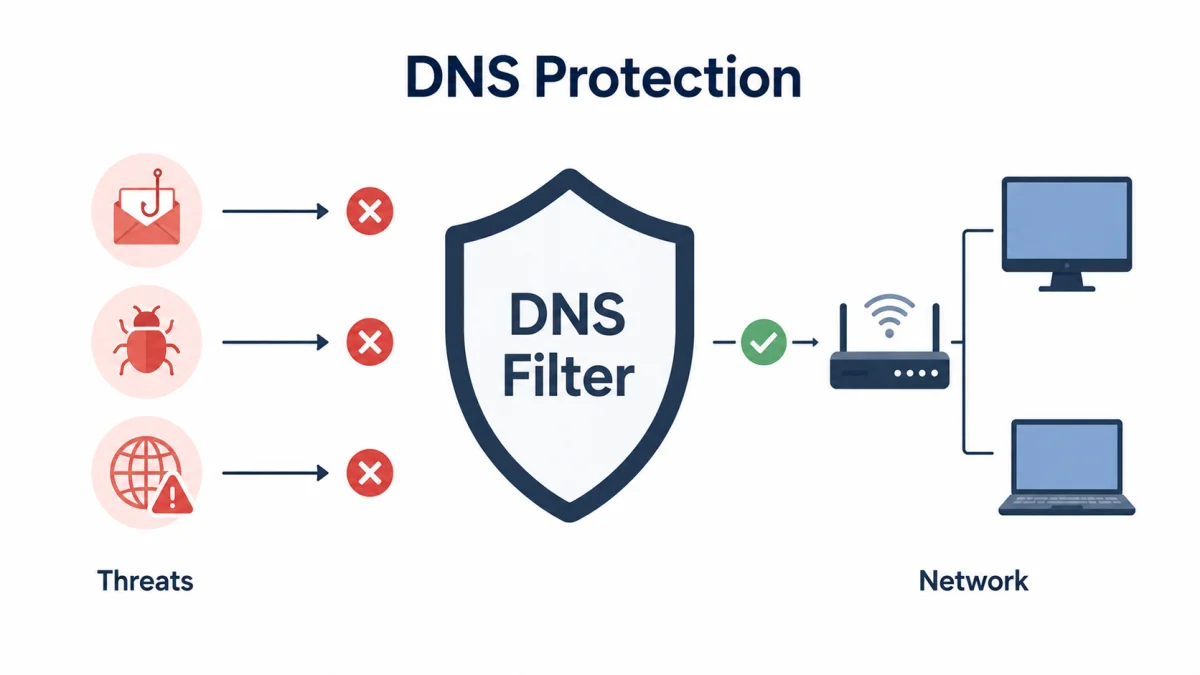
9. Protect DNS to Block Threats Before They Reach Your Network
DNS filtering is one of the most underutilized security controls available to IT teams. Every outbound connection attempt begins with a DNS query, which means filtering at the DNS layer can block malicious domains, command-and-control infrastructure, and phishing sites before any data exchange occurs.
Services like Cisco Umbrella, Cloudflare Gateway, and Palo Alto DNS Security integrate with your network infrastructure (or operate as encrypted DNS resolvers) to apply threat intelligence and category-based filtering to DNS traffic. Configure policies to block known malicious domains, newly registered domains, and categories associated with high risk (such as proxy services or bulletproof hosting).
Enable DNS over HTTPS (DoH) or DNS over TLS (DoT) to encrypt DNS traffic and prevent eavesdropping on DNS queries, particularly important for remote workers on untrusted networks.
Review DNS logs regularly. Unusual query patterns, high volumes of requests to a single domain, requests to domains with algorithmically-generated names, or queries associated with known threat indicators can be early signs of a compromise.
Read more: Cybersecurity as a Service
10. Implement Comprehensive Logging and Security Monitoring
You can’t investigate what you didn’t log, and you can’t detect what you’re not monitoring. Comprehensive logging combined with centralized analysis is the difference between discovering a breach within hours and learning about it weeks or months later from a third party.
At minimum, collect logs from: firewalls and network devices; endpoints (Windows Event Logs, macOS Unified Log); domain controllers (authentication events, group policy changes, account management); cloud platforms; email systems; VPN gateways; and critical applications.
Centralize log collection in a SIEM (Security Information and Event Management) platform, such as Microsoft Sentinel, Splunk, IBM QRadar, or an open-source option like Wazuh. Configure detection rules for high-priority scenarios: multiple failed login attempts followed by a success, new local administrator accounts, PowerShell execution from unusual parent processes, large data transfers to external destinations, and lateral movement indicators.
Define your log retention policy based on regulatory requirements and incident response needs. Most security frameworks recommend retaining logs for at least 12 months, with at least 3 months available for immediate query.
Read more: How Can You Protect Your Home Computer
11. Deploy a Next-Generation Firewall and Review Rules Regularly
A properly configured firewall is a foundational network defense. Still, many organizations treat firewall rule sets as set-and-forget configurations that grow increasingly permissive over time as exceptions accumulate without review.
Deploy a Next-Generation Firewall (NGFW) that provides application-aware inspection, intrusion prevention (IPS), TLS/SSL inspection for encrypted traffic, and threat intelligence integration. Leading NGFW platforms include Palo Alto Networks, Fortinet FortiGate, Check Point, and Cisco Firepower.
Conduct a firewall rule audit at least quarterly. Look for: overly broad rules that permit any traffic; rules that have never matched (and may be redundant); rules created for temporary purposes that were never removed; and rules that allow unnecessary inbound access from the internet.
Apply geoblocking for countries your organization has no business reason to communicate with. Enable intrusion prevention in blocking mode (not just detection mode) and maintain up-to-date threat intelligence feeds.
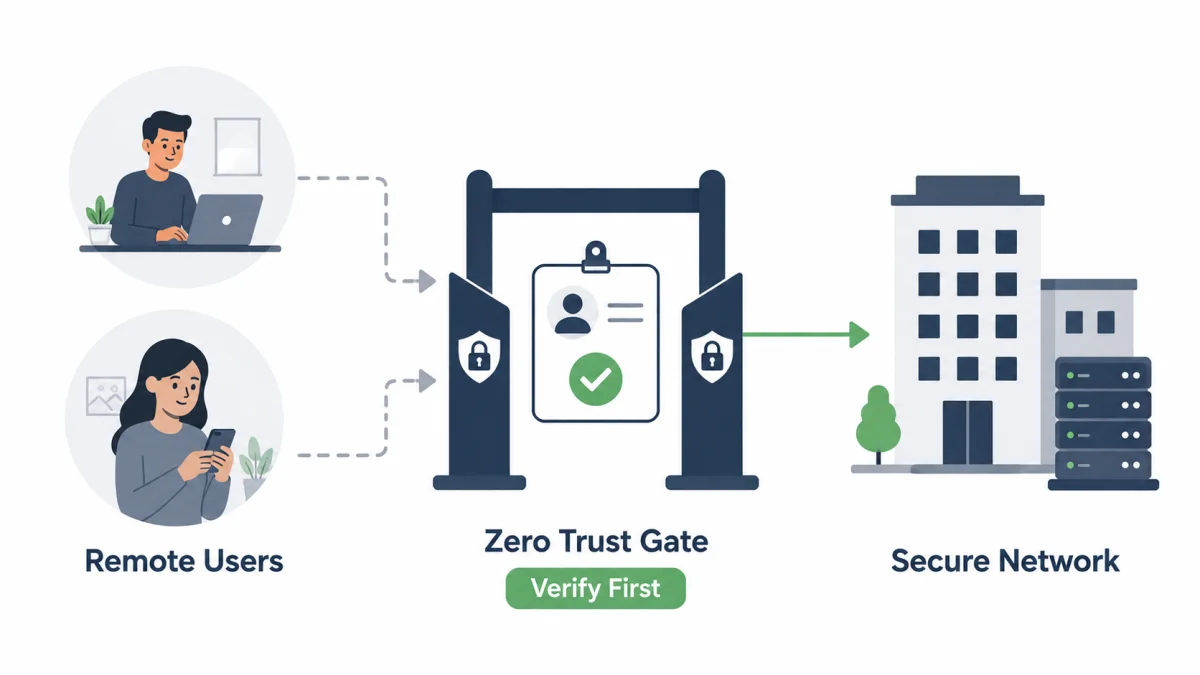
12. Secure Remote Access Through Zero-Trust Principles
Remote work has permanently expanded the attack surface for most organizations. Traditional VPN architectures, which grant network-level access upon authentication, are increasingly being supplemented or replaced by zero-trust network access models that apply granular, application-level access policies.
If you continue using VPN, ensure it requires MFA, restrict split tunneling so that all traffic routes through your security stack, use certificate-based authentication, and monitor VPN sessions for unusual behavior. Disable inactive VPN accounts and regularly review user access.
For organizations moving toward zero trust, ZTNA solutions (Zscaler Private Access, Cloudflare Access, Microsoft Entra Private Access) grant access to specific applications rather than entire network segments, verify device health before permitting connections, and continuously evaluate trust throughout sessions.
Regardless of the approach, implement idle-session timeouts, restrict remote access to managed devices where possible, and log all remote-access activity in sufficient detail to support incident investigations.
Read more: 10 Essential Smart City Technologies
13. Develop and Test a Data Backup and Recovery Strategy
Ransomware attackers count on two things: that your data is valuable and that you can’t recover it without paying. A well-designed backup strategy eliminates the second advantage entirely.
Follow the 3-2-1-1-0 backup rule as your target state: three copies of your data, on two different media types, with one offsite, one offline or air-gapped, and zero unverified backups. That last digit is the one most organizations miss. Backups that have never been tested for successful restoration are not backups you can rely on.
Define your recovery time objective (RTO) and recovery point objective (RPO) for each system based on business impact. Mission-critical systems may require near-zero RPO with automated failover; less critical systems may tolerate longer recovery windows.
Test your backups. Conduct full recovery simulations for critical systems at least annually and tabletop exercises more frequently. Ensure backup credentials are stored separately from production credentials. Ransomware operators routinely target backup infrastructure once inside a network.
Immutable backups, where data once written cannot be modified or deleted for a defined period, provide strong protection against ransomware targeting backup systems.
Read more: VO Technology
14. Build a Security Awareness Training Program That Actually Changes Behavior
Security controls can be bypassed. Firewalls can be circumvented. But human judgment is involved in nearly every successful phishing attack, social engineering attempt, and accidental data exposure. Training is therefore not optional; it’s a core technical control.
Effective security awareness training goes beyond an annual compliance video. It requires: role-based training that addresses the specific threats each group faces; simulated phishing campaigns that provide immediate teachable moments when users click links; regular micro-learning content that keeps security top of mind without overwhelming users; and clear guidance on reporting suspicious activity without fear of judgment.
Track participation rates, phishing simulation click rates, and reporting rates over time. These metrics tell you whether your training program is actually influencing behavior.
For IT teams specifically, additional training on secure coding practices, configuration management, and social engineering targeting IT staff (help desk social engineering attacks are common and effective) is essential.
15. Prepare an Incident Response Plan and Practice It
Every other item on this checklist is designed to reduce the likelihood and impact of a security incident. This one prepares you for when, not if, one happens anyway.
An incident response (IR) plan defines: who is responsible for what during an incident, how incidents are classified by severity, what steps are taken to contain, eradicate, and recover from different types of incidents, how communication flows internally and externally (including to leadership, legal, regulators, and affected parties), and how the incident is documented for post-event review.
Your IR plan should cover at a minimum ransomware, data breaches, account compromises, DDoS attacks, insider threats, and third-party/supply chain compromise scenarios.
Practice matters more than documentation. Conduct tabletop exercises with your IT team and relevant stakeholders at least twice annually. Walk through realistic scenarios, identify gaps in your plan, and update documentation based on what you learn. After any real incident, conduct a thorough post-incident review to extract lessons and improve your defenses.
Maintain a list of external resources you may need during an incident: your cyber insurance provider and their IR hotline, a retainer with an external incident response firm, law enforcement contacts, and regulatory notification requirements for your industry.
Read more: Applied Computer Technology
Mapping These Controls to Common Threat Scenarios
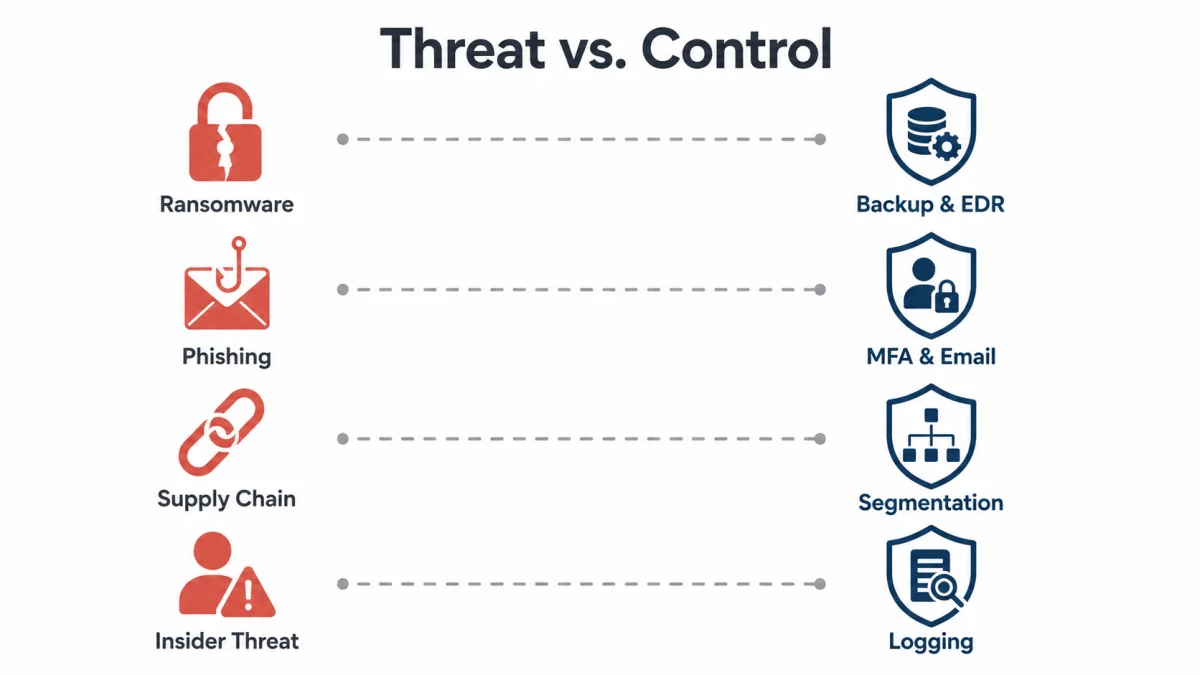
Understanding how these 15 controls connect to specific attack scenarios helps IT teams prioritize threats most relevant to their environment.
For ransomware attacks, the highest-value controls are backup and recovery (item 13), endpoint detection and response (item 6), least privilege and MFA (items 3 and 4), and network segmentation (item 5) to contain lateral movement.
For phishing and credential attacks, focus on email security (item 8), MFA (item 4), security awareness training (item 14), and DNS filtering (item 9) to block malicious domains.
For supply chain and third-party risk, asset inventory (item 1), vulnerability management (item 7), network segmentation (item 5), and logging and monitoring (item 10) provide the strongest coverage.
For insider threats, the primary controls are least privilege (item 3), comprehensive logging (item 10), and the incident response plan (item 15).
Building a Cybersecurity Roadmap From This Checklist
Implementing all 15 items simultaneously isn’t realistic for most IT teams. A phased approach produces better results:
In the first 30 days, tackle the foundational visibility controls: build your asset inventory, deploy MFA everywhere possible, audit privileged accounts, and confirm that your endpoint protection is actively monitored. These four actions alone will significantly improve your security posture.
Over the next 60 to 90 days, focus on detection and control: configure centralized logging, stand up DNS filtering, review and harden firewall rules, and deploy email security controls. Begin phishing simulation training.
In the three-to-six-month window, address operational resilience by formalizing your patch management process, implementing network segmentation, testing your backup and recovery strategy, and developing your incident response plan.
Beyond six months, focus on maturity: conduct your first tabletop exercise, integrate vulnerability scanning into your regular workflow, and begin moving toward zero-trust access models for remote connectivity.
Document your progress against each control. A security framework such as the CIS Controls, NIST Cybersecurity Framework, or ISO 27001 can provide additional structure and help you measure maturity over time.
Conclusion
The 15 items in this cybersecurity checklist represent proven, practical network defenses that IT support teams can implement incrementally and build on over time. None of them requires unlimited budgets or specialized security teams to implement; they require consistent effort, operational discipline, and a commitment to treating security as an ongoing process rather than a one-time project.
Start where your gaps are largest. Use the controls in this checklist not just as a to-do list, but as a diagnostic framework. Each item highlights both a specific defense and the threat it’s designed to counter. Over time, working through this checklist will give your organization a layered security posture that’s far more resilient than any single tool or policy can provide.
Your network doesn’t need to be impenetrable. It needs to be harder to attack than the next target and prepared to respond decisively when something does get through. That’s what this checklist builds toward. Start today.
Frequently Asked Questions (FAQs)
What is a cybersecurity checklist for IT support teams?
A cybersecurity checklist for IT support teams is a structured set of security controls, configurations, and operational practices that help IT professionals systematically reduce their organization’s attack surface and improve their ability to detect and respond to threats.
How often should an IT team review its cybersecurity checklist?
Core controls such as MFA, patching, and access management should be continuously reviewed. A comprehensive review of the full checklist should happen at least quarterly, with additional reviews triggered by major infrastructure changes, security incidents, or new threat intelligence.
What is the most important cybersecurity control for IT teams?
If forced to choose one, MFA consistently delivers the highest return on investment. It prevents most credential-based attacks and can be deployed relatively quickly across most environments. That said, visibility controls asset inventory, and centralized logging is a prerequisite for making every other control effective.
What is the principle of least privilege, and why does it matter?
Least privilege means every user and system account has only the access permissions needed for its specific function. It limits what an attacker can access if they compromise any given account, making it one of the most effective controls for reducing the blast radius of a breach.
How does network segmentation protect against cyberattacks?
Network segmentation divides your environment into isolated zones with controlled communication between them. If an attacker gains access to one segment, say, a compromised endpoint on the user network, segmentation prevents them from moving freely to servers, backup systems, or other sensitive areas.
What should be included in an incident response plan for IT teams?
An effective incident response plan includes defined roles and responsibilities, severity classification criteria, step-by-step response procedures for common incident types (ransomware, data breach, account compromise), communication protocols, and a post-incident review process. It should be tested regularly through tabletop exercises.
Is security awareness training actually effective?
Yes, when done consistently and practically. One-time annual training has a limited impact. Programs that combine ongoing micro-learning with simulated phishing campaigns and clear reporting channels produce measurable reductions in click rates and faster identification of real threats.