

You’ve been burned before. You spent weeks learning Midjourney’s Discord-based workflow, finally got comfortable with it, and then bam, you hit a wall. Maybe it was the $60/month Stealth Mode fee just to keep your client’s work private. Maybe it was the $1M revenue threshold that suddenly made your growing agency non-compliant. Or maybe you simply got tired of generating world-class visuals inside a chat platform originally built for gaming communities. You’re not alone.
In 2026, thousands of professional designers, content creators, and marketing teams are finding Midjourney alternatives not because it has gotten worse, but because the competition has dramatically improved. FLUX.1.1 Pro now generates photorealistic images in under 5 seconds. Ideogram finally solved the “broken text” problem that plagued every other AI generator. Adobe Firefly offers something Midjourney has never had: legally ironclad commercial IP indemnification.
This guide doesn’t just list alternatives. It tests them on prompt adherence, commercial licensing, workflow integration, and real-world use cases so you can make an informed switch (or addition) to your creative stack.
The Quick-Reference
Before we dive deep, here’s the at-a-glance verdict for professionals who need answers fast:
| Tool | Best For | Commercial Rights | Pricing |
| FLUX.1.1 Pro | Photorealism and product photography | API-based and commercial-safe | Pay-per-gen (approx. $0.04 per image) |
| Leonardo.ai | All-in-one creative production | Included in paid plans | From $12 per month |
| Ideogram 2.0 | Typography, branding, and poster design | Included in all paid plans | From $8 per month |
| Adobe Firefly 3 | Enterprise and legal-safe commercial use | Full IP indemnification | Included with Creative Cloud |
| Stable Diffusion (SD 3.5) | Technical control and offline use | Open-source license | Free (self-hosted) |
Key Takeaway
There is no single best Midjourney alternative in 2026. The right tool depends entirely on your workflow. Use this guide to match your use case to the right platform and consider running two or three tools in tandem for professional-grade output.
Why Designers Are Migrating from Midjourney in 2026

Midjourney v7 (released April 2025) is genuinely impressive. Its artistic output still has a painterly quality that most competitors struggle to replicate. So why are so many designers quietly downgrading their subscriptions or switching entirely?
The answer is structural, not aesthetic.
The Shift from Discord to Standalone Web Architectures
Midjourney’s origins as a Discord bot made sense in 2022. It was a scrappy startup that used an existing platform to iterate quickly. But what was once charming has become a genuine operational liability.
Opening a website, typing a prompt, and getting results without navigating channels and threads is how it should work. This sentiment, shared by thousands of migrating users, reflects a real friction point. Professional creative workflows don’t operate inside chat threads. They operate within design systems, project management tools, and batch-generation pipelines.
Discord outages directly affect Midjourney availability, with 5 incidents in 2024-2025, the longest lasting 4 hours. For freelancers under deadline pressure or agencies running time-sensitive campaign work, four hours of downtime isn’t just frustrating; it’s a financial risk.
Competitors like Leonardo.ai, Ideogram, and Adobe Firefly launched as purpose-built web applications from day one. They offer cleaner interfaces, private-by-default generation, and browser-based canvas editors. The UX gap between Midjourney’s Discord workflow and these standalone platforms has become impossible to ignore.
The Demand for Commercial IP Indemnification
Here’s the uncomfortable truth that most Midjourney guides won’t tell you directly: Midjourney’s commercial rights situation is complicated.
Ongoing litigation includes a class-action lawsuit by artists alleging copyright infringement in training data, ongoing as of March 2026. Midjourney’s Terms of Service grant users commercial rights to generated images, but don’t address the provenance of training data.
By default, all Midjourney generations are visible in the public community gallery, including your prompts, all variations, and upscaled finals. Stealth Mode is available exclusively on Pro ($60/month) and Mega ($120/month) plans.
For enterprise clients, agencies handling NDAs, and brands in regulated industries, this is disqualifying. Adobe Firefly 3, by contrast, offers full IP indemnification, meaning Adobe legally stands behind the commercial safety of content generated on its platform. That’s a fundamentally different value proposition for corporate buyers.
The Rise of Real-Time Local Generation
A third migration driver is less about legal risk and more about creative freedom: the ability to run AI image generation entirely offline, on your own hardware.
Stable Diffusion SDXL and SD 3.5 can be deployed on consumer-grade GPUs, eliminating cloud dependency, API costs, and data privacy concerns. For studios handling sensitive client assets, product designs, unreleased branding, and proprietary character IP, keeping generation fully local is not optional. It’s a compliance requirement.
FLUX.1 Schnell, the fast, fully open variant of FLUX, can run locally on capable hardware and is licensed under the Apache 2.0 license. As consumer GPU capabilities have improved through 2025-2026, local generation has moved from hobbyist territory to professional deployment.
1. FLUX.1.1 Pro — The New Benchmark for Photorealism
If there is one Midjourney alternative that has caused the most disruption in the professional AI image space, it’s FLUX.1.1 Pro from Black Forest Labs.
FLUX.1.1 Pro leads in 2026 with the highest technical quality and a 4.5-second generation time, ideal for realism and commercial use.
Born of former Stability AI tools researchers who raised $31M to build something better, FLUX represents a philosophical shift in AI image generation: prioritizing anatomical accuracy, spatial logic, and prompt fidelity over stylistic flourishes. The results speak for themselves.
Unmatched Prompt Adherence and Spatial Logic
The single biggest competitive advantage FLUX has over Midjourney is its ability to faithfully translate complex, multi-element prompts into coherent images.
Flux AI achieves 95% prompt accuracy with photorealistic precision, while Midjourney v7 produces superior artistic imagery with 85% prompt accuracy. That 10% gap sounds modest until you’re generating 500 product images for an e-commerce catalog and every rejected output costs time and money.
In head-to-head comparisons using identical prompts, FLUX’s generated images are more photorealistic. Despite using Midjourney’s style raw parameter, Midjourney generated more cartoonish outputs compared to FLUX’s lifelike depictions.
Where FLUX particularly excels is in spatial logic, the ability to understand relational instructions like “the red mug is placed to the left of the silver laptop on a wooden desk with soft window light.” Midjourney often interprets these as loose stylistic suggestions. FLUX treats them as engineering specifications.
Pro Tip
For architectural visualization, product photography, and technical illustration, FLUX’s spatial precision is unmatched. Pair it with a Photoshop-based post-processing step for complete professional-grade output.
Professional Speed Benchmarks and Latency Scores
Speed matters more than most AI generator marketing materials admit.
FLUX Pro and Dev take 5-15 seconds, depending on the platform. On Myjourney, FLUX 1.1 Pro generations typically complete in 6-10 seconds. FLUX Schnell drops that to 1-4 seconds on optimized hardware.
For comparison, Midjourney in Fast Mode runs in 10-30 seconds, while Relax Mode can take several minutes during peak usage. For high-volume production workflows that generate variations, run A/B creative tests, and iterate on product mockups, the cumulative time savings from FLUX’s speed of generation are significant.
Open-Source Flexibility for Personal Workstations
FLUX’s licensing structure is tiered to match different professional needs:
- FLUX.1 Schnell — Apache 2.0, fully open-source, suitable for personal and commercial use, local deployment supported.
- FLUX.1 Dev — Open weights, non-commercial license, near-Pro quality for experimentation.
- FLUX.1 Pro — Proprietary, highest quality, API-based, commercial-safe.
FLUX Pro delivers maximum quality via the API with commercial licensing, while FLUX Dev offers open weights and nearly Pro-quality for free for non-commercial use.
This tiered structure means hobbyists, indie developers, and enterprise teams all have a FLUX variant that fits their budget and compliance requirements, with the flexibility that Midjourney’s subscription-only model simply cannot match.
2. Leonardo.ai — Best All-in-One Creative Production Suite
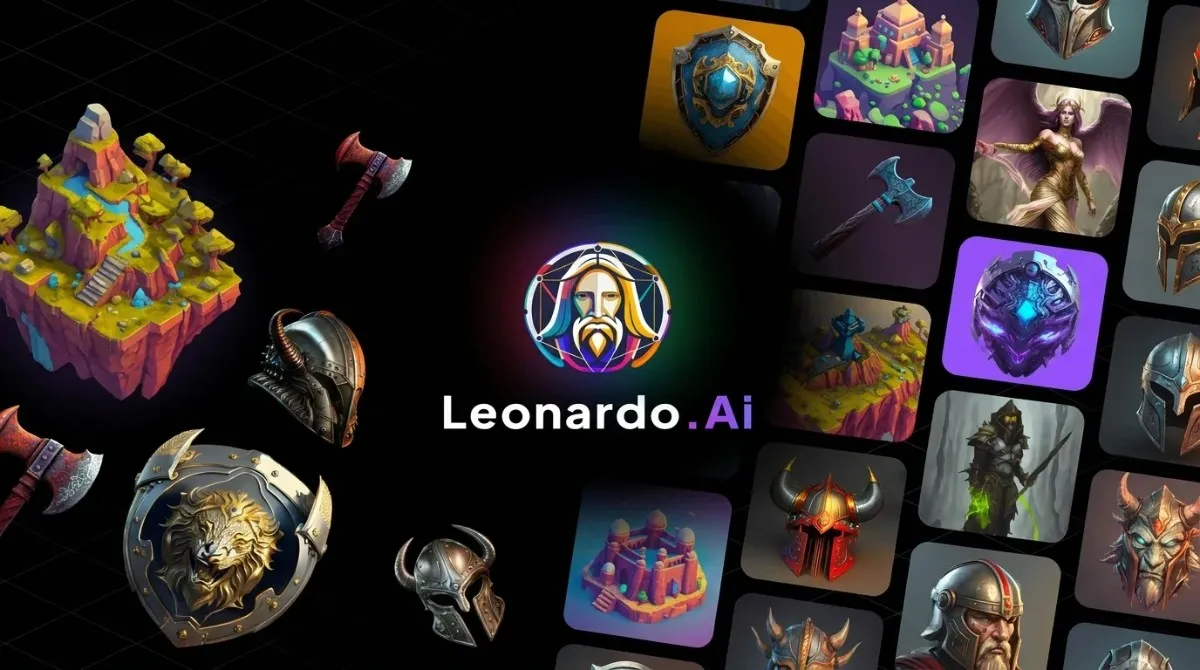
If FLUX is a surgical precision instrument, Leonardo.ai is a fully equipped creative studio. It occupies a unique position in the 2026 AI image landscape: powerful enough for professional use, approachable enough for teams without deep technical knowledge.
Leonardo.ai offers the most beginner-friendly experience of any professional tool, with the web interface providing intuitive controls, preset styles, and real-time guidance that help new users get good results immediately.
But don’t mistake beginner-friendly for shallow. Under the hood, Leonardo packs capabilities that put it ahead of Midjourney in several critical dimensions.
The Canvas Editor: Mastering In-Painting and Out-Painting
Leonardo’s real-time Canvas Editor is arguably the most underrated feature in AI image generation today. Unlike Midjourney’s generate-and-refine approach, Leonardo lets you make targeted edits to specific regions of an image without regenerating the entire composition.
In-painting lets you mask a specific object, a face, a product label, a background element and replace it while keeping the rest of the image intact. Out-painting extends the canvas beyond original boundaries, allowing you to generate wider compositions or correct cropping mistakes after the fact.
For creative directors managing client feedback cycles (where “just change the logo placement” is a daily request), this non-destructive editing capability alone is worth the subscription cost.
Native LoRA Training for Consistent Brand Styles
One of the most professional features Leonardo offers, which Midjourney lacks entirely, is native LoRA (Low-Rank Adaptation) model training.
LoRA training allows you to feed Leonardo a set of reference images of your brand’s visual identity, a specific product line, a fictional character and train a lightweight model that learns your aesthetic. Every subsequent generation then automatically reflects your brand style without requiring exhaustive prompt engineering.
Midjourney and Leonardo.ai offer helpful tools for maintaining character consistency across generations, including seed locking, detailed descriptions, reference images, and custom model training.
For marketing teams maintaining visual consistency across hundreds of campaign assets, or game studios keeping character designs coherent across concept art, in-game assets, and promotional materials, LoRA training is a workflow superpower.
Scaling Production with Enterprise Batch Generation
Leonardo’s API and batch-generation capabilities enable teams to move beyond single-image creation into systematic content production.
Leonardo AI focuses on artistic realism and model control while integrating with tools such as Runway ML and the Kittl API for seamless video and vector exports.
For content-heavy operations, e-commerce businesses requiring hundreds of product lifestyle images, social media agencies managing multiple brand accounts, and editorial teams producing illustrated content at scale, Leonardo’s batch workflows reduce per-image cost and production time dramatically.
Pro Tip
Leonardo.ai is the best Midjourney alternative for teams that need editorial control, consistent brand output, and creative flexibility in a single platform. The free tier (150 daily tokens) is genuinely usable without pressure.
3. Ideogram 2.0 — The Industry Leader for Typography & Branding
Every AI image generator that has come before Ideogram shares a common, embarrassing weakness: ask them to generate an image with readable text, and they produce visual gibberish. Misspelled words, broken letterforms, randomized character strings that look like they’ve been run through a shredder.
Ideogram was built specifically to solve this problem, and in 2026, it has.
Ideogram solved the problem every other AI image generator struggled with: text in images. While competitors produce gibberish when asked for a readable poster, Ideogram renders typography with roughly 90% accuracy.
Solving the Text Problem in AI Imagery
The inability to render text was never a minor inconvenience. For graphic designers, social media managers, brand strategists, and packaging designers, text is often the most critical element of a composition. A stunning product shot is worthless if the brand name is misspelled.
Ideogram was founded by former Google Brain researchers and has raised over $96 million to develop its technology. What differentiates it from competitors like DALL-E 3 or Midjourney is its precision in typographic rendering, whether creating posters, logos, illustrations, or marketing visuals. The text integrates naturally with the custom fonts, colors, and styles described in the prompts.
Ideogram 2.0 (launched August 2024) significantly improved photorealism and natural language understanding beyond its original text-first strengths. It now competes meaningfully in general-purpose image generation while retaining its dominant position in typography.
Advanced Color Palette Control and Hex Code Locking
Beyond text rendering, Ideogram offers a feature set that makes it uniquely powerful for brand work:
Advanced features include custom aspect ratios, seamless tiling, color palettes with up to 5 colors, image upload for paid subscribers, and API access for developers.
The color palette control is particularly significant. Brand designers can specify exact hex values, lock primary and accent colors, and ensure generated visuals stay within established brand guidelines. This is the kind of feature that sounds boring in a spec sheet but eliminates hours of post-production color correction in practice.
The Magic Prompt tool automatically expands brief creative briefs into detailed generation prompts, which is especially useful for non-technical stakeholders who need professional results without needing to learn prompt engineering.
Strategic Applications for Logo and Packaging Design
For text-heavy work specifically, no free tool matches Ideogram’s rendering accuracy. Many professional creators use Ideogram for text-heavy work, Midjourney for hero images, and Leonardo AI for volume work, treating them as complementary tools rather than direct substitutes.
For logo exploration (note: AI-generated logos require significant human refinement and legal review before trademark registration), initial brand identity work, poster design, social media graphics, and product packaging mockups, Ideogram 2.0 is the most reliable tool in the market.
Pro Tip
Use Ideogram’s batch generation via CSV upload for high-volume design variant testing. You can test 20 tagline variations on a poster design in a single batch run, a workflow that would take hours of individual prompt iterations on any other platform.
4. Adobe Firefly 3 — The Enterprise Standard for Legal Safety
For corporate marketing teams, regulated industries, and enterprises with active legal oversight, the question isn’t “which AI generates the best images?” It’s “which AI won’t expose us to copyright litigation?”
The answer, unambiguously, is Adobe Firefly.
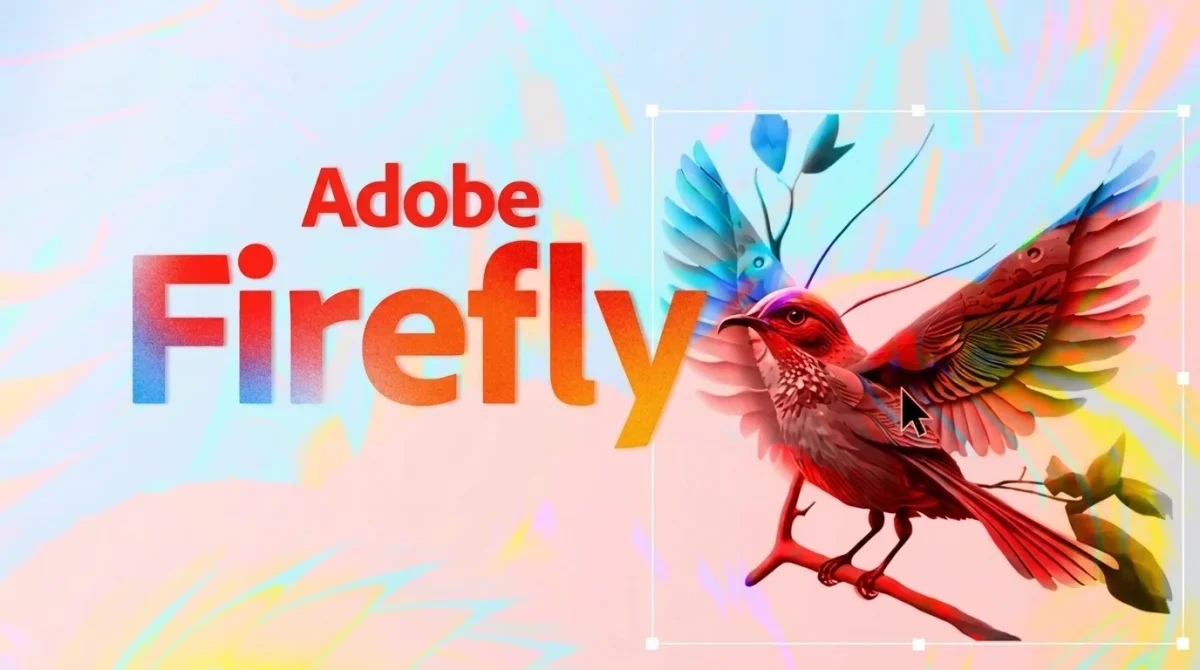
For commercial use, Adobe Firefly and FLUX.1 Schnell is legally safest, as both use licensed training data. But Firefly goes further than most competitors in its legal safety architecture, making it the enterprise standard for commercially safe AI image generation.
Training Ethics and Commercially Safe Metadata
Adobe Firefly is trained exclusively on Adobe Stock images, openly licensed content, and public domain material with expired copyrights. This training data provenance is fully documented and auditable, a stark contrast to Midjourney, whose CEO acknowledged training on internet-scraped images without explicit licensing.
Adobe Firefly offers IP indemnity for enterprise customers, making it the clear choice for maximum legal safety when using licensed training data.
For Fortune 500 brands, media companies, advertising agencies, and any organization where a copyright infringement lawsuit represents an existential risk, IP indemnification isn’t a nice-to-have; it’s a procurement requirement.
Deep Integration with Photoshop and Illustrator Workflows
Adobe Firefly’s killer feature isn’t its raw generation quality (which, while excellent, doesn’t yet top FLUX or Midjourney on pure aesthetic output). Its killer feature is seamless, native integration with the tools professional designers already use every day.
Generative Fill in Photoshop, powered by Firefly, lets designers extend backgrounds, remove unwanted objects, and generate new elements directly within their existing PSD workflow without switching applications, exporting files, or learning a new interface. Vector generation in Illustrator creates scalable graphics that can be directly manipulated as live vector paths.
For designers and creators already using Adobe tools, Firefly is a must-have AI assistant, with better lighting, improved realism, vector-aware generation, and cleaner text rendering.
If your team runs Creative Cloud, you’re already paying for Firefly. The question isn’t whether to use it, it’s whether you’re using it to its full potential.
Content Credentials and the Future of AI Transparency
Adobe is leading the industry’s push toward AI content transparency through its Content Credentials initiative, an open standard for attaching verifiable metadata to AI-generated images that identifies the generation tool, the model used, and any edits applied.
As brands, publishers, and regulators increasingly demand disclosure of AI-generated content, having built-in content credentials isn’t just an ethical consideration; it’s a forward-looking compliance feature. Firefly-generated content arrives with this provenance data attached by default.
Pro Tip
Adobe Firefly 3 is the only choice for enterprise teams where legal compliance is non-negotiable. If you’re already in the Creative Cloud ecosystem, full integration alone justifies adoption.
5. Stable Diffusion (SDXL/SD 3.5) — The Peak of Technical Control
Every tool on this list operates on a fundamental trade-off: ease of use versus technical control. Stable Diffusion lives at the extreme end of that spectrum, extraordinarily powerful for technical users, unforgiving for those who expect a simple interface.
But for the right professional, that unforgiving depth is precisely the point.
ControlNet and IP-Adapter: Engineering Precise Visuals
Stable Diffusion’s ControlNet extension is, in a word, transformative. It allows you to feed the model structural reference data, edge maps, depth maps, human pose skeletons, line art and constrain generation to match that structure exactly.
Want to generate a photorealistic product shot that matches the exact camera angle and lighting setup of an existing sketch? ControlNet. Need to dress a fashion illustration in a specific fabric pattern while preserving the original pose? IP-Adapter, another powerful extension that allows image-based style and content references.
These capabilities exist nowhere else in the AI image ecosystem at this level of precision. Midjourney has no equivalent. Leonardo offers approximations. Only Stable Diffusion gives you true engineering-grade visual control.
Offline Deployment for Total Data Sovereignty
FLUX.1 Dev is designed for non-commercial use with open weights, while Schnell can run fully locally under Apache 2.0 licensing. Stable Diffusion takes this even further; the complete model weights are publicly available, deployable on-premise, and can run entirely without internet connectivity.
For studios handling unreleased game assets, agencies with client NDAs, healthcare organizations with patient data adjacency concerns, or simply professionals who don’t want their creative process uploaded to external servers, a local Stable Diffusion deployment is the only viable option.
A modern consumer GPU (NVIDIA RTX 4070 or better) can run SDXL locally at perfectly respectable speeds. RTX 4090 setups approach cloud generation speeds while remaining entirely offline.
The Modular Ecosystem of ComfyUI and Automatic1111
Stable Diffusion’s power is amplified by its ecosystem of open-source interfaces:
- Automatic1111 (A1111) provides a feature-rich web UI for standard generation workflows, with thousands of community extensions covering everything from upscaling to face restoration to regional prompting.
- ComfyUI takes a node-based visual programming approach, allowing users to build custom generation pipelines chaining models, ControlNet inputs, upscalers, and post-processors in a visual graph that makes the entire workflow transparent and reproducible.
- Flux. 1 Schnell is compatible with ComfyUI, making it easy to integrate and use immediately. This cross-compatibility means advanced users can mix FLUX models with Stable Diffusion’s ControlNet extensions in a single ComfyUI workflow, accessing the best of both ecosystems simultaneously.
Pro Tip
Start with Automatic1111 for standard Stable Diffusion workflows. Graduate to ComfyUI when you need reproducible, complex pipelines, particularly for production work requiring consistent output across large batches.
Competitive Analysis: Head-to-Head Feature Matrix
| Feature | Midjourney | FLUX.1.1 Pro | Leonardo.ai | Ideogram 2.0 | Adobe Firefly3 | Stable Diffusion |
| Image Quality | 5/5 (Artistic) | 5/5 (Photoreal) | 4/5 | 4/5 | 4/5 | 4/5 |
| Prompt Adherence | 4/5 | 5/5 | 4/5 | 5/5 | 3/5 | 5/5 |
| Text in Images | 2/5 (Weak) | 4/5 | 3/5 | 5/5 | 3/5 | 3/5 |
| Commercial Safety | 3/5 (Contested) | 4/5 | 4/5 | 4/5 | 5/5 (Full IP) | 4/5 |
| Ease of Use | 3/5 (Discord) | 4/5 | 5/5 | 5/5 | 5/5 | 2/5 (Technical) |
| Technical Control | 2/5 | 3/5 | 4/5 | 2/5 | 3/5 | 5/5 |
| Local/Offline Use | No | Yes (Schnell) | No | No | No | Yes |
| Free Tier | No | No | Yes (150/day) | Yes (Limited) | Yes (Limited) | Yes (Open-source) |
| API Access | Limited | Yes | Yes | Yes | Yes | Yes |
| Character Consistency | 3/5 | 4/5 | 4/5 | 3/5 | 3/5 | 5/5 |
| Starting Price | $10/month | ~$0.04/image | $12/month | $8/month | CC Included | Free |
| Private Generation | $60/month min | Yes (API) | Included | Included | Included | Yes (Local) |
Implementation Guide: Selecting the Right Tool for Your Workflow
Choosing a Midjourney alternative isn’t about picking the best tool; it’s about matching capabilities to your specific production environment. Here’s a practical decision framework:
If You’re a Solo Content Creator or Blogger
Start with Leonardo.ai’s free tier. The 150 daily tokens are enough for blog graphics, social media images, and thumbnail creation. Upgrade to a paid plan if you need commercial rights or higher resolution output.
If You’re a Freelance Designer Handling Client Work
Use Ideogram 2.0 for any project involving text, social media graphics, posters, and marketing materials. Pair it with FLUX.1.1 Pro via API for product photography and photorealistic compositions. Keep Adobe Firefly in your stack for clients who explicitly require IP-indemnified content.
If You’re an Enterprise Marketing Team
Adobe Firefly 3 should be your primary tool, given its Creative Cloud integration, IP indemnification, and support for Content Credentials. Layer in Leonardo.ai for high-volume batch production and brand-consistent LoRA-trained generation.
If You’re a Game Studio or Animation Production House
Stable Diffusion (SD 3.5 with ComfyUI) offers ControlNet precision and character-consistency workflows that match professional game asset pipelines. Complement with Leonardo.ai’s character reference features for concept exploration.
If You’re Running a High-Volume e-Commerce Operation
FLUX.1.1 Pros: 4.5-second generation speed, combined with its API and pay-per-generation pricing, makes it the most cost-efficient option at scale. The cost math is clear: at 100 images per month, Midjourney costs at least $10, while FLUX-based platforms offer significantly cheaper per-generation pricing.
If Data Privacy is a Hard Requirement
Stable Diffusion with local deployment is your only fully sovereign option. Combine with FLUX.1 Schnell models in ComfyUI for near-cloud-quality results entirely offline.
Conclusion
Midjourney remains a genuinely excellent tool in 2026. Its artistic output, particularly for editorial and campaign imagery, still has a distinctive quality that competitors haven’t fully replicated.
But the best artistic output is no longer a sufficient justification for its limitations. A Discord-dependent workflow, contested commercial licensing, mandatory $60/month for privacy, and no free tier are real costs in money, time, and legal exposure.
Smart studios in 2026 use multiple tools for different jobs: FLUX for product photography, Midjourney for hero campaign imagery, Ideogram for text-heavy design, and Leonardo for volume production. The cost of not picking the right tool for each job is mediocre output.
The best Midjourney alternative isn’t a single tool; it’s the right combination of image and voice tools for your specific workflow. Use this guide to build your stack, and you won’t just replace Midjourney. You’ll build something better.
Frequently Asked Questions (FAQs)
Which AI is better than Midjourney for free in 2026?
For free tiers, Leonardo.ai is the strongest option. 150 daily tokens provide enough capacity for real creative work. Stable Diffusion is completely free if you have your own hardware. Ideogram’s free plan limits the number of generations. None of these free tiers offer the same aesthetic polish as Midjourney’s paid plans, but Leonardo.ai comes closest for general-purpose use.
Unlike Midjourney’s $10/month minimum with no free option, platforms like Leonardo.ai include commercial rights on all plans, including free tiers, making them significantly more accessible for independent creators.
Does any AI handle character consistency better than Midjourney?
Leonardo.ai currently leads for character consistency among cloud-based tools, thanks to its Character Reference feature and native LoRA training. Stable Diffusion with custom LoRA training and IP-Adapter provides the most precise character consistency available with full control over training data and output style. Midjourney v7’s new “character reference” feature is competitive, but Leonardo’s LoRA system offers deeper customization for ongoing series or game asset production.
Can I run these Midjourney alternatives on a standard laptop?
This depends heavily on your hardware. FLUX.1 Schnell and Stable Diffusion can run locally on NVIDIA GPUs (RTX 3060 minimum, RTX 4070+ recommended for comfortable speeds). Most standard laptops, particularly those with integrated graphics, cannot run local models at practical speeds. However, all cloud-based alternatives, Leonardo.ai, Ideogram, Adobe Firefly, and FLUX via API, run entirely in the browser and require no local GPU at all.
How do these alternatives compare in terms of character consistency with Midjourney?
Character consistency is one of the most technically demanding challenges in AI image generation. Here’s the breakdown:
- Leonardo.ai uses Character Reference features and LoRA training to maintain consistent character appearance across generations. Best for content creators and visual storytellers.
- Stable Diffusion with LoRA fine-tuning and an IP-Adapter offers the highest precision, enabling. You are to train a character model on reference images and reproduce that character in any pose, lighting, or scene.
- FLUX.1.1 Pro handles prompt-based consistency well but lacks dedicated character training tools.
- Midjourney v7 introduced character references but lacks the deep customization of Leonardo or Stable Diffusion.
Seed locking, detailed descriptions, reference images, and custom model training are core techniques for character consistency, and results always require iteration, regardless of the platform you use.
Which Midjourney alternative is best for high-resolution, large-format printing?
For large-format print (trade show graphics, billboard-scale output, fine art prints), you need both high native resolution and strong upscaling capability.
FLUX.1.1 Pro generates high-native-resolution images and supports API-based upscaling workflows. Stable Diffusion with Ultimate SD Upscaler or Supir can scale images to extraordinary print-ready resolutions while maintaining fine detail. Adobe Firefly integrates directly with Photoshop’s AI upscaling pipeline, making it the most seamless workflow for print production designers already using Creative Cloud.
For anything larger than 24×36 inches at 300 DPI, plan for a dedicated upscaling step regardless of which generator you use. No AI generator currently produces print-ready output in a single generation pass for large-format work.







)
&description=&image=https://techwelo.com/wp-content/uploads/2026/04/best-midjourney-alternatives-photorealistic-ai-portrait-e1776327499162-1024x605.webp)